

Overview
You can display a custom privacy policy to candidates before they start their interview. This lets you inform candidates how their video responses and personal data will be collected, used, and stored, which is especially useful for staying compliant with GDPR and other data protection regulations.Steps
1
Open your account
Click on your account name.
2
Find the Privacy & GDPR section
Look for the Privacy & GDPR section in the menu.
3
Add your privacy policy
Enter the text or link for your privacy policy that you want candidates to see before taking their interview.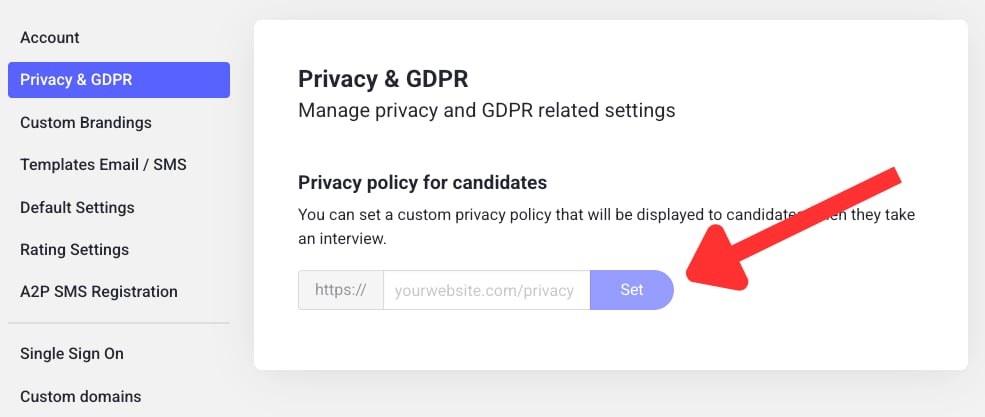
4
Save your changes
Don’t forget to hit Save to apply the changes.