

Overview
A public link is one shareable URL for a position. Any candidate who opens it can enter their own details and start the interview right away. You don’t need to invite each candidate individually. This is different from inviting one by one or importing candidates, where Hireflix creates a unique link tied to each candidate’s email. Common places to share a public link:- A job ad or job board posting
- Your careers page
- Social media
- An automated reply or the confirmation page of your own application form
Steps
1
Open the position's settings
Go to Positions, select the position, and click the gear icon next to the position title to open its settings.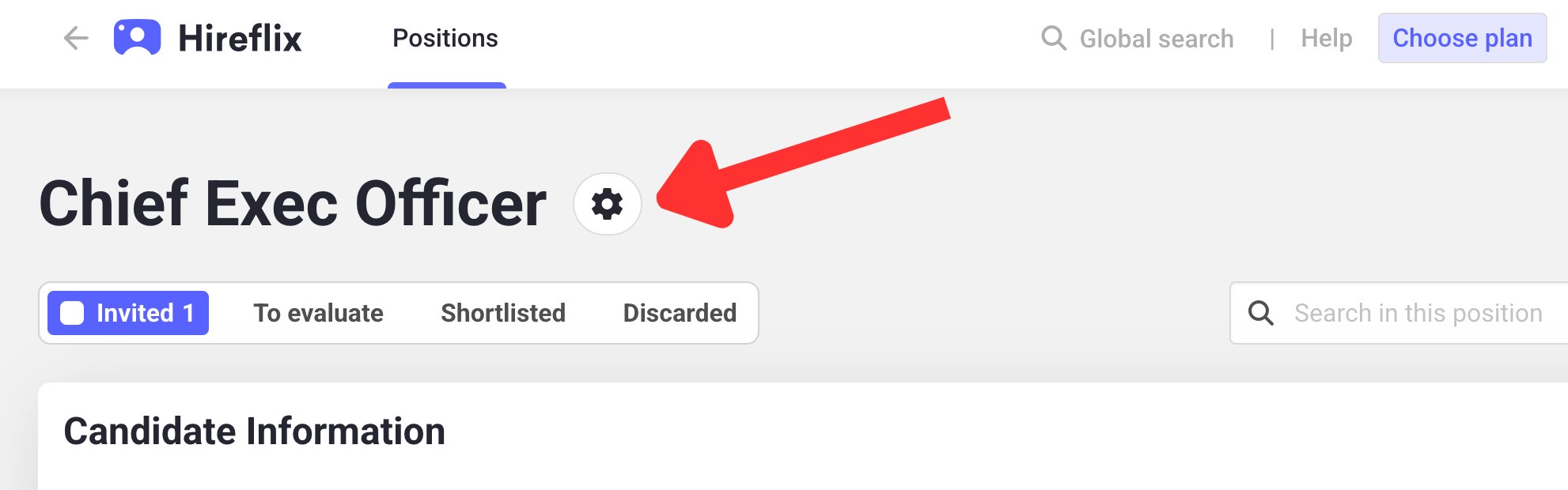
2
Open the public link settings
Below the position’s tags, click the 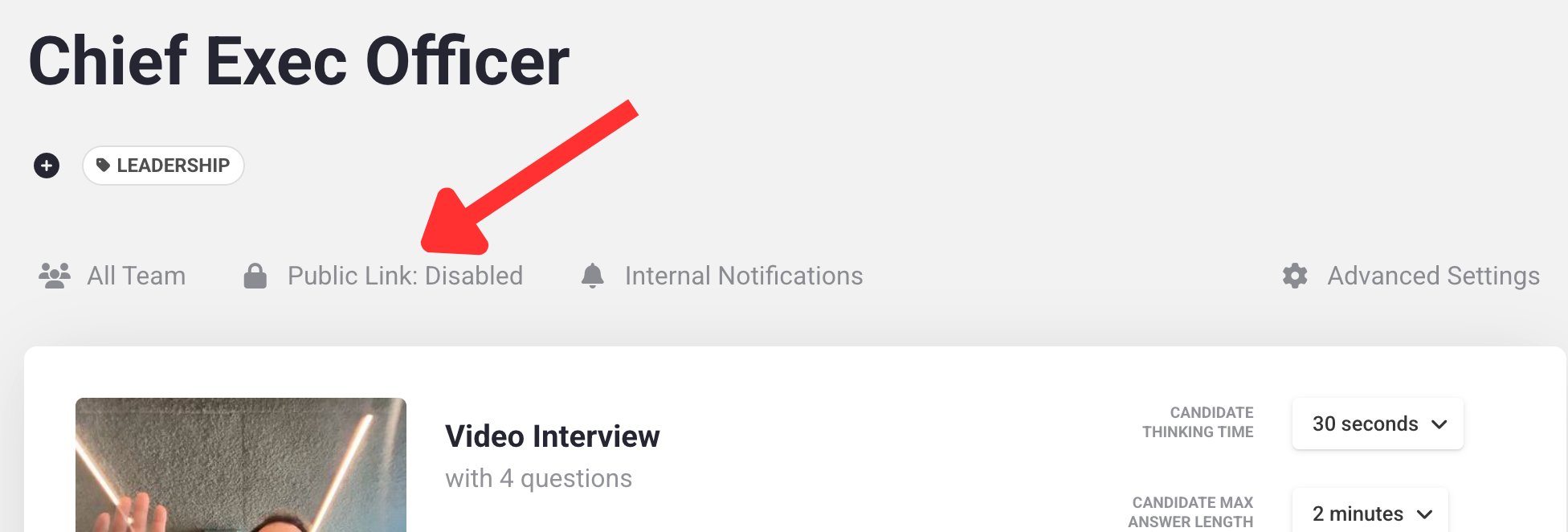
Public Link: Disabled label. A popup opens.3
Enable the public link
Turn on Enable applications through public link. Optionally, configure how candidates identify themselves: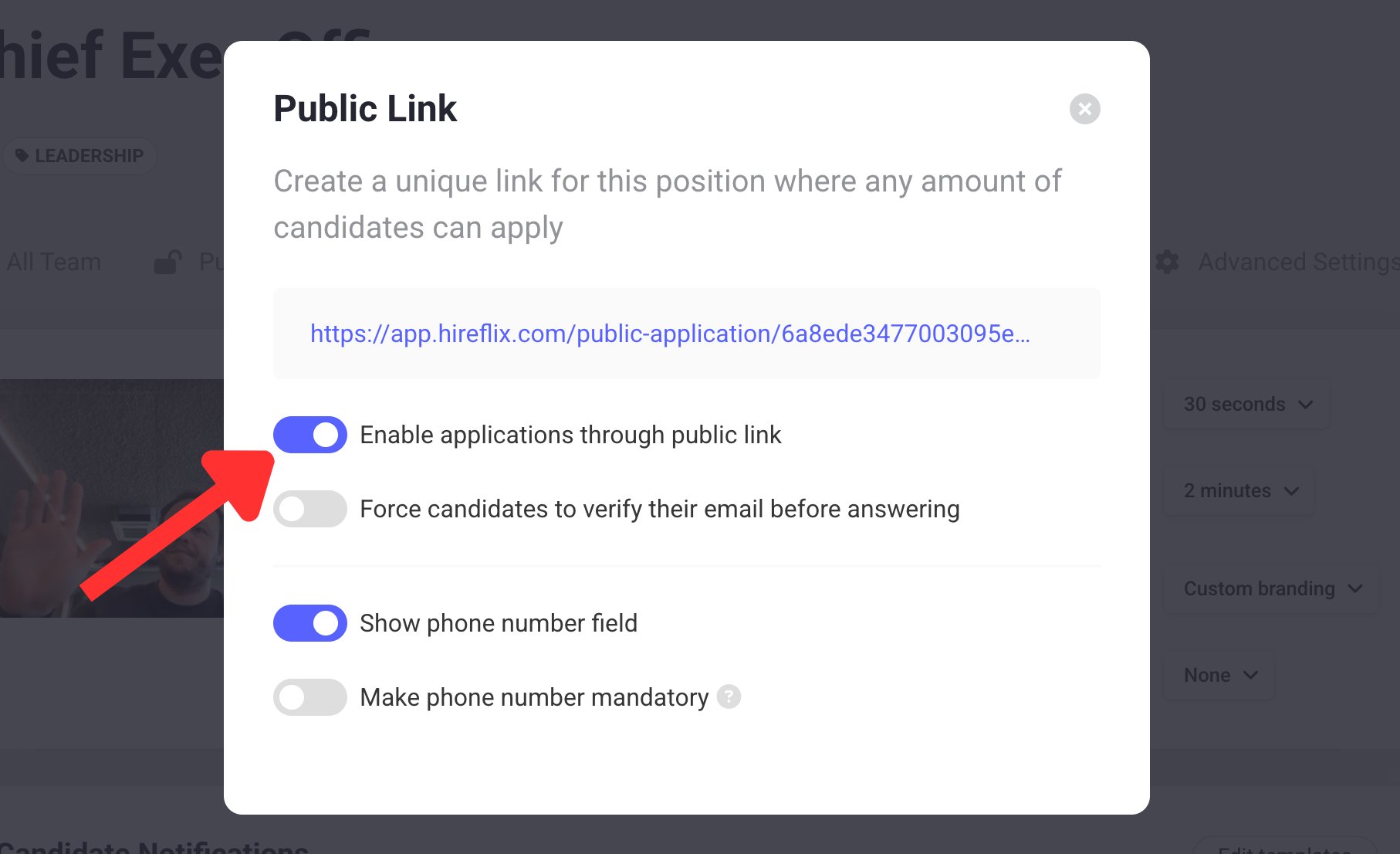
- Force candidates to verify their email before answering: candidates must confirm their email address before they can answer any questions.
- Show phone number field: asks candidates for their phone number, so you can send them SMS messages.
- Make phone number mandatory: candidates can’t start the interview without entering a phone number.
4
Copy and share the link
Copy the link shown at the top of the popup and share it wherever candidates will find it.
Verify who’s applying
Anyone with the link can start the interview, and candidates type in their own details. To make sure you can reach them and that you’re reviewing the right person:- Turn on Force candidates to verify their email before answering in the public link popup. To enable it for every new position, use your team’s Default Settings.
- Turn on Make phone number mandatory if you want to send candidates SMS reminders.
Good to know
- Notifications go to the account owner. Hireflix can’t tell which teammate invited a public link candidate, so it treats the account owner/admin as the inviter. To send completion notifications to the right people, add them as additional team members on the position.
- Turn it on for every new position. To enable the public link by default, use your team’s Default Settings.
- Prefill candidate details. If you collect names and emails in your own form first, you can pass them through URL parameters so candidates don’t type them again. See Prefilling parameters in public links.
Learn next?
Learn how to resend an invitation or let a candidate retake the interview.