

Overview
This page covers sharing one specific interview with someone outside your workspace. It’s the most direct option because the link opens straight to that candidate’s interview, so the reviewer doesn’t have to click through a list to find them.In most cases, this isn’t the option you want. It’s the least flexible way to share:
- You can’t control whether the reviewer can rate the candidate.
- You can’t set a custom link expiration, so you’re giving broader access to a sensitive interview than usually necessary.
- You can only share one candidate at a time.
- Share an entire stage with a hiring manager (recommended for most cases)
- Bulk share multiple interviews
Steps
1
Open the position
Go to Positions and click the position in question.
2
Open the interview
Open the interview you want to share.
3
Share the interview
From this page, click Share Interview.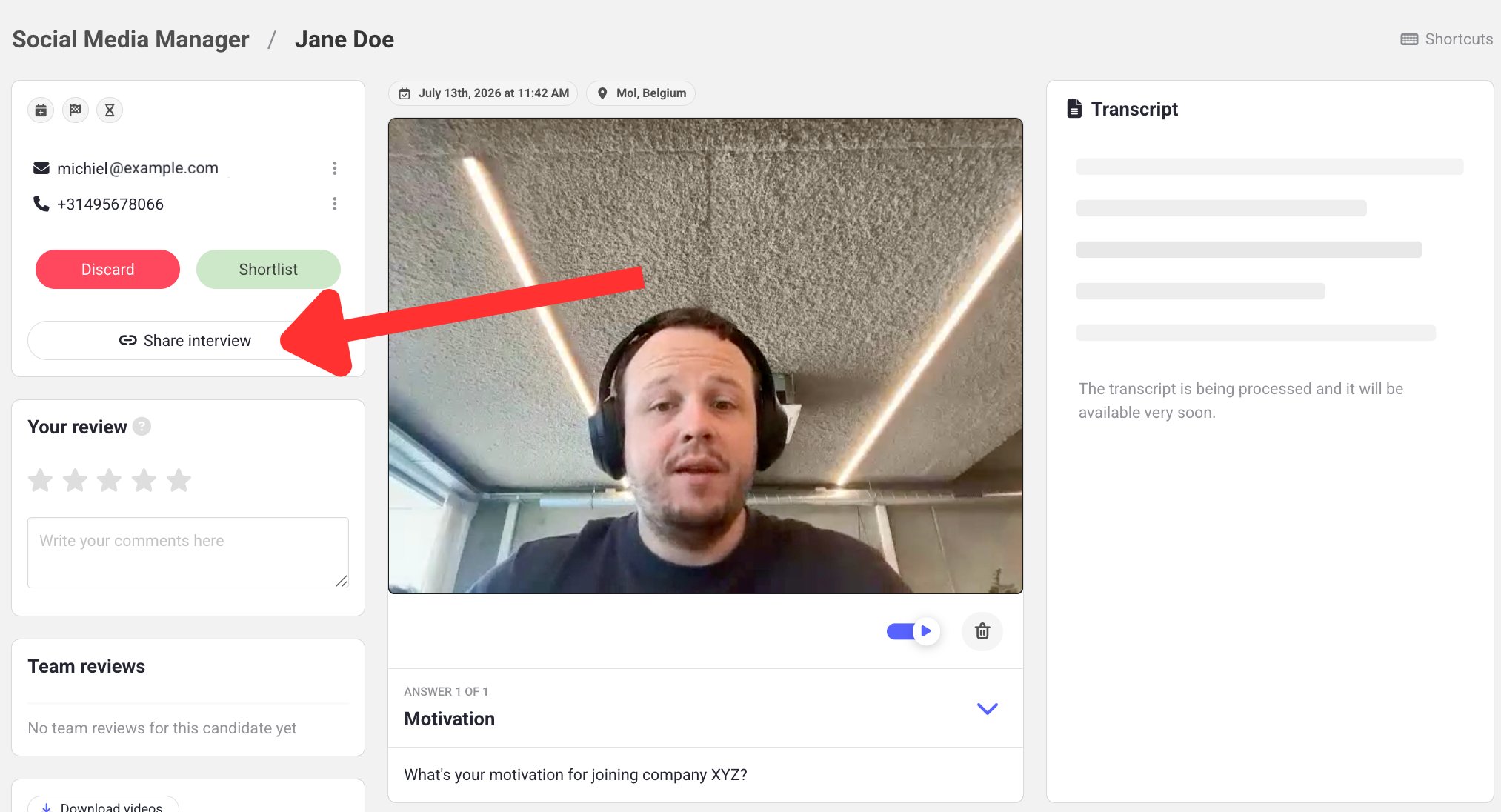
4
Copy the link
Copy the generated URL.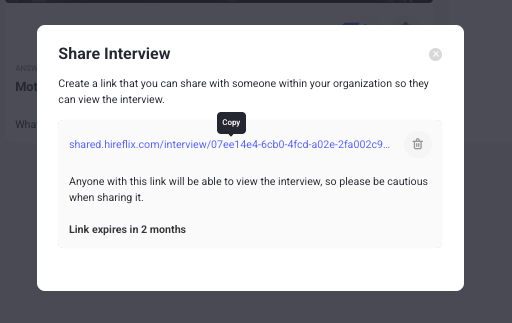
Learn next?
Learn how to set up invites and reminders so candidates complete their interview.