

Overview
Setting up candidate notifications is the last step in creating a job position. You’ll find them in the Candidate notifications section of the position. These messages — emails, SMS, or WhatsApp — are sent to candidates automatically by Hireflix. You just need to pick which ones go out. SMS and WhatsApp work differently from email: they’re sent from a US phone number, candidates can’t reply to them, they usually carry an extra cost, and WhatsApp templates can’t be changed. Read How SMS and WhatsApp work before using them.Set up notifications before inviting candidates
If you already invited candidates and want them to receive the new notifications, you can delete their invitations and invite them again, or copy each candidate’s interview link and send it to them yourself. Hireflix doesn’t let you send an email or SMS manually at any time: messages are only sent automatically on invitation or as reminders, as configured here.Default messages
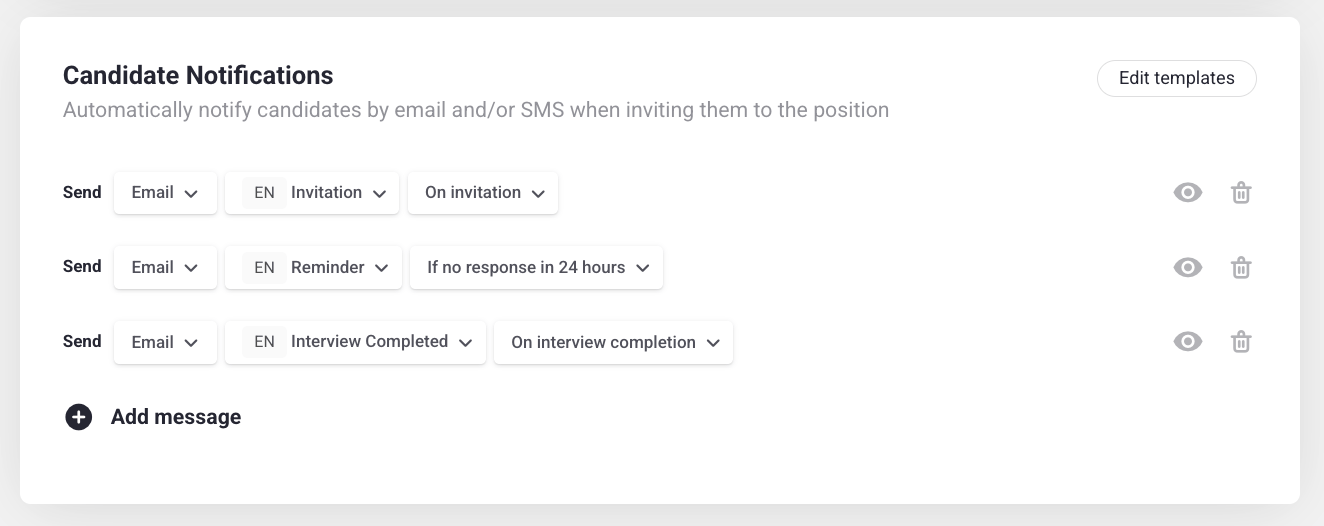
Three messages are enabled by default:- An email inviting the candidate to the interview, with their unique interview URL.
- An email reminder if there’s no response within 24 hours.
- An email thanking the candidate once they complete the interview.
Customizing your messages
Don’t like the defaults? You can send custom messages instead, like an SMS or WhatsApp reminder.1
Choose the message type
Select Email, SMS, or WhatsApp.
2
Pick a template
Choose a message template. Want to build your own? Learn how to create custom templates or jump straight there by clicking Edit templates from the Candidate Notifications pane.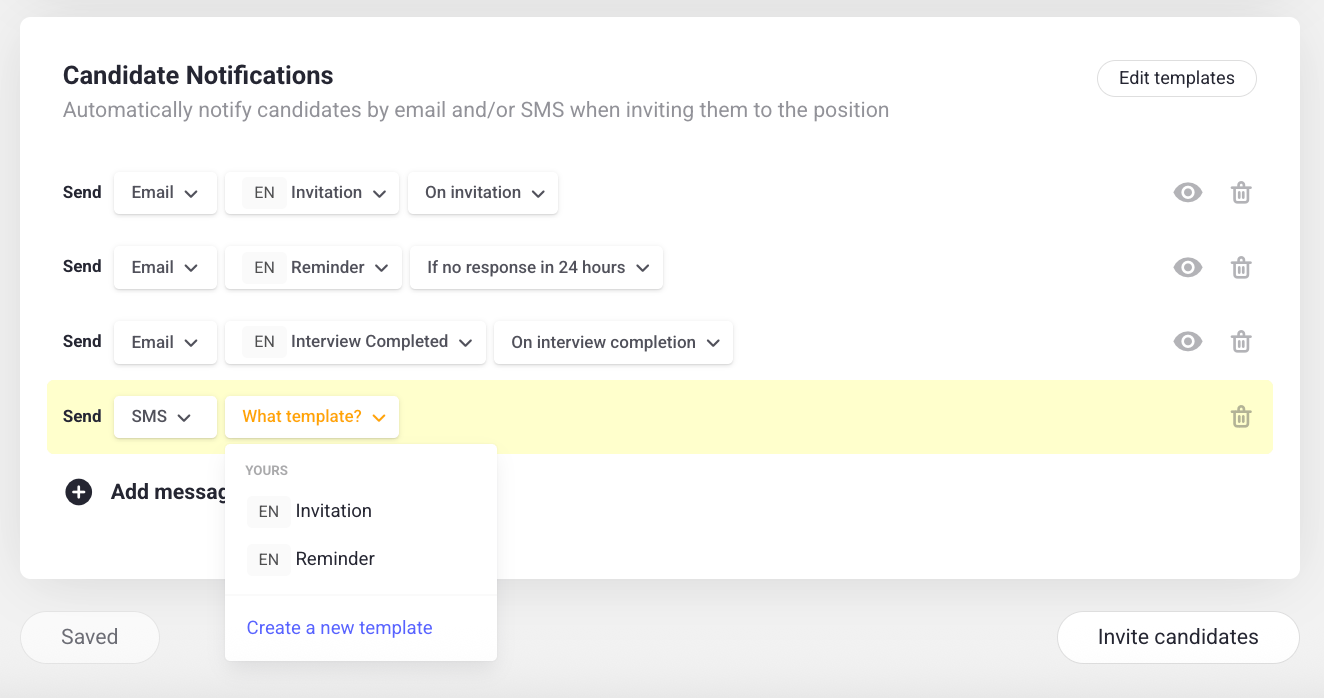
3
Set a trigger
Choose when the message should be sent:
- On invitation
- If no response in 24h
- If no response in 48h
- If no response in X hours (set your own duration)
4
Preview your message
Click the eye icon to preview the message before it goes live.
There’s a maximum of 6 touch points per candidate.
How SMS and WhatsApp work
Hireflix sends SMS and WhatsApp messages through Twilio. Use them as an extra way to invite or remind candidates, on top of email.Phone numbers need the country code
SMS and WhatsApp are only sent if the candidate’s phone number includes the country code (for example +1 for the US, +61 for Australia, +34 for Spain). Without it, the message won’t be sent.Messages come from a US number, and candidates can’t reply
Make sure candidates have another way to reach you if they have questions, such as replying to the invitation email. If most of your candidates are outside the US, consider mentioning in your invitation email that they may also get a message from a US number.Costs and registration
In most cases, SMS and WhatsApp messages carry an extra cost that depends on the candidate’s country. SMS:
WhatsApp: messages usually carry an extra cost, which also depends on the country.
Keep SMS messages short
You can edit SMS templates, but keep them short. One SMS holds up to 160 characters, or 70 characters if it contains emoji or certain special characters. Longer messages are split into several SMS, and each one is charged separately.WhatsApp templates can’t be changed
Checking which messages were sent
Open the position and go to the Invited stage. On the right of each candidate you’ll see the latest event (for example “Opened: Invitation”). Hover over it to see the full history: emails sent, delivered and opened, and SMS sent.Learn next?
Learn how to create and customize your own message templates.