

Overview
Import a CSV or Excel file containing your candidates’ contact information to invite them in bulk.
Your file should contain these fields:
A phone number is only needed if you want to send SMS messages, which we highly recommend, since it leads to a higher candidate conversion rate.
Steps
1
Start the import
Go to your position. Next to the Invite Candidate button, click “or import from a file” to start the import flow.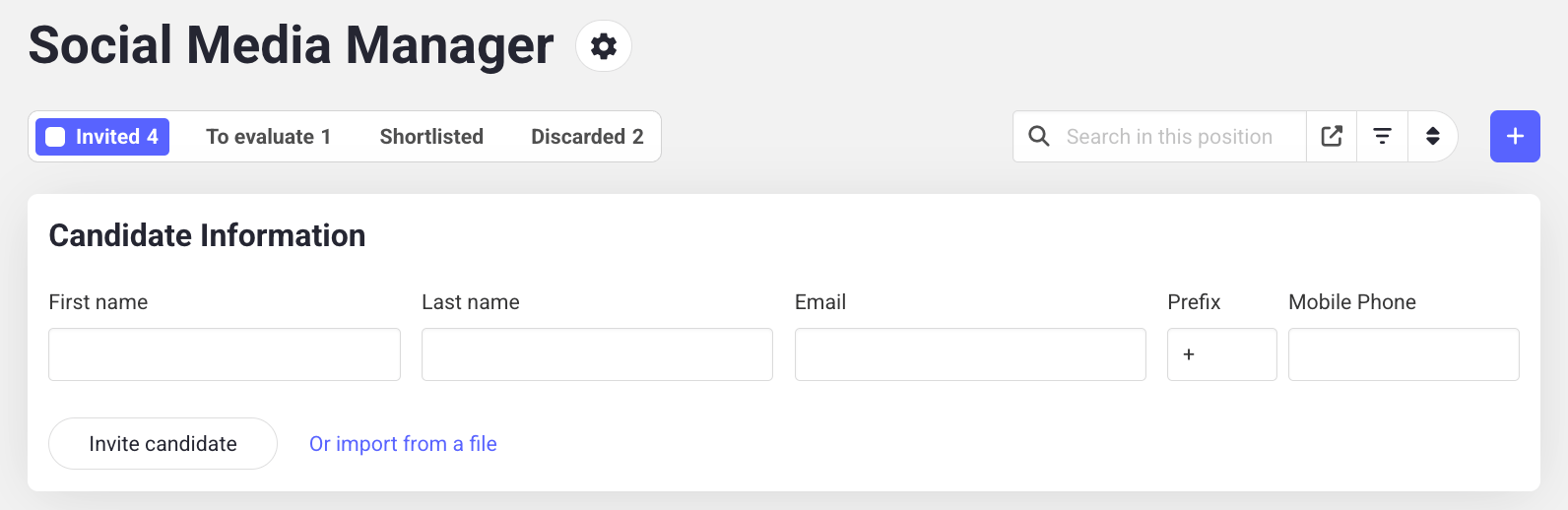
2
Upload your file
Upload a CSV or Excel file. Hireflix will process the data. You’ll be able to match columns in the next step.
3
Match your columns
Match each field to the right column in your file: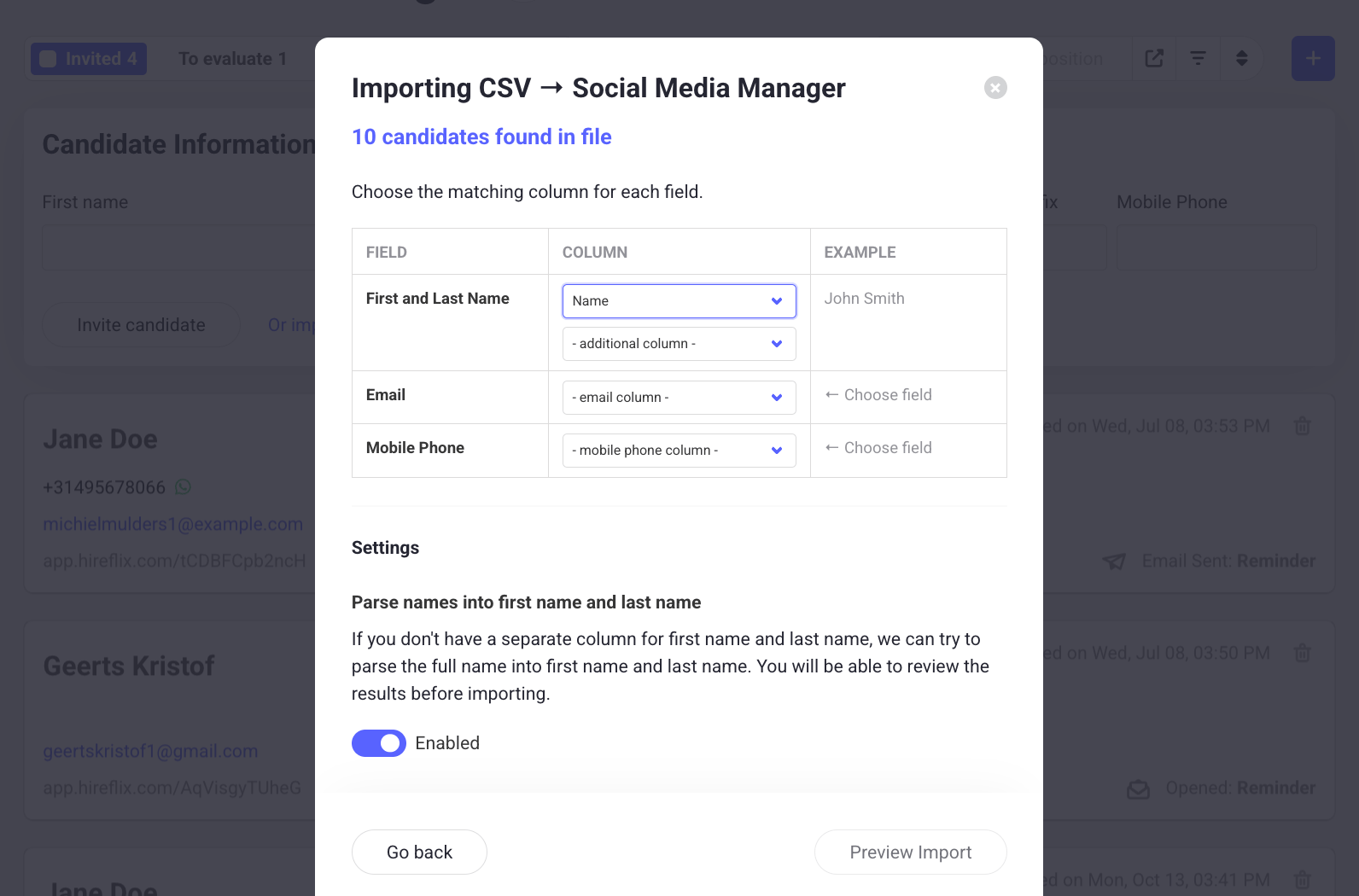
- Link the
firstnameandlastnamecolumns to the first name and last name fields. If your file has a singlenamecolumn instead, enable the setting below to automatically parse names into first name and last name. - Match your email column.
- Match your phone number column.
4
Preview the import
Click Preview Import to check for issues before importing. The most common issue is phone numbers that don’t follow the 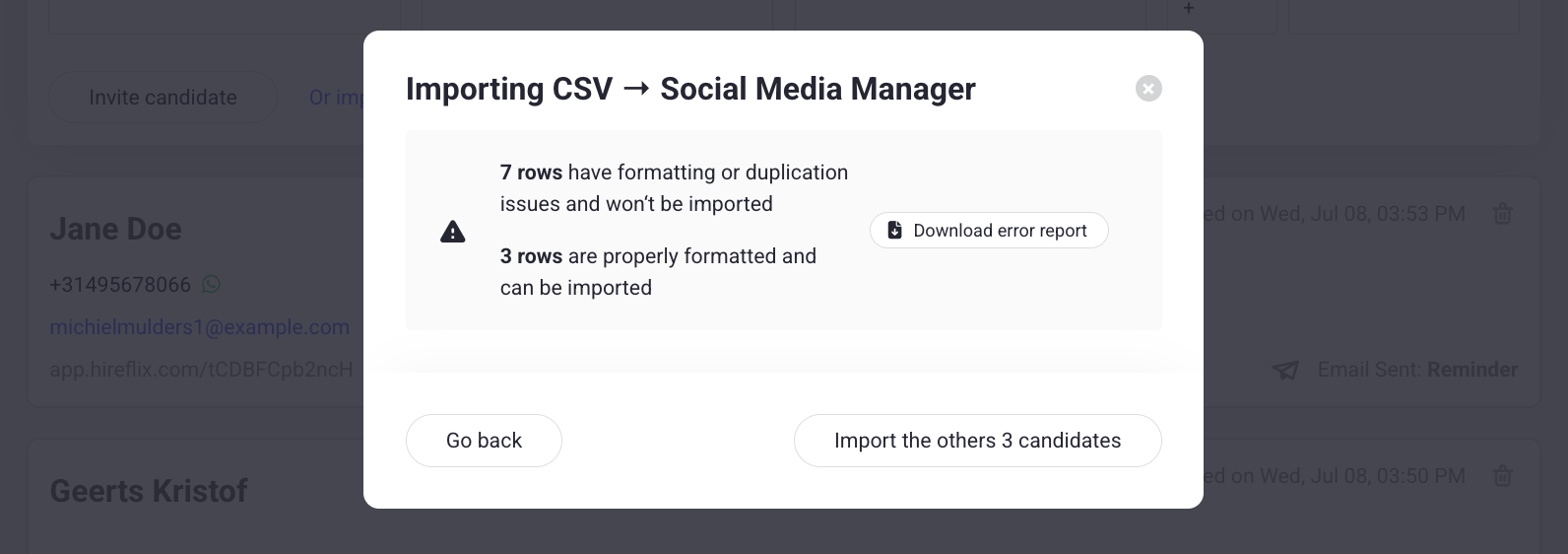
+X XXXXXXXXX format. In the image below, we made a formatting error with the phone numbers. You can download the error report to understand what went wrong. Optionally, you can already import the candidates for which the data is correct.5
Import your candidates
Once everything looks good, import your candidates in bulk.
Learn next?
Don’t have candidate details up front? Learn how to share a public link.