

Overview
There are two main cases for resending or re-inviting a candidate, and the steps you take depend on which one applies:- The candidate hasn’t completed the interview yet.
- The candidate has already completed the interview.
Candidate hasn’t completed the interview
Option 1: Re-send the same link manually
Go to your position on Hireflix and open the Invited stage. Under the candidate’s name, you’ll find their unique interview link — copy it and email it directly to the candidate so they can continue and finish their interview.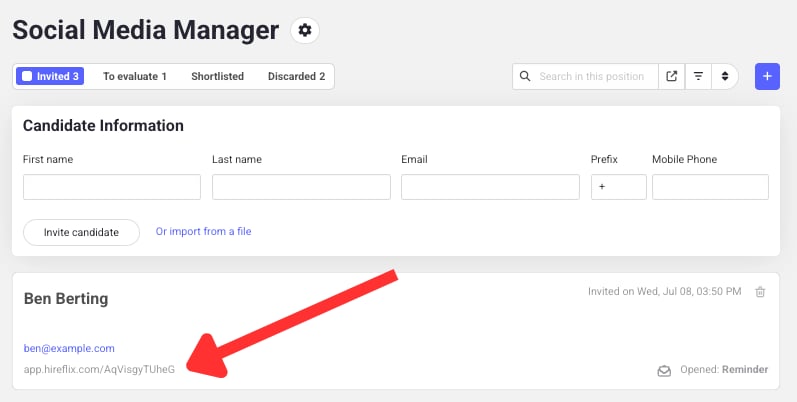
Option 2: Delete and re-invite
If you’d rather start fresh, delete the existing invitation and create a new one. The candidate will receive a new invitation with a new link, sent through whichever candidate notifications are configured for the invitation on the position (email, SMS and/or WhatsApp).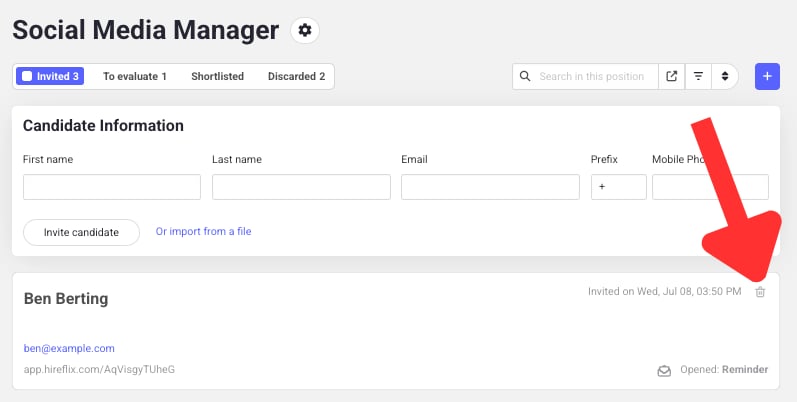
This new link won’t be connected to the candidate’s previous record in your ATS integration.
Candidate has already completed the interview
If a candidate has submitted their interview but you want them to retake it, you have two options.Option 1: Let them redo specific answers
Delete specific answers (or all of them) so the candidate can re-record them using the same link. This is the easiest way to let them redo questions without creating a new invite. Open the candidate’s interview, click the Delete answer icon next to the question(s) you want redone, and confirm. The candidate can then reuse the same link.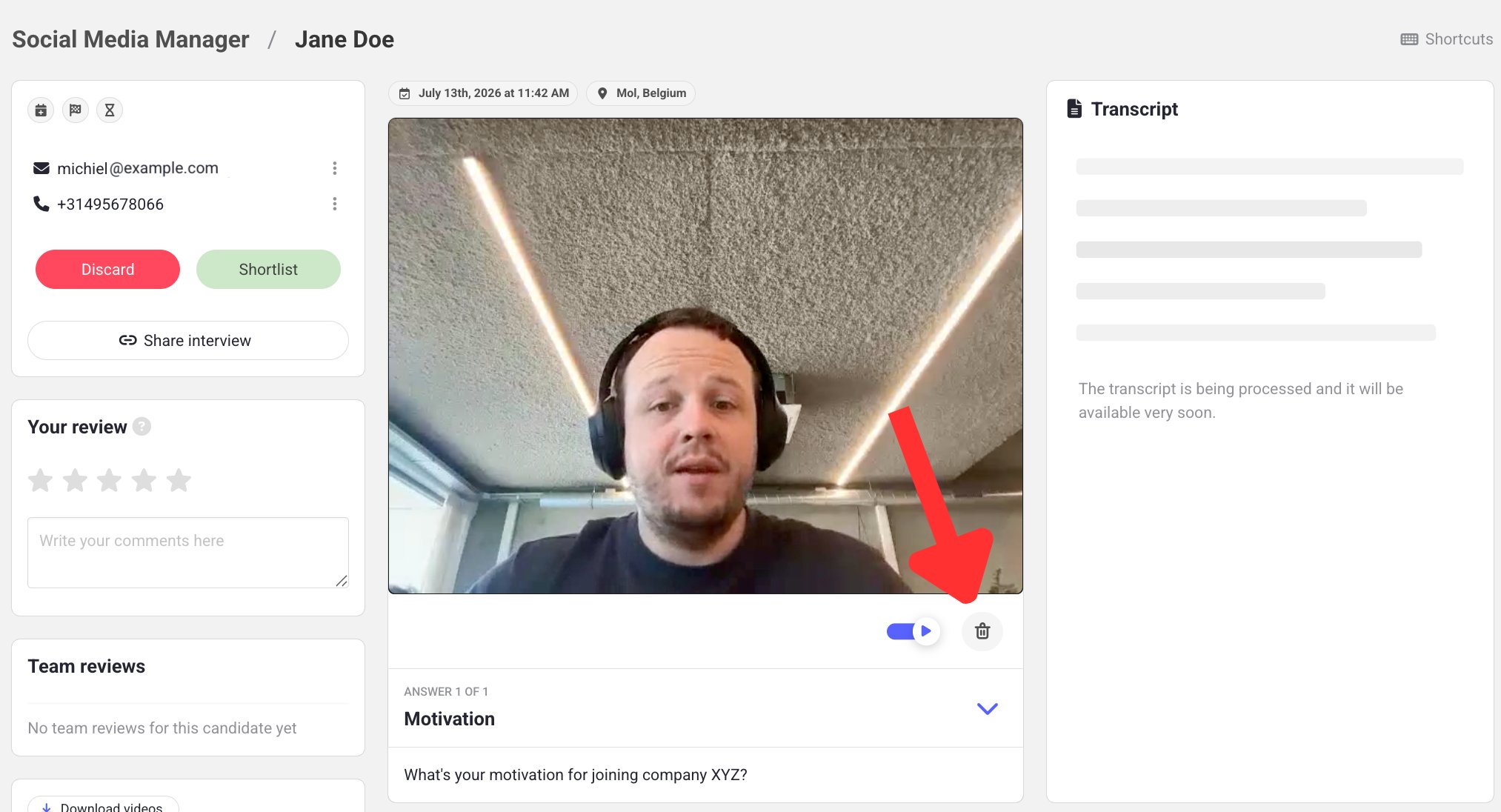
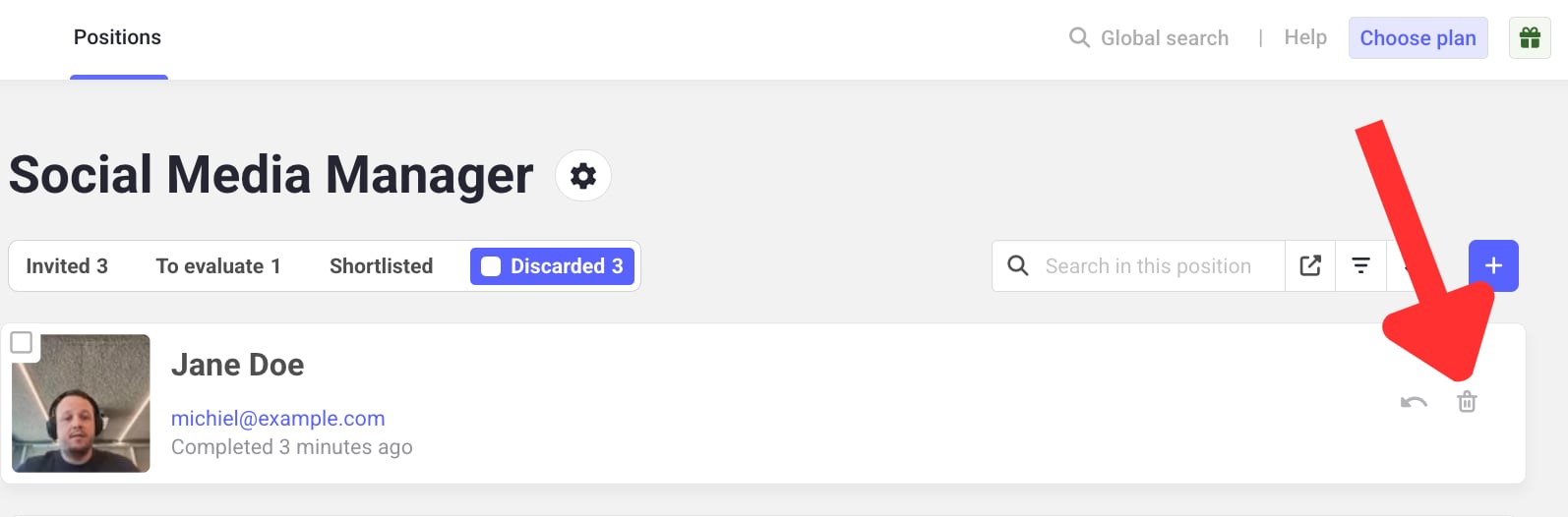
Option 2: Discard, delete, and re-invite
If you’d rather start over completely, discard the candidate’s entire interview first by going to theTo evaluate tab for the specific position.
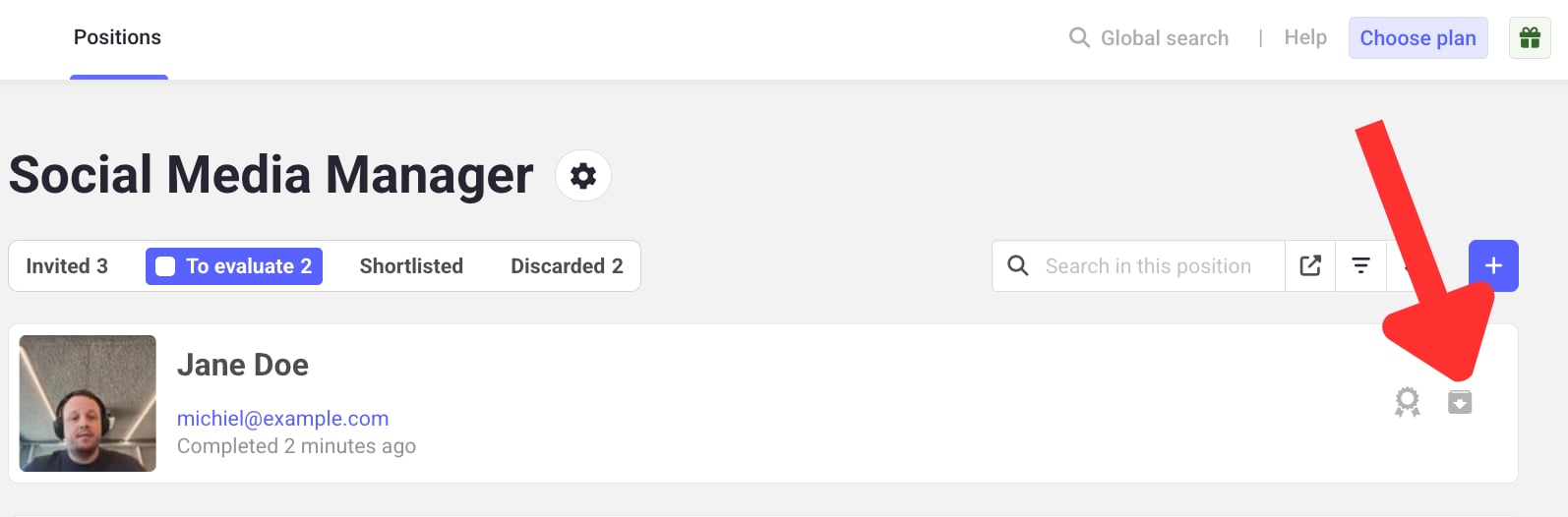
Discarded interviews tab.
Summary
Need help?
Contact us at support@hireflix.com and we’ll help you out.