

Overview
Do you want to be constantly updated? Sync your Hireflix account with Slack and you’ll receive a message in the channel of your choice every time a candidate finishes an interview, making it easier to collaborate with your team.Steps
1
Open Integrations
Click your account icon in the top-right corner of the screen, then select Integrations from the menu.
2
Enable Slack
Search for Slack in the integrations list and click the toggle to enable it.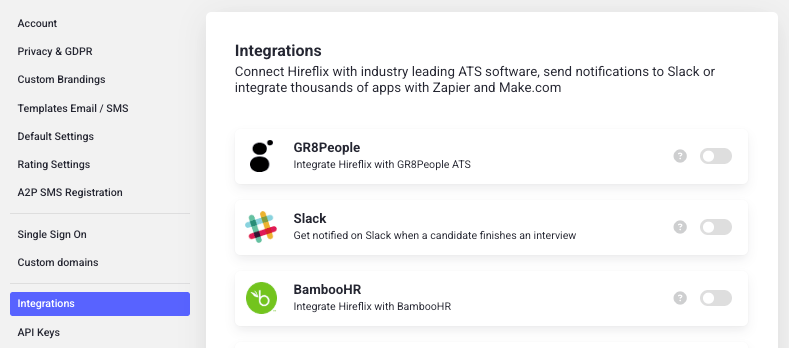
3
Connect your workspace
This opens a new screen where you can configure your Slack workspace and select a channel to receive notifications. Make sure to click Allow to complete the integration.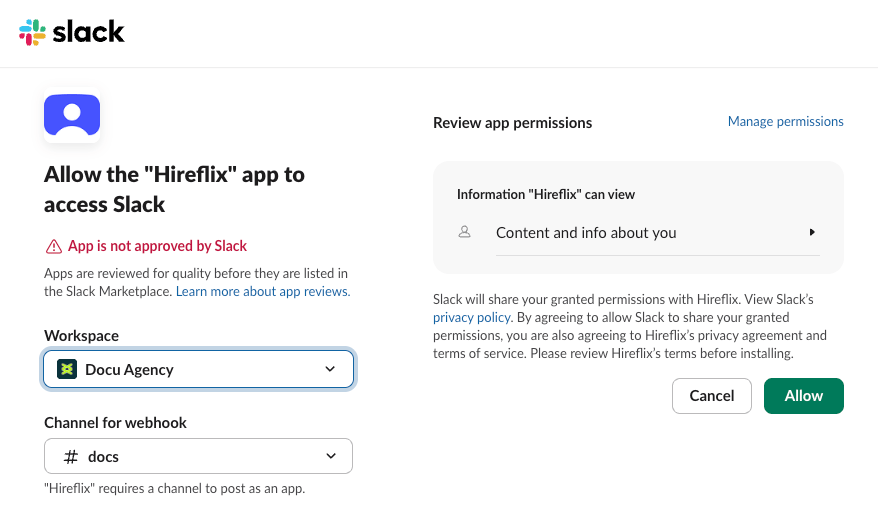
Learn next?
Learn how completion notifications work over email, and who receives them.