

Overview
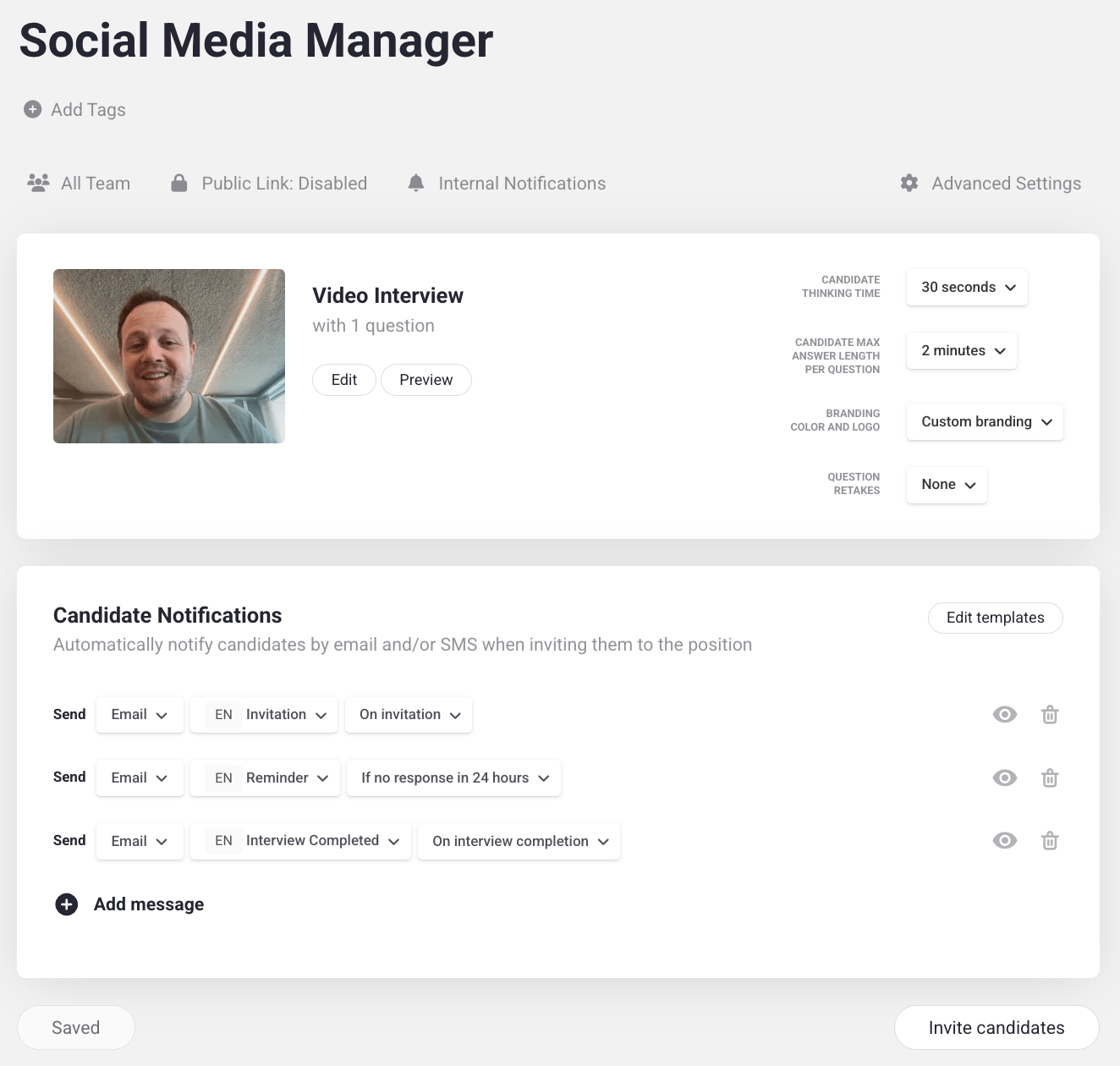
Tailoring is the third step in building a job position: fine-tuning how the interview behaves and looks for candidates. To access these settings, go to your Positions, select the position you want to modify, and click the gear icon. Your tailoring settings appear on the right. By default, candidates get 30 seconds thinking time and 2 minutes as the upper limit to answer a question, which is often sufficient. These are position-wide defaults, but you can override them on a per-question basis (see Overriding defaults per question below). You can configure:- Thinking time — how long candidates have to think before they’re required to answer a question.
- Answering time limit — how long candidates get to answer each question, from no limit to as little as 15 seconds.
- Branded interview page — how the interview platform looks and feels, so the experience brings candidates closer to your company.
- Retakes — how many times candidates can re-record their answer to a question. By default, this is set to None — preventing multiple takes helps discourage AI-assisted or overly rehearsed answers.
- Tags — shown right below the position title, help you organize and filter positions (for example by department or location).
- Public link — shown as a
Public Link: Disabledlabel below the tags. Click the label to open a popup where you can enable the public link so anyone with the URL can apply, and optionally require candidates to verify their email or enter a phone number before starting the interview. - Internal notifications — controls who on your team gets emailed when a candidate completes the interview. By default, the inviter receives an email for every completion. You can add additional teammates to the notification list, or turn off the inviter’s default notification if they don’t want to be emailed.
Overriding defaults per question
The settings above apply to every question in the position, but some questions may need more thinking time or a longer answer window. For example, asking a candidate to explain a complex architecture likely deserves more time than a quick introduction. You can override thinking time, answering time limit, and retakes on a per-question basis.1
Open the position in edit mode
From your positions list, open the position and click the Edit button to enter question editing mode.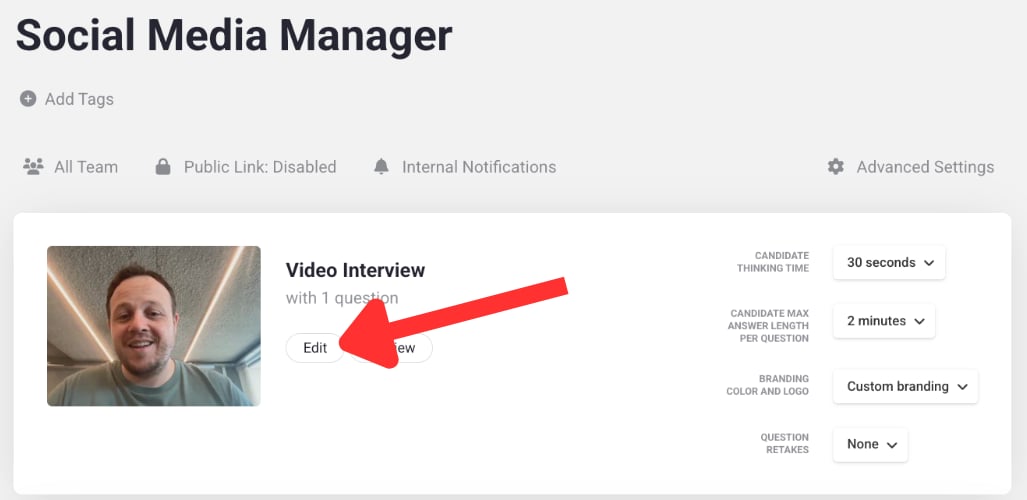
2
Open the question's settings
Next to the question you want to customize, click the gear icon to open its individual settings panel.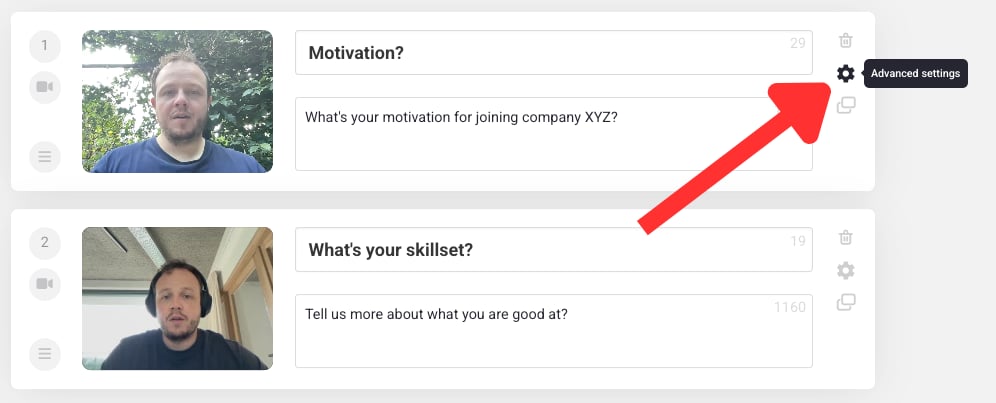
3
Change the settings for that question
Adjust thinking time, answering time limit, or retakes just for this question. For example, extend the answering time limit to 5 minutes for a question that asks the candidate to explain a complex architecture.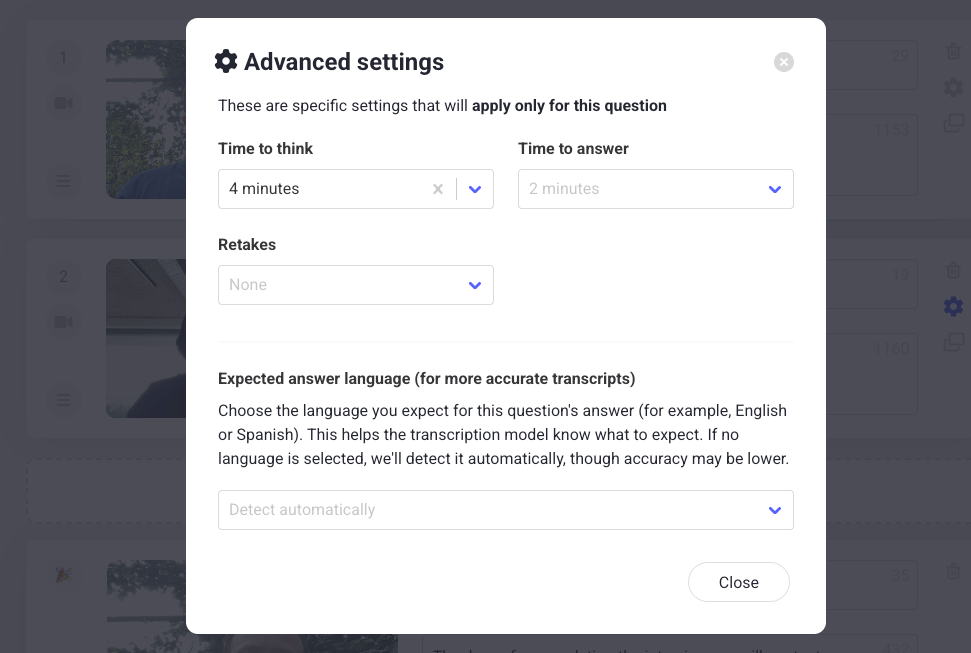
Learn next?
Learn how to add your company’s branding to the interview page.