

Overview
Inviting candidates one by one lets you add candidates to a job position directly from the Hireflix platform. Each candidate gets their own unique link to access the interview.Steps
1
Open the position
Click on the position you want to invite candidates to.
2
Enter the candidate's details
At the top, enter the candidate’s first name, last name, email, and, optionally, phone number. A phone number is only needed if you want to send SMS messages, which we highly recommend.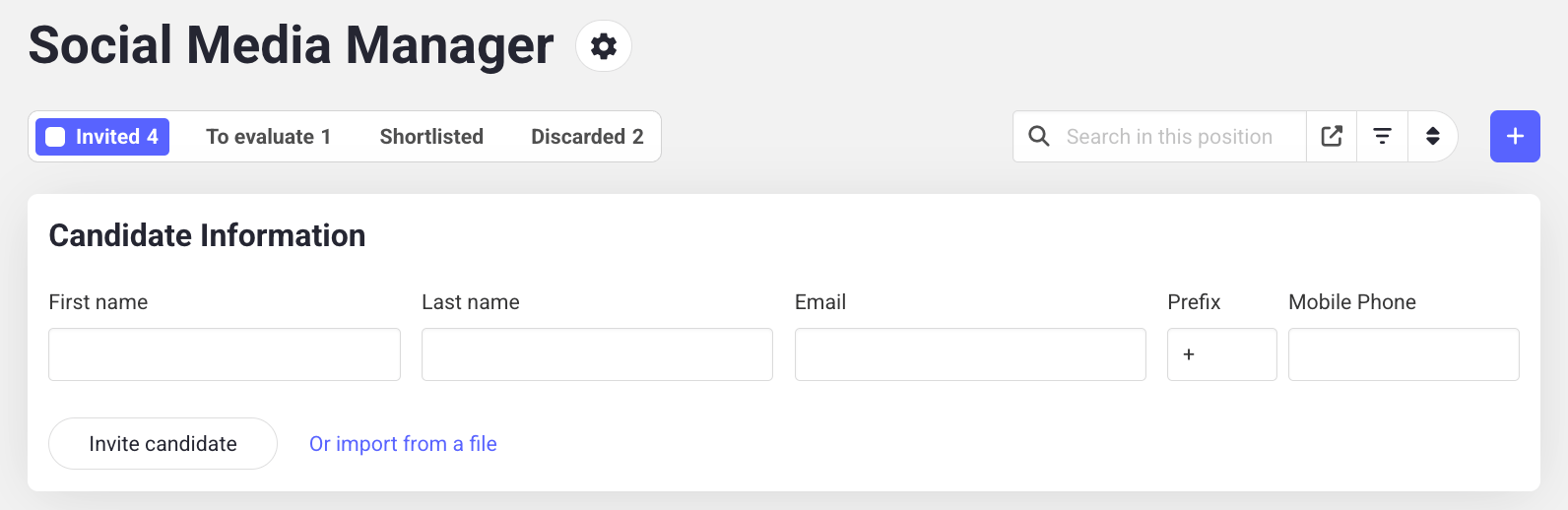
3
Send the invite
Click Invite Candidate. The candidate will receive an email with their unique interview link.
Learn next?
Inviting many candidates at once? Learn how to import candidates in bulk.