

Overview
Hireflix automatically transcribes what candidates say in their videos into text, so you can review answers by reading instead of watching every video in full. You can find a transcript for each video by going to a position, and clicking on any interview that needs to be evaluated. You’ll see the below interface with transcripts on the right and if you click the “CC” (closed captions) button, you can also watch the video with the transcript overlaid.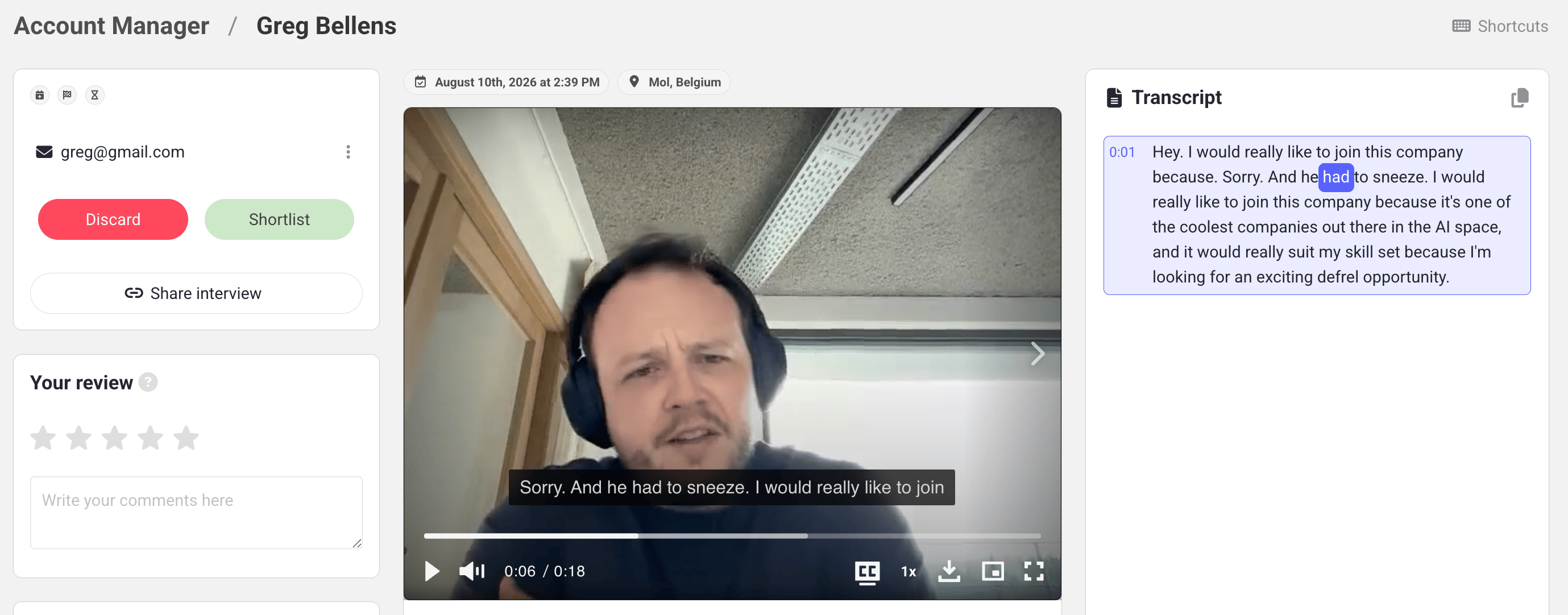
Supported languages and accuracy
Hireflix supports 99 languages. Accuracy depends on the language and audio quality. We group languages by their approximate Word Error Rate (WER), where lower is better. Even for the easiest languages, the best available systems reach around 90%+ accuracy (never 100%).High accuracy (≤10% WER)
High accuracy (≤10% WER)
English, Spanish, French, German, Indonesian, Italian, Japanese, Dutch, Polish, Portuguese, Russian, Turkish, Ukrainian, Catalan
Good accuracy (10–25% WER)
Good accuracy (10–25% WER)
Arabic, Azerbaijani, Bulgarian, Bosnian, Mandarin Chinese, Czech, Danish, Greek, Estonian, Finnish, Filipino, Galician, Hindi, Croatian, Hungarian, Korean, Macedonian, Malay, Norwegian Bokmål, Romanian, Slovak, Swedish, Thai, Urdu, Vietnamese
Moderate accuracy (25–50% WER)
Moderate accuracy (25–50% WER)
Afrikaans, Belarusian, Welsh, Persian (Farsi), Hebrew, Armenian, Icelandic, Kazakh, Lithuanian, Latvian, Māori, Marathi, Slovenian, Swahili, Tamil
Fair accuracy (>50% WER)
Fair accuracy (>50% WER)
Amharic, Assamese, Bengali, Gujarati, Hausa, Javanese, Georgian, Khmer, Kannada, Luxembourgish, Lingala, Lao, Malayalam, Mongolian, Maltese, Burmese, Nepali, Occitan, Punjabi, Pashto, Sindhi, Shona, Somali, Serbian, Telugu, Tajik, Uzbek, Yoruba
Hireflix works with leading speech-to-text providers and layers on our own improvements, like better language detection, to give you the best available quality. Accuracy for less common languages may keep improving as models are updated over time.
Improve accuracy with “Expected language”
Hireflix uses a self-trained model for industry-leading language detection, so languages are usually detected accurately on their own. If transcriptions ever show up in the wrong language, you can force the model to focus on the language you expect. Setting an Expected language tells the transcription model which language to focus on, preventing unwanted translations and improving accuracy, which is especially useful for less common languages or when detection isn’t accurate enough.1
Open your position
Go to the position in Hireflix.
2
Open Configure
Click the Configure gear icon.
3
Open Advanced settings
Open Advanced settings.
4
Set the expected language
Select the language you expect candidates to use (for example, “Global English”).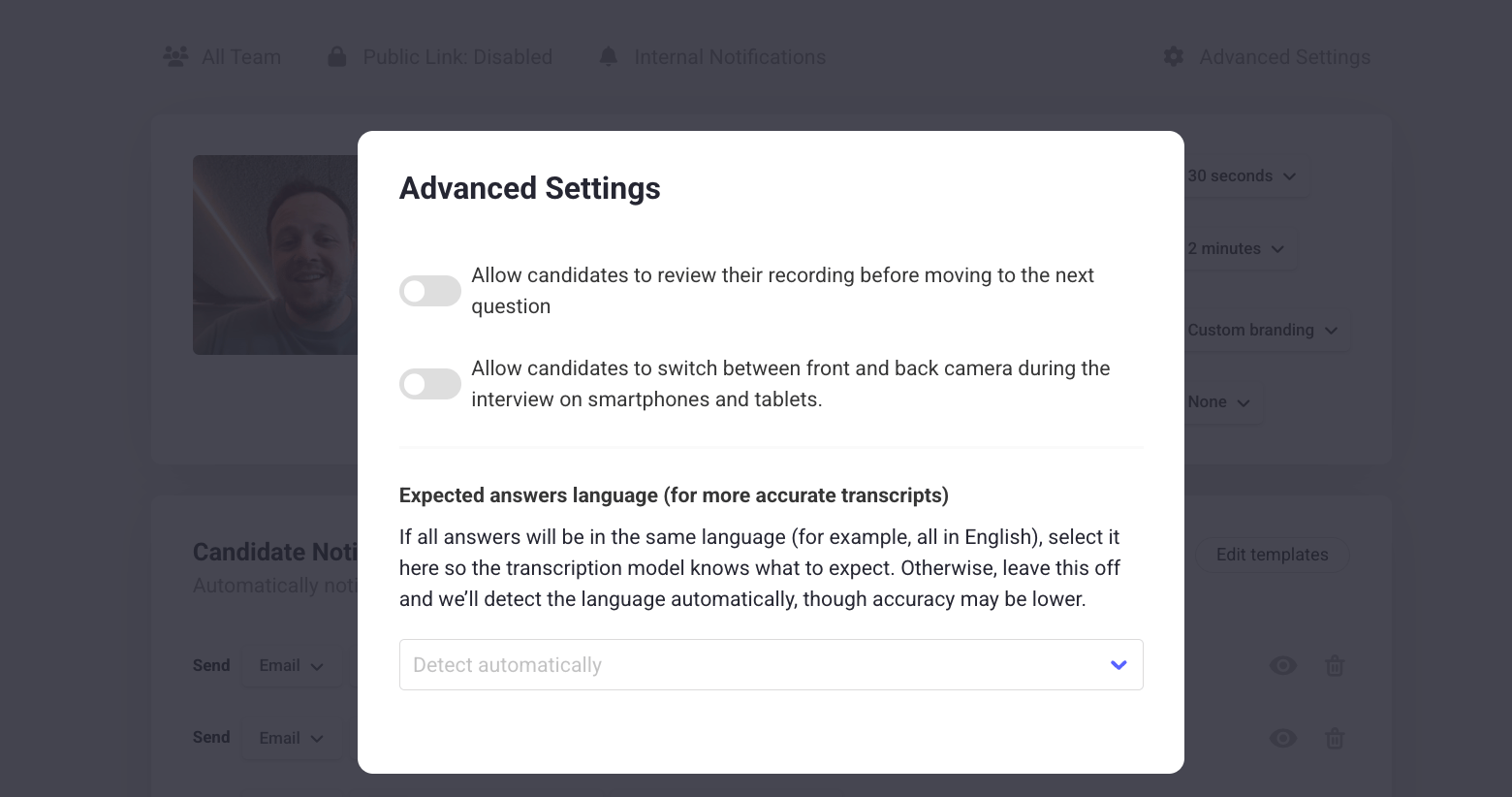
Learn next?
Not sure what to ask? Check out our example questions.