

Overview
From your Hireflix account, you can choose the plan that fits your needs and pay for it directly with a credit card — enabling automatic renewal so your plan never lapses. Enter your billing details once, and pay for what you need, when you need it.You can follow these steps even if your trial or subscription has already ended.
Steps
1
Choose a plan
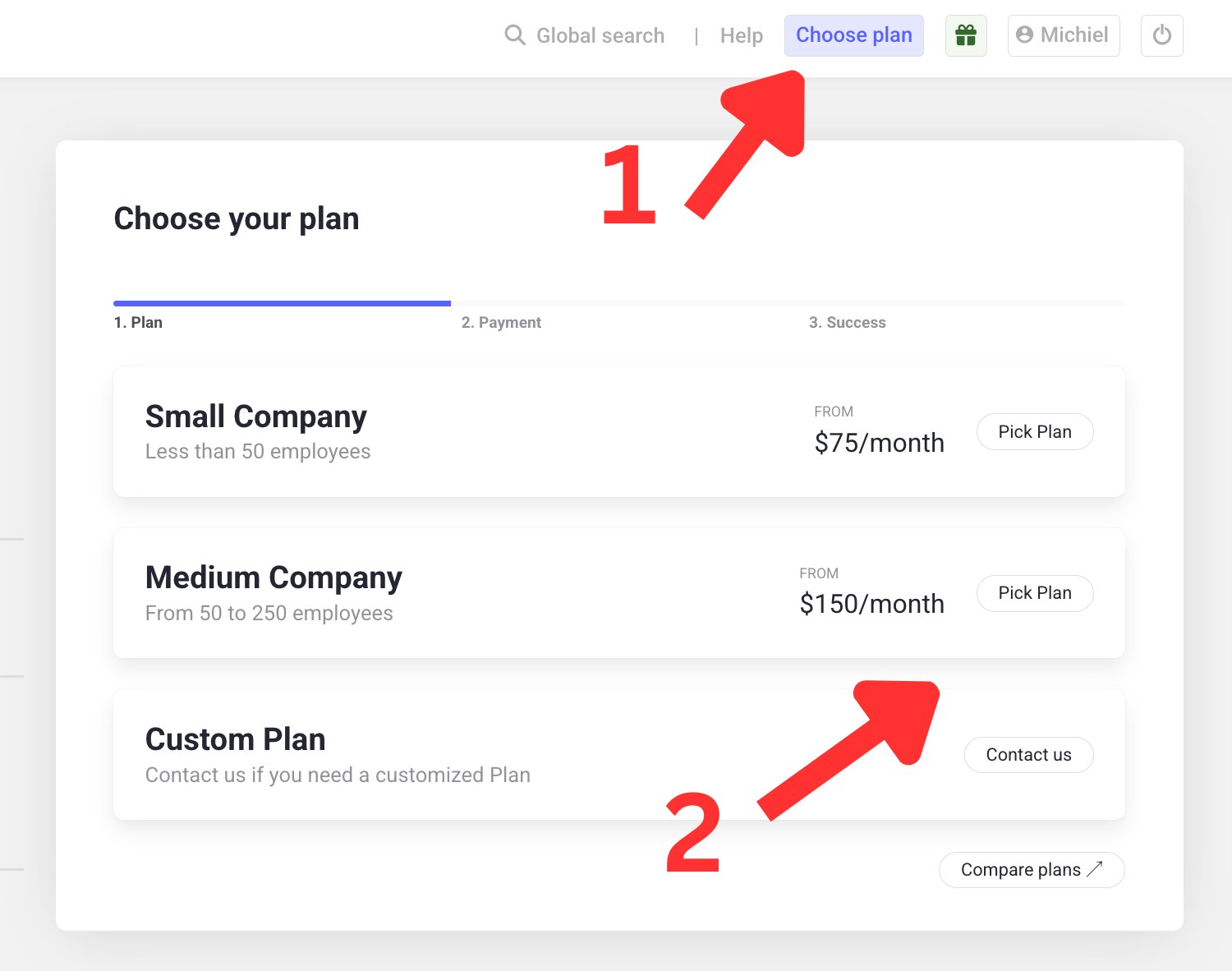
Click Choose Plan on the main dashboard, in the top right.
2
Select the plan that fits your needs
Pick the plan you prefer. Need something bigger? Contact our sales team via the Contact button for a Custom Plan.
3
Pick a payment term
Choose between monthly or yearly billing.
Yearly terms come with a 50% discount compared to paying monthly.
4
Enter your payment details
Add your credit card details and billing information (company name, VAT number), then click Complete Payment.
5
Get your invoice
Once your payment is confirmed, an invoice is automatically sent to your email.
Learn next?
Learn how to update your credit card or billing details later.