

Overview
Closing a job position clears it off your Positions dashboard once it’s no longer active or useful. Behind the scenes, this archives the position. A closed position stops counting toward your Active Positions, so it no longer affects the number of active jobs included in your plan.Check out our Plans and the number of job positions they include.
Steps
1
Go to Positions
Open your Positions dashboard.
2
Close the position
Click the arrow down icon next to a position you want to close.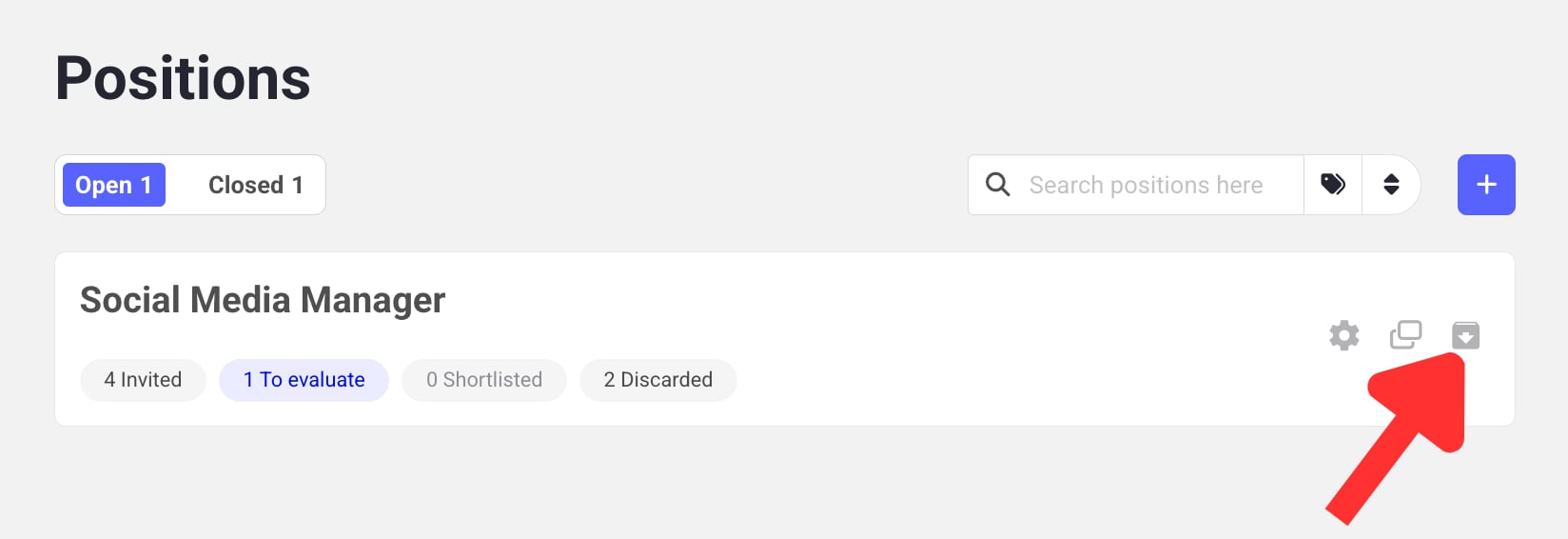
3
Browse closed positions
Click Closed to see all the positions you’ve closed. From there you can: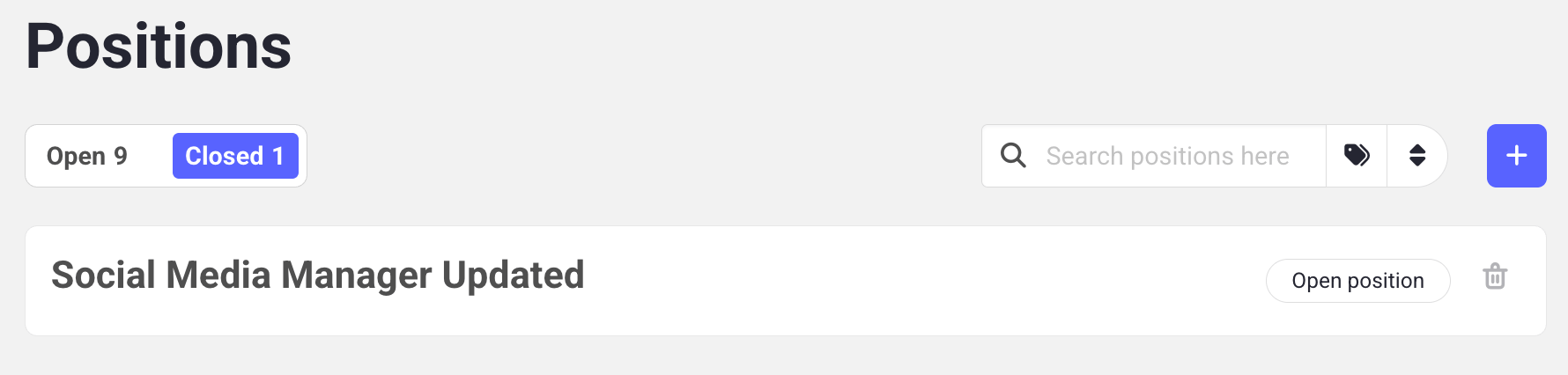
- Reopen a position by clicking the Open position button, or
- Permanently delete it using the trash can icon.
Learn next?
Learn how to invite candidates to your position.