

Enable Integration
- Log in to your Hireflix account, go to Account > API Keys and create a key. Name it “Workable” and copy it to your clipboard.
- Log in to your Workable account and go to Account > Integrations. Find Hireflix in the list of services and click SETTINGS, then paste the API key into the input and click UPDATE SETTINGS to enable the integration.
-
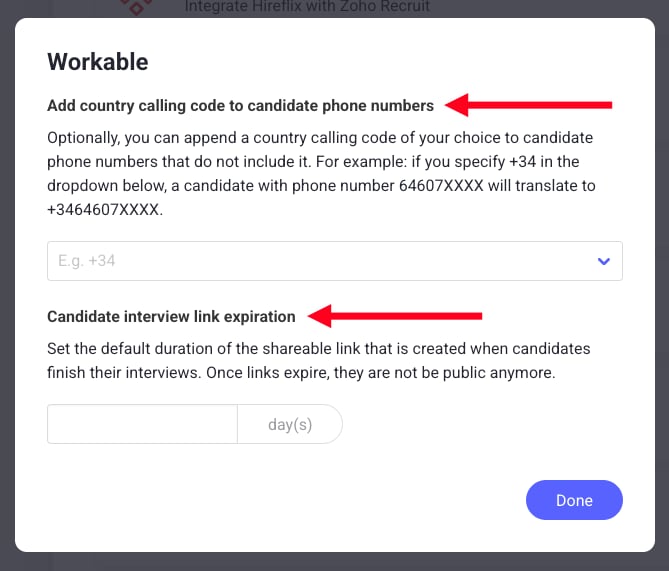
Optional: go back to Hireflix, open the Integrations page, find Workable and click the cog icon to open the advanced settings.

- Candidate interview link expiration: how long, in days, the link on the candidate’s profile stays valid. The default is 75 days, and you can set anything from 75 to 10,000 days. The change only applies to new links.
- Add country calling code to candidate phone numbers: adds the country code you choose to candidate phone numbers that don’t include one.
Using Hireflix in Workable
- After creating the interview in Hireflix, go to Workable and edit the Job where you want to add it.
- Go to Assessments.
- Choose Interview in the stage dropdown and click CONTINUE.
- Click Video Interview.
- Choose the corresponding video interview in the list and click SAVE CHANGES.