

When to use this
Webhooks let your system automatically receive updates from Hireflix when interview events happen, such as when a candidate completes an interview or when a recruiter changes the interview’s status. Instead of polling the API repeatedly, you can configure Hireflix to push these events to your backend in real time.Create a webhook
Only the Admin of your Hireflix account can create webhooks.
Option 1: From the Hireflix Dashboard
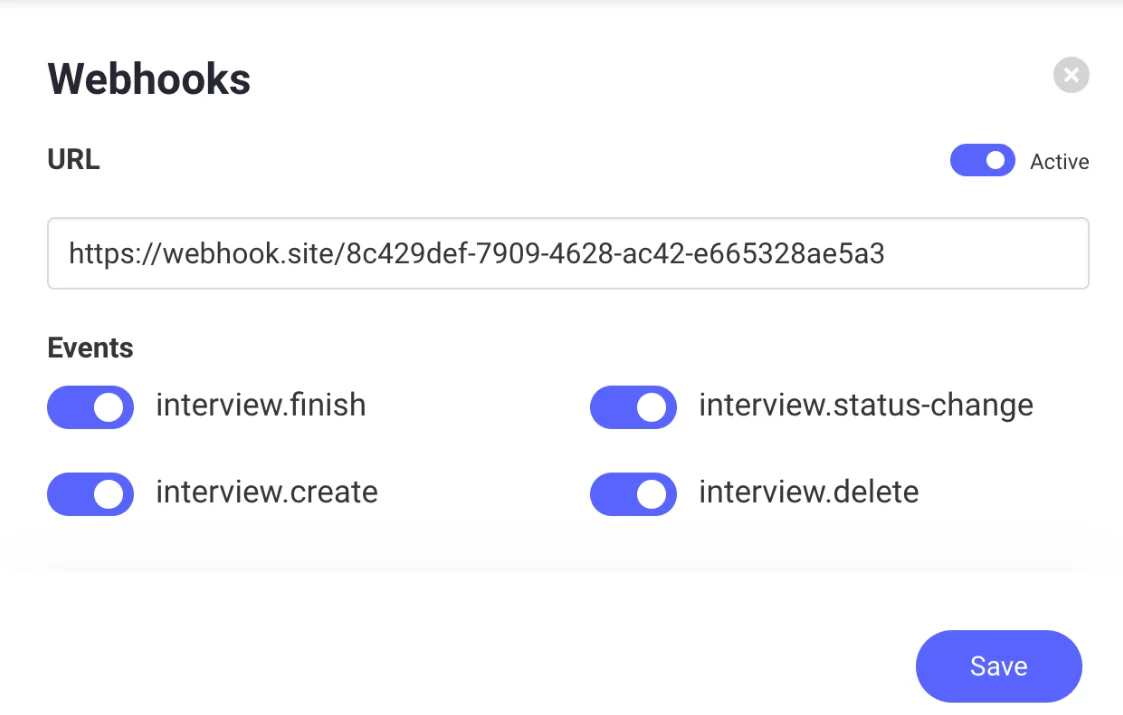
Go to Profile → Webhooks in your Admin dashboard and click the “Create new webhook” button.- Add your webhook endpoint URL (e.g., your app’s callback URL).
- For testing, you can use https://webhook.site to view incoming payloads instantly.
- Select the events you want to subscribe to:
interview.createinterview.finishinterview.status-changeinterview.deleteinterview.score-updatedinterview.resubmitted
- Enable Active and click Save.
Option 2: From the API (GraphQL)
Supported webhook events
You can optionally sign webhook events to prove authenticity. Follow this how-to guide to learn more about signing and validating events.
Example payloads
event: Interview.create
event: Interview.create
This event fires when an invite is sent:
event: Interview.finish
event: Interview.finish
This event triggers when a candidate completes an interview. You can learn more about interview status in this how-to about updating an interview status.
event: interview.status-change
event: interview.status-change
This event fires when the interview status changes (e.g., moved to “shortlisted” or “discarded”).
event: interview.score-updated
event: interview.score-updated
This event fires when the score for a completed interview has been updated.
event: interview.delete
event: interview.delete
This event fires when an interview is deleted.
event: interview.resubmitted
event: interview.resubmitted
This event fires when a completed interview is submitted again after an answer was reset.
Managing webhooks
Beyond creating a webhook, the API also exposes root-level operations for reading back, updating, deleting, and debugging your webhooks.Fetch Webhooks
List every webhook on your account, or fetch a single one by
id.Update a Webhook
Change a webhook’s
url, events, or active state without deleting and recreating it.Delete a Webhook
Permanently remove a webhook subscription.
Webhook Delivery Logs
Inspect past delivery attempts for a webhook — status codes, and the raw request/response payloads — useful for debugging why events aren’t arriving.
What’s next?
Validate Authenticity of Webhook Events
Next, make sure to check out the guide on how to verify the authenticity of webhook events.