

The Hireflix integration with JazzHR will allow you to trigger one-way video interviews automatically in your JazzHR jobs. You can trigger the invites by moving candidates to a Workflow stage for which you have configured a Hireflix assessment. You can also trigger invites individually for an individual candidate from the assessment section of the candidate’s profile.
Enabling the JazzHR and Hireflix integration
To enable the Integration takes 1 minute. It is all shown on the video above.- Log in to your Hireflix account and navigate to Account > Integrations > JazzHR and activate the toggle button. Then, carefully follow the steps displayed.
- Go to JazzHR > Settings > Integrations > Hireflix > More Details then click Connect and paste the API token in the pop-up that will open and click on “Save credentials”
- Go back to Hireflix where you were seeing the integration steps and click “I have clicked “Saved credentials”. Click “Finish” and you will be all set.
Triggering invites from JazzHR
Once the JazzHR/Hireflix integration is enabled, you will then be able to invite candidates to the one-way video interview from within JazzHR. To do that, remember that you have to create the interview in Hireflix first.Method 1: Inviting an individual candidate to an interview
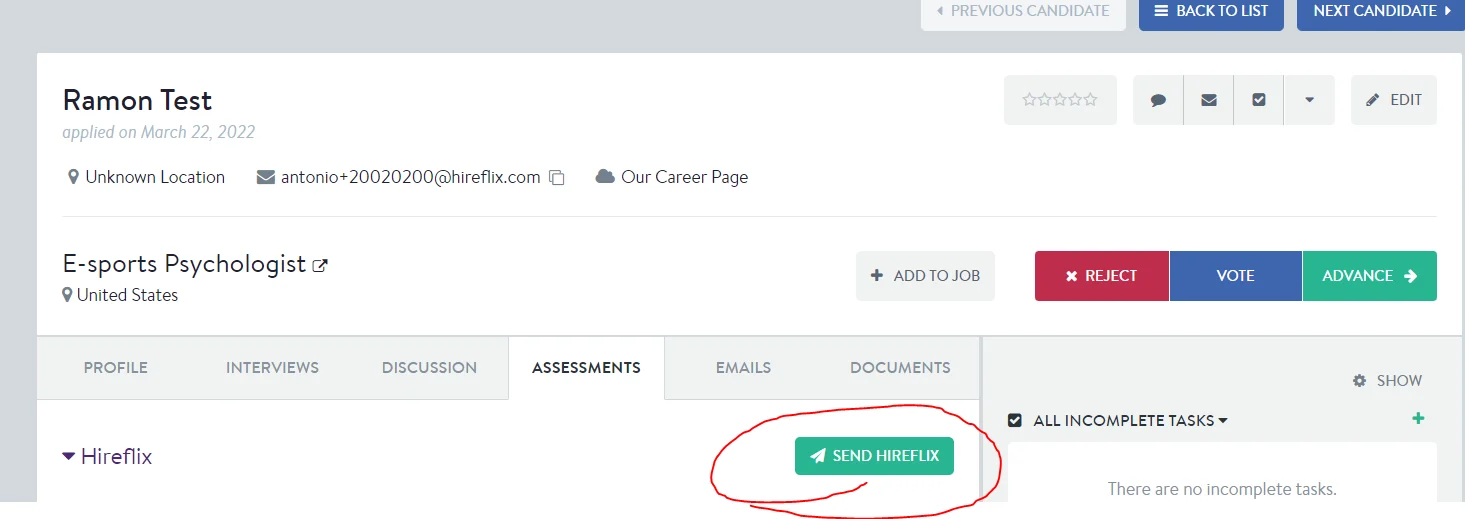
This method will work as long as you have activated the integration following the steps above.- Go to the Assessments tab of a candidate profile, and click “Send Hireflix”
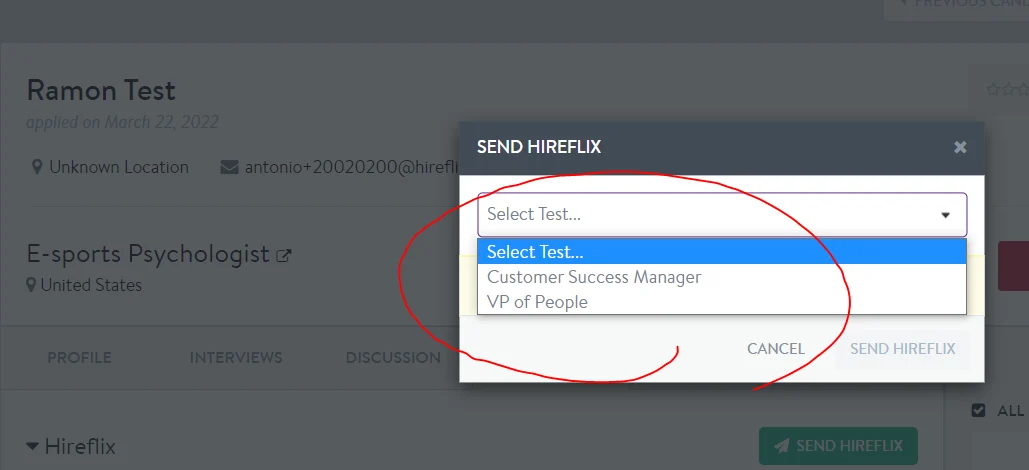
- You will then be able to select which interview you want to send to the candidate. This dropdown shows all your OPEN positions from your Hireflix account.
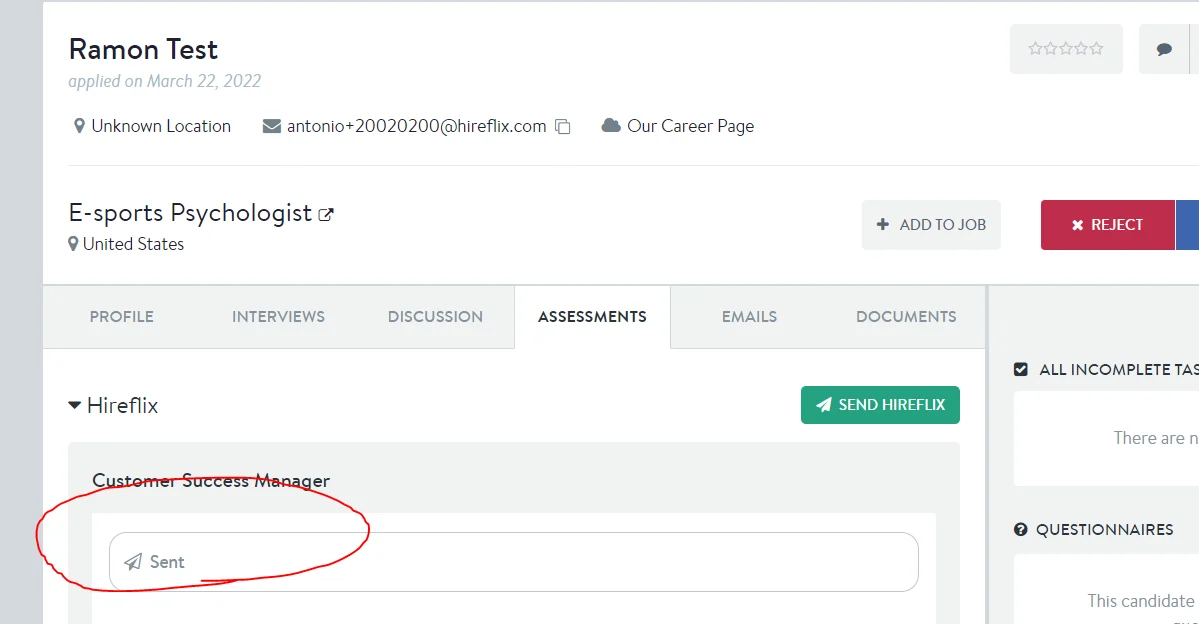
- You will see that the test has sent! Remember that in order for the test to send, you need to make sure your candidate notifications are properly configured in Hireflix.
Method 2: Inviting several candidates to an interview at once (using workflow helpers)
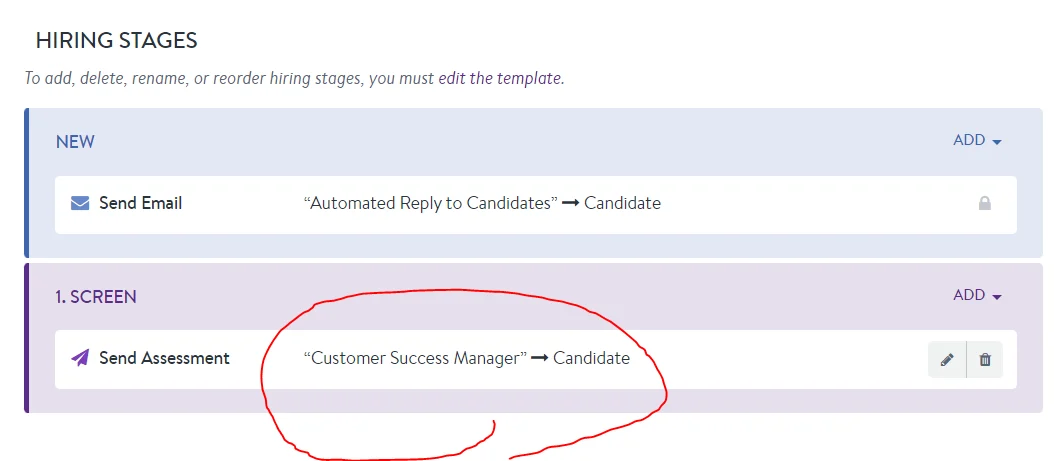
Sometimes it is super helpful to be able to invite several candidates at once to an interview. Below I will show you how to do it. This method will work as long as you have activated the integration following the steps above. Step 1: Assigning an interview to a workflow stage (You only need to do this once per position)- Go to a JazzHR job, and click “Edit Job” and then go to Workflow
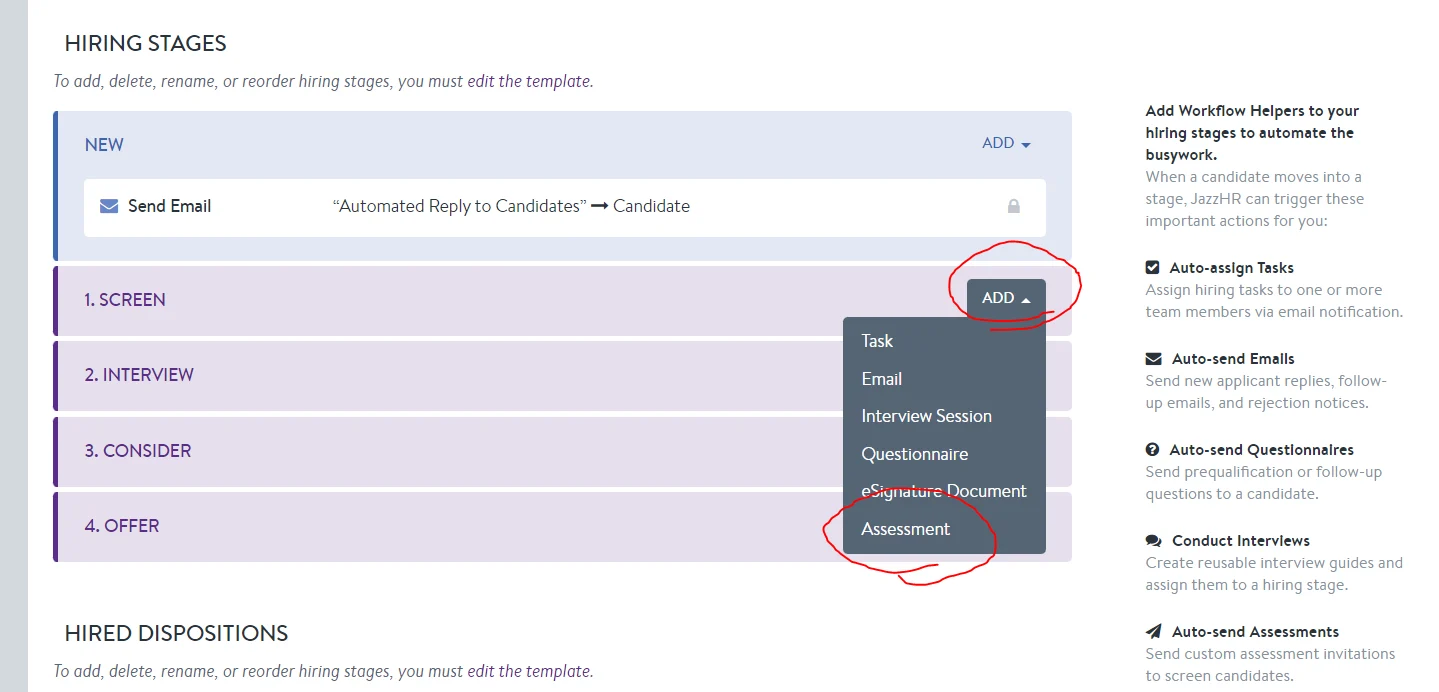
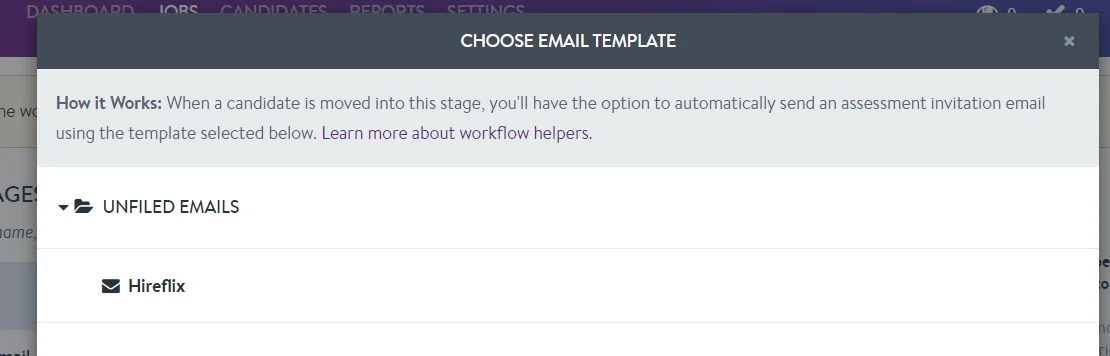
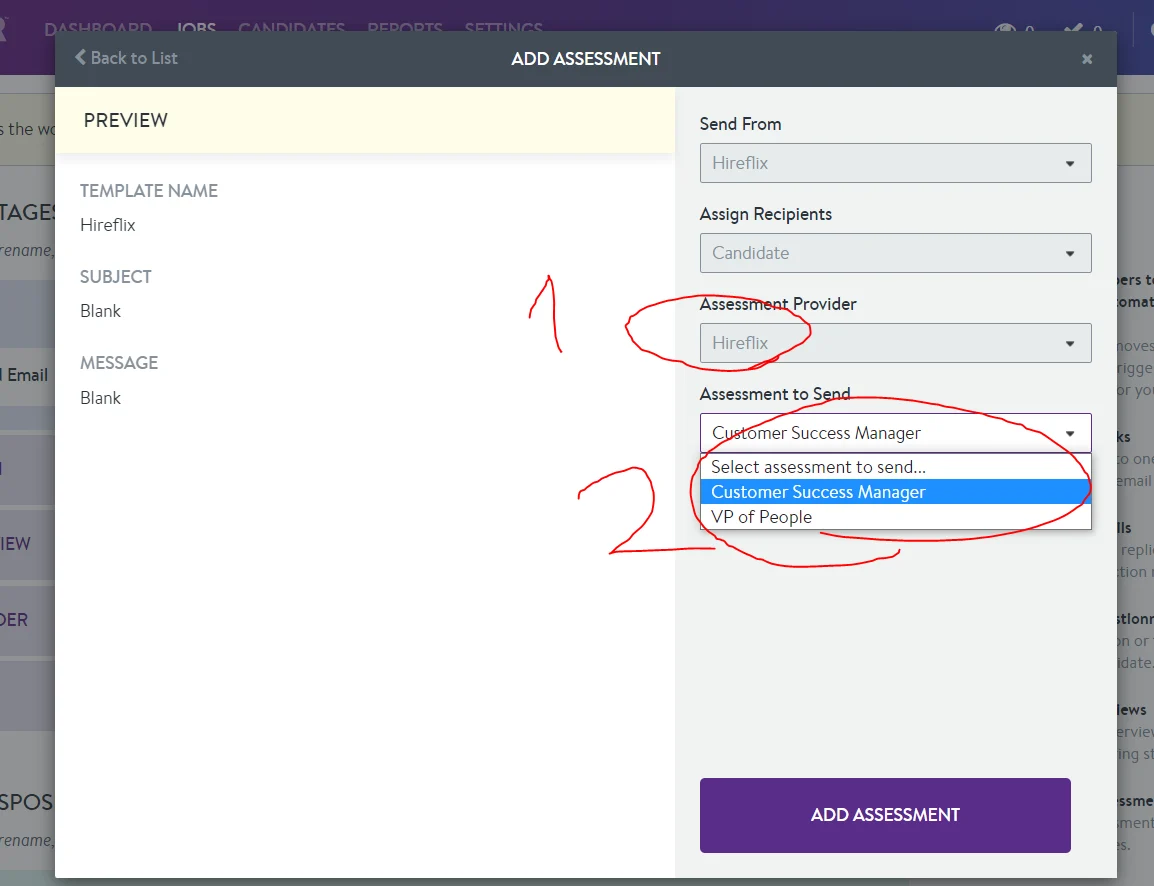
- You can then add a Hireflix interview to whichever part of your workflow you prefer by clicking “Add” then clicking “Assessment”
- Go to the position you need this for. Click Bulk Actions
- Click “Change Status” and select whichever status for which you have configured the Hireflix Assessment workflow helper
- It will then launch