

Enabling the BambooHR integration
The BambooHR integration with Hireflix will allow you to create a one-way video interview candidate stage on your BambooHR recruitment funnel and launch the interview invitations without leaving BambooHR. The links to the candidate responses will automatically be added to the candidate’s “notes” section. To enable the Integration, log in to your Hireflix account and navigate to Account > Integrations > BambooHR and click on the toggle button. Then, carefully follow the steps displayed.Managing and syncing positions
Once the BambooHR/Hireflix integration is enabled, you will then be able to connect BambooHR Job Openings to whichever Hireflix interview you want those candidates to take. Once that is done, you will be able to invite candidates to one-way video interviews by changing their BambooHR candidate status to “Send Hireflix Interview”. Everything is explained on the video above.Step 1: Create a Hireflix Position
Create a Hireflix Position and make sure to enable interview notifications.If you forget to enable notifications in the Hireflix Position, your BambooHR candidates will not be notified whenever you invite them to the interview.
Step 2: Connect BambooHR and Hireflix positions
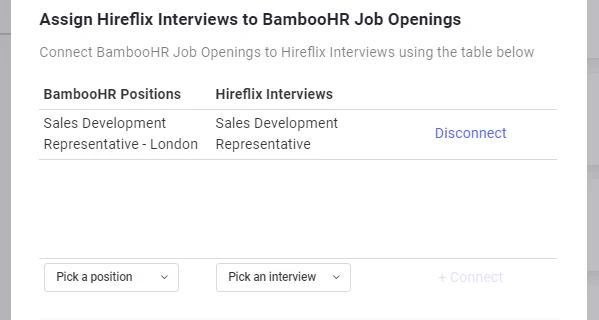
Go to Account > Connected Apps and under BambooHR integration, click on the Settings wheel icon. To connect two positions together, pick each position from the each dropdown below the table and hit Connect.Only Open BambooHR jobs will appear here. Draft positions or positions with a different status are not supported.
Step 3: Inviting BambooHR candidates to Hireflix Video Interviews
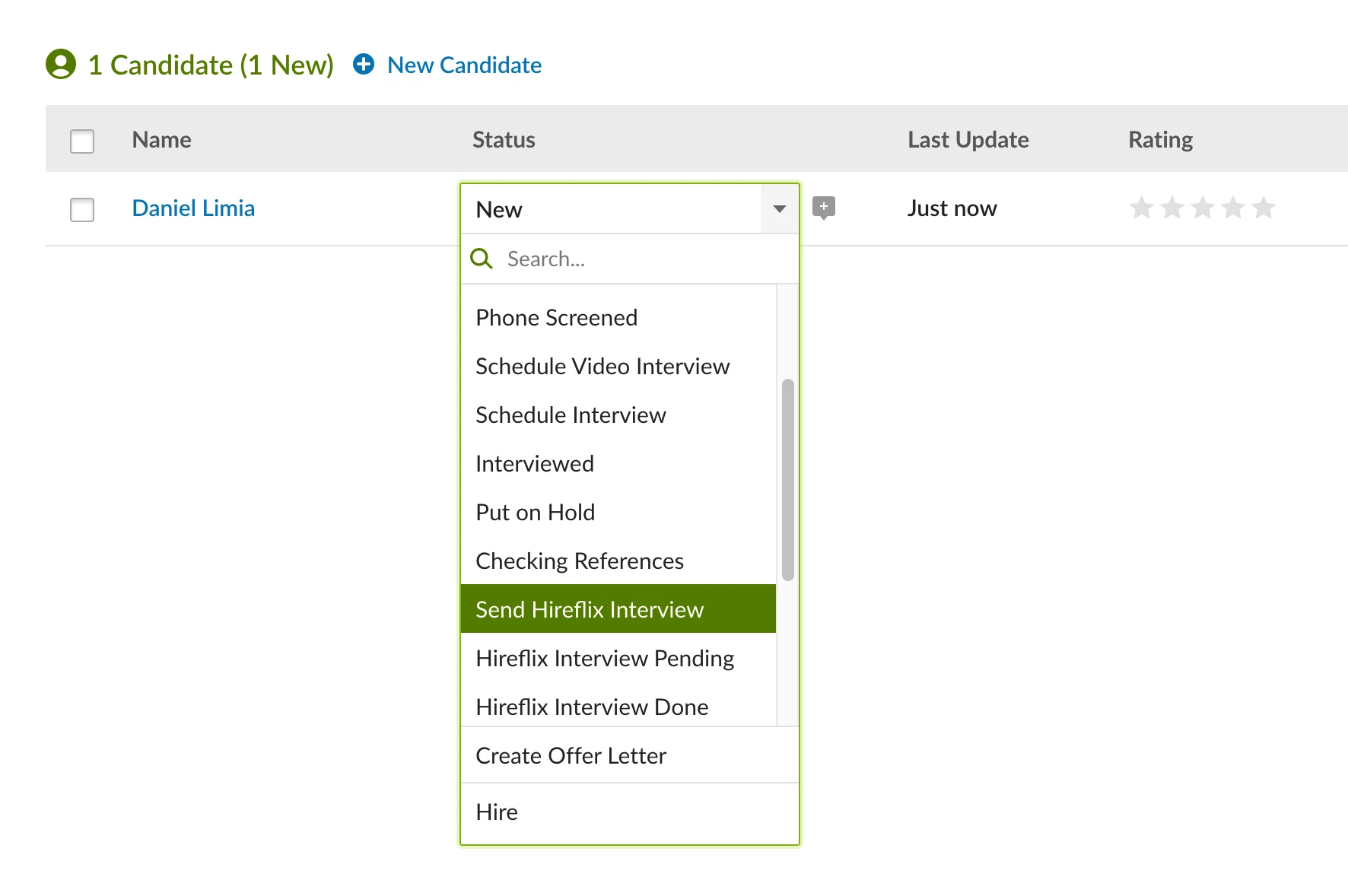
The last step is inviting a BambooHR candidate to a Hireflix Video Interview. On BambooHR, go to the Hiring tab and open the previously connected BambooHR position. Here you will be presented a list of candidates. In order to send those applicants a Hireflix Video Interview, simply change their status to Send Hireflix Interview. Once the status is changed they will automatically be invited. After you invite a candidate, it might take up to 8 minutes for the status to change to “Hireflix Interview Pending”. Refresh your page to see the status change!Only applicants with email will be invited to do a Hireflix Video Interview. For SMS’s to work, the phone number must include the country prefix (e.g +1 for USA).
 You are all set! If you require any help, contact us at support@hireflix.com