> ## Documentation Index
> Fetch the complete documentation index at: https://hireflixsl.mintlify.site/llms.txt
> Use this file to discover all available pages before exploring further.
# How-to: Reviewing Candidates
## Overview
By default, you'll receive an email notification every time a candidate completes an interview. You can also get notified in Slack.
Learn how to connect Slack so your team gets notified there too.
## Finding candidates to review
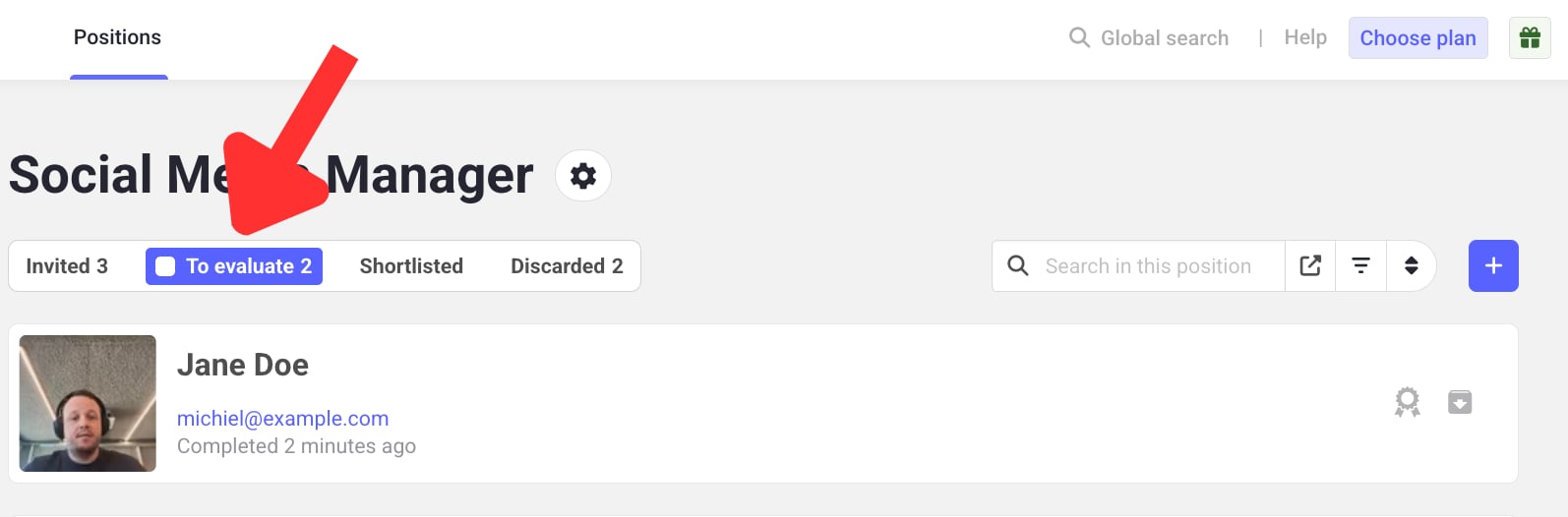
Once a candidate finishes their interview, they appear automatically in the **To evaluate** tab for your position. If you have a lot of candidates to filter through, click on the filter or sort icon on the right to help you find the right candidate.
 ## Steps
Click on the candidate you want to review.
On the left, assign a rating from **0.5 to 5**, in increments of 0.5.
Want to rate each question individually instead? Enable **Allow rating per question** in [Rating Settings](/user/account-team/account-preferences/rating-settings), and the candidate's overall score will be calculated automatically as the average of the question scores.
Add notes in the notes box, then click **Save comment**.
## Steps
Click on the candidate you want to review.
On the left, assign a rating from **0.5 to 5**, in increments of 0.5.
Want to rate each question individually instead? Enable **Allow rating per question** in [Rating Settings](/user/account-team/account-preferences/rating-settings), and the candidate's overall score will be calculated automatically as the average of the question scores.
Add notes in the notes box, then click **Save comment**.
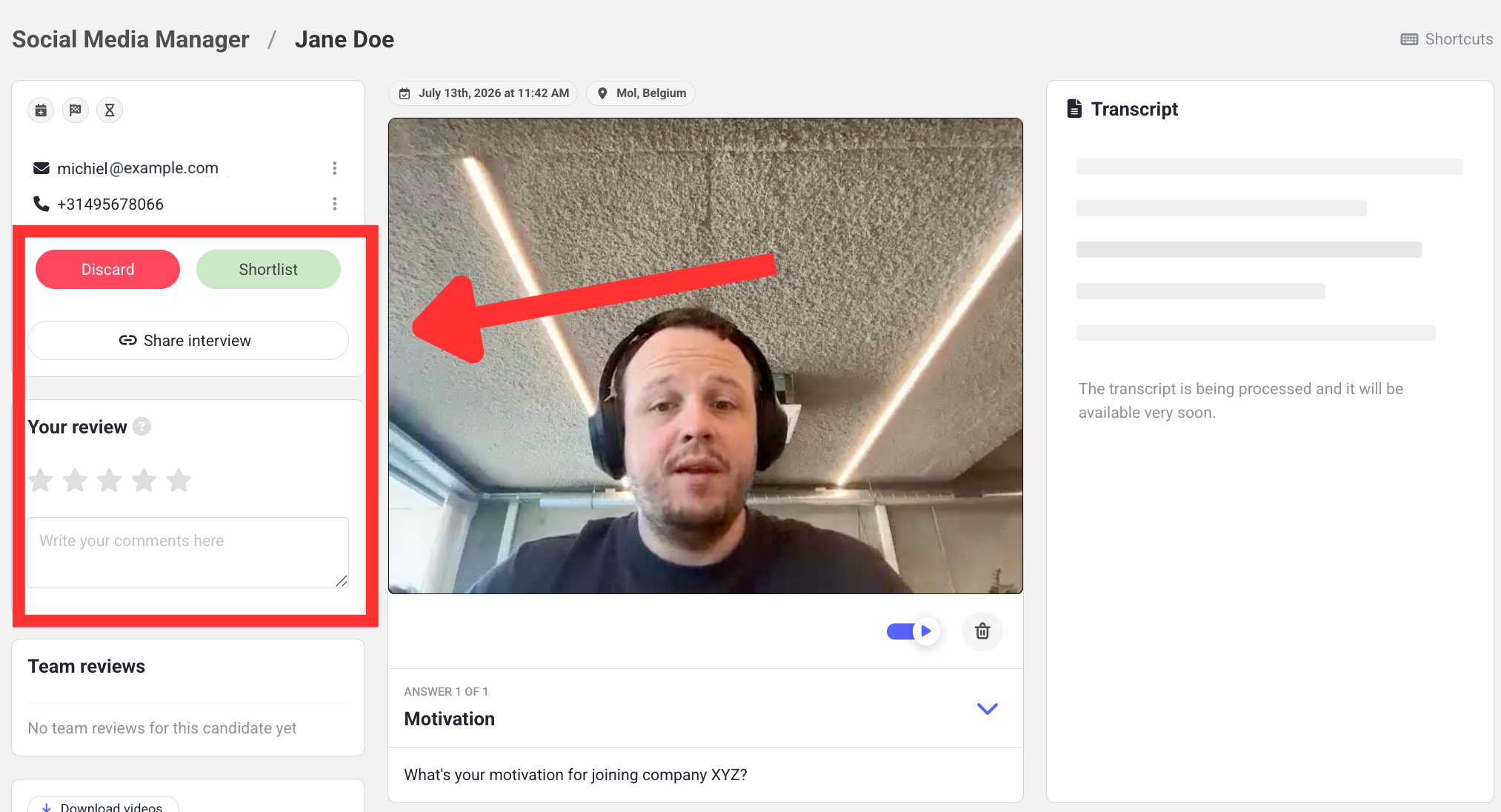 Liked the candidate? Click the green **Shortlist** button. Not moving forward with them? **Discard** their interview instead.
Use the **Previous** and **Next candidate** buttons at the bottom of your screen to quickly move between interviews while reviewing.
Learn how to share an interview with someone outside your workspace.
Liked the candidate? Click the green **Shortlist** button. Not moving forward with them? **Discard** their interview instead.
Use the **Previous** and **Next candidate** buttons at the bottom of your screen to quickly move between interviews while reviewing.
Learn how to share an interview with someone outside your workspace.