> ## Documentation Index
> Fetch the complete documentation index at: https://hireflixsl.mintlify.site/llms.txt
> Use this file to discover all available pages before exploring further.
# How-to: Updating Credit Card / Billing Details
## Overview
You can update your payment information or invoice details anytime from your account's Billing section.
 ## Steps
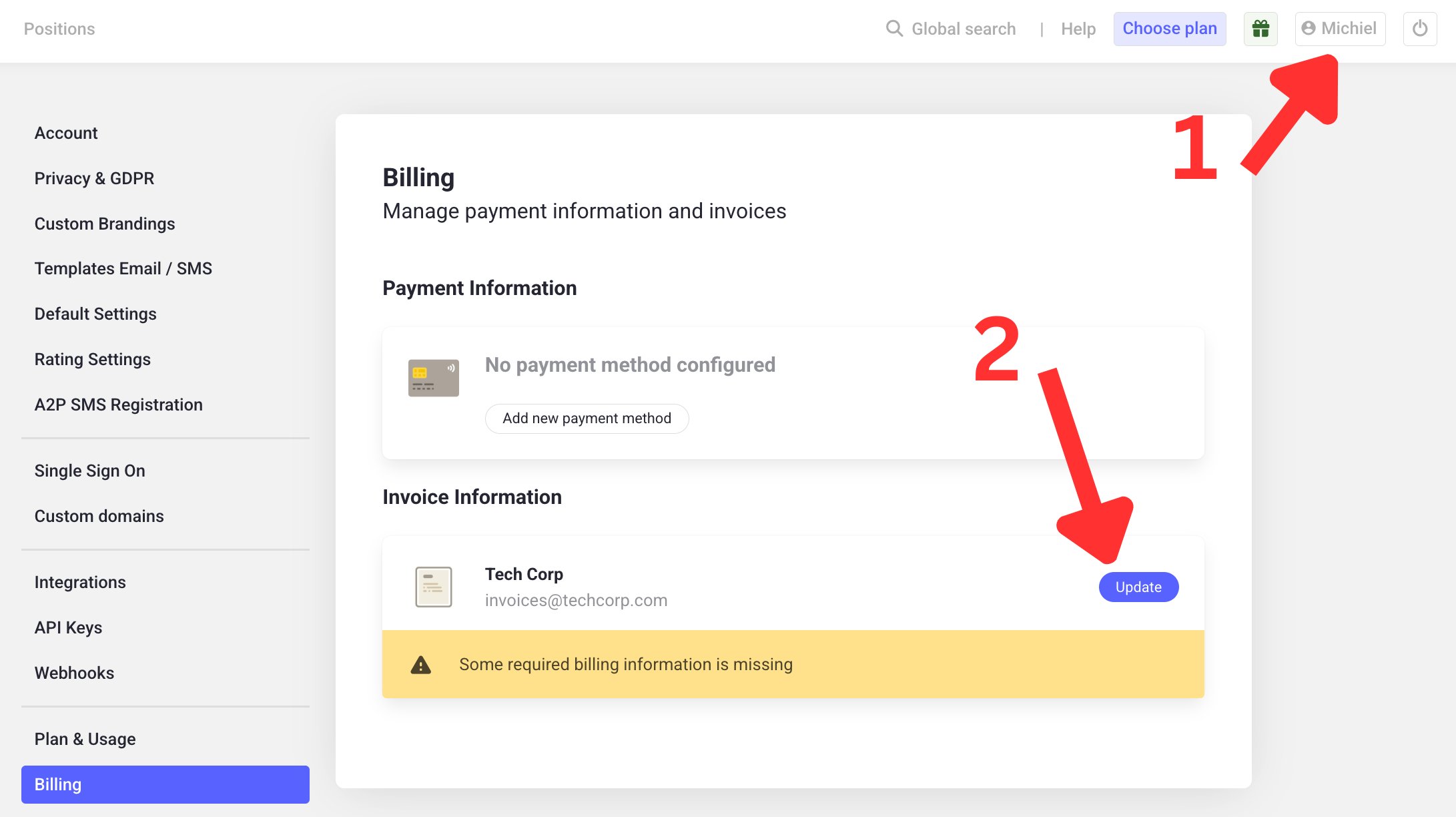
Click on your profile name on the dashboard, in the top right.
Navigate to the **Billing** section in the menu on the left.
From here, you can change your **payment information** (e.g. credit card) or your **invoice information** (e.g. company name, VAT number).
## Steps
Click on your profile name on the dashboard, in the top right.
Navigate to the **Billing** section in the menu on the left.
From here, you can change your **payment information** (e.g. credit card) or your **invoice information** (e.g. company name, VAT number).