> ## Documentation Index
> Fetch the complete documentation index at: https://hireflixsl.mintlify.site/llms.txt
> Use this file to discover all available pages before exploring further.
# Creating and Customizing Templates
## Overview
Templates are the messages sent automatically to candidates, with the timing of your choice. You can have as many templates as you want — give them clear names so you don't mix them up.
There are two types of templates:
* **Invite**
* **Reminder**
Each can be sent through one of three channels: **Email**, **SMS**, or **WhatsApp**. When your account is created, you'll find a set of default invite and reminder templates. We recommend tailoring them to your company's culture — need inspiration? Check out our [example candidate emails](#example-candidate-emails) below.
WhatsApp templates can't be modified yet — contact us at [support@hireflix.com](mailto:support@hireflix.com) if you need changes.
## Steps
Go to your account and click **Templates Email / SMS** in the menu. From here you can modify existing templates or create new ones.
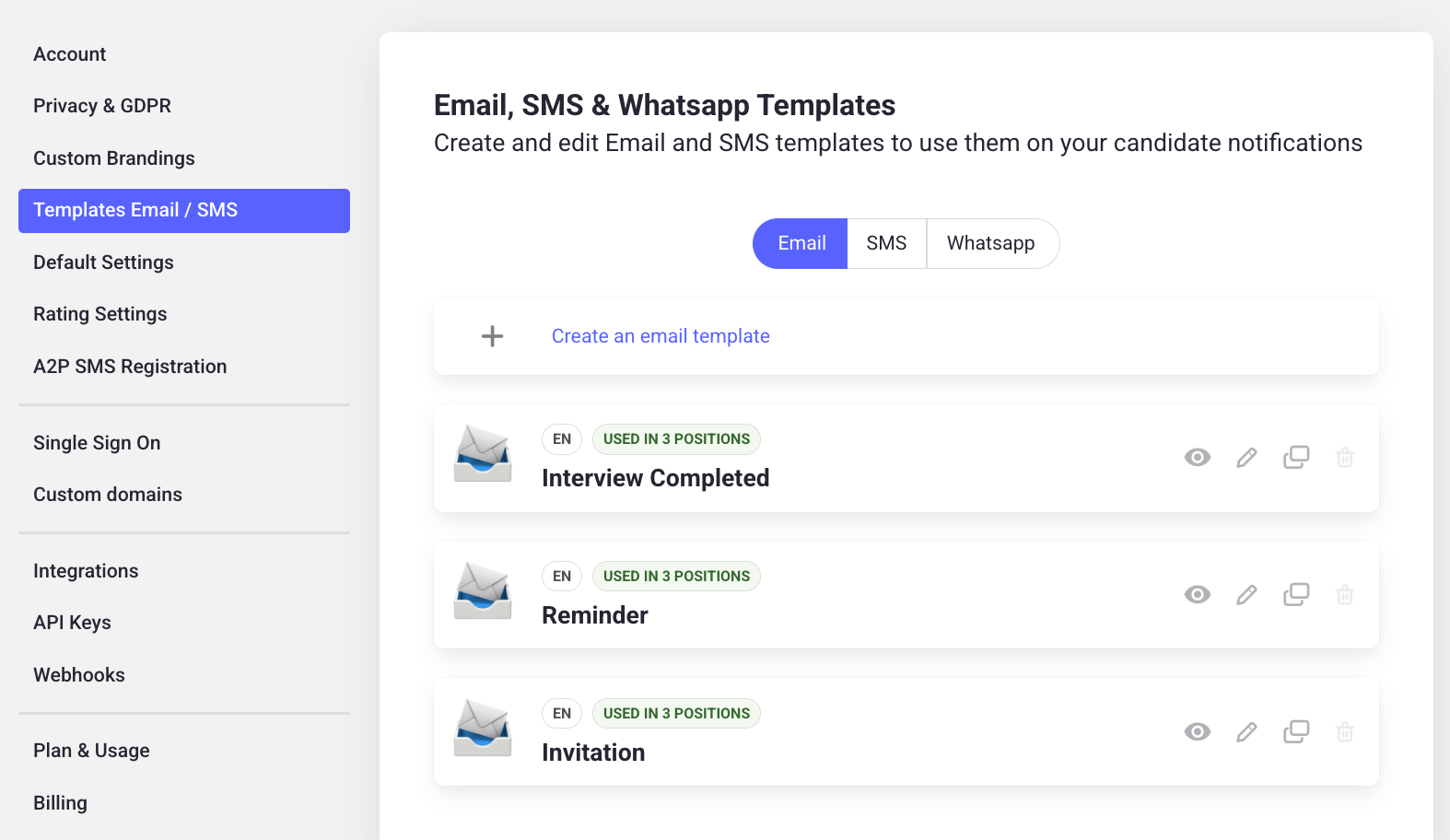 Click the pencil icon on a template to modify its:
* Name
* Intended language
* Custom reply-to address (optional: overrides the default reply-to)
* Subject and body
Click the pencil icon on a template to modify its:
* Name
* Intended language
* Custom reply-to address (optional: overrides the default reply-to)
* Subject and body
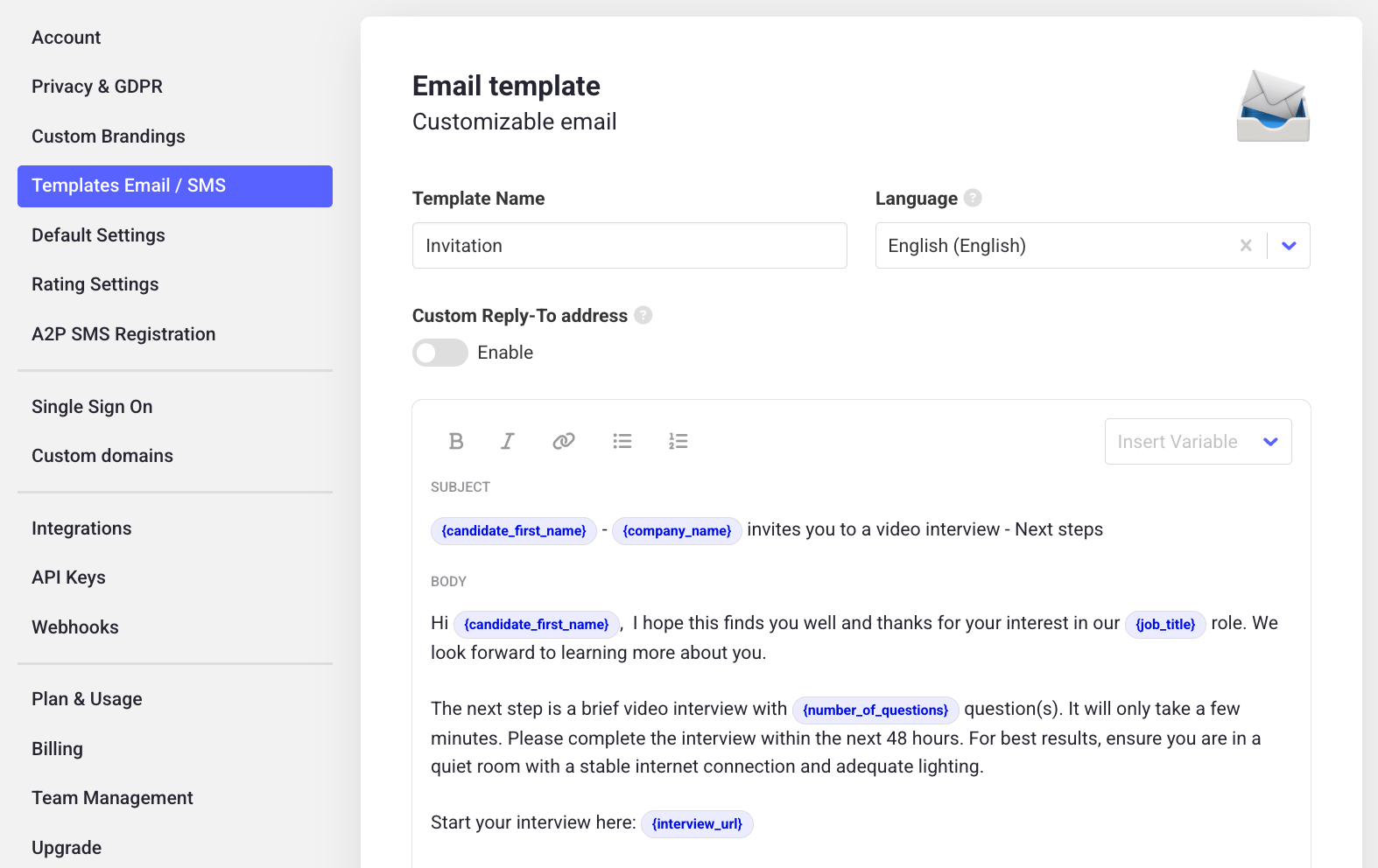 In the top right of the text area, click **Insert variable** to dynamically pull in details that change per job position or candidate:
* Candidate first name
* Candidate last name
* Job title
* Interview URL
* Inviter first name
* Inviter last name
* Inviter email
* Company name
* Number of questions (in the interview they'll take)
Place your cursor where you want the variable to appear, then select it from the dropdown.
In the top right of the text area, click **Insert variable** to dynamically pull in details that change per job position or candidate:
* Candidate first name
* Candidate last name
* Job title
* Interview URL
* Inviter first name
* Inviter last name
* Inviter email
* Company name
* Number of questions (in the interview they'll take)
Place your cursor where you want the variable to appear, then select it from the dropdown.
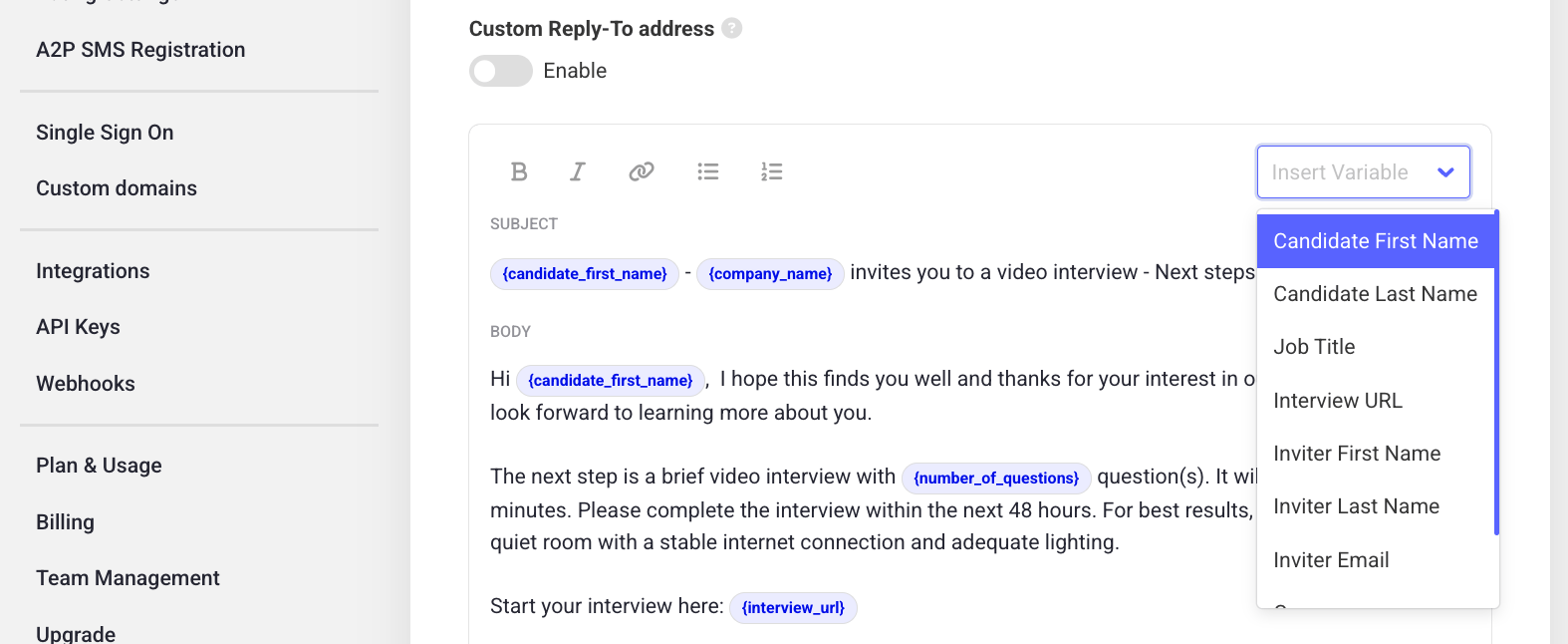 Once you're done editing, save the template.
## Example candidate emails
Sending an email that candidates recognize as coming from your company, before they take the video interview, helps them approach it with less uncertainty and a more positive mindset — which increases your candidate conversion rate.
This email complements the invitation sent by Hireflix — it's not a substitute. If you want it to replace the Hireflix invite, don't forget to include the interview link, which is unique to each candidate.
### Template 1
This template may seem long, but it covers everything the candidate needs to know.
```
Hi {candidate_name},
my name is {recruiter_first_name} {recruiter_last_name}, {recruiter_position} at {company_name}.
Firstly, thanks a lot for your interest. I am writing because I have seen you have applied for the open position that we have published in {careers_site} for {job_position}.
I think your profile is interesting and I'd love to know you better. Currently we are using Hireflix for the first contact, a video-interview that allows us to streamline the hiring process, and save time in scheduling and transport. It is also better for you, candidates, as this allows you to do the interview at the time of the day that suits you best. You will receive an invite to access the interview shortly.
You can do the interview with your laptop or with your smartphone.
· If you use your laptop, we recommend using Chrome
· If you use your Android smartphone, you can either use Chrome or the Hireflix App.
· If you use your iPhone, you will have to download the Hireflix App.
If you are still interested in the Job Position, it would be a pleasure meeting you via Hireflix.
Thank you very much in advance. If you have any questions do not hesitate contacting me!
{recruiter_first_name} {recruiter_last_name},
{company_name}
```
### Template 2
Shorter and more to the point. If you use this one, make sure your Hireflix invitation email template includes enough detail about the interview (e.g. which devices are supported).
```
Hi {candidate_name},
My name is {recruiter_first_name} {recruiter_last_name}, {recruiter_position} at {company_name}. Thank you for applying for {job_position}.
We are currently using Hireflix for the first recruiting stages. It is a one-way video-interview software that will allow you to do the interview whenever suits you best, within the following {interview_expiring_period} hours/days.
Hireflix will soon send you the information about how to do the interview, in which you will also find the link to access the interview.
Thank you very much in advance. If you have any questions, please contact me!
{recruiter_first_name} {recruiter_last_name},
{recruiter_position} at {company_name}
{company_logo}
```
Learn who gets notified when an interview is completed, and where candidate replies go.
Once you're done editing, save the template.
## Example candidate emails
Sending an email that candidates recognize as coming from your company, before they take the video interview, helps them approach it with less uncertainty and a more positive mindset — which increases your candidate conversion rate.
This email complements the invitation sent by Hireflix — it's not a substitute. If you want it to replace the Hireflix invite, don't forget to include the interview link, which is unique to each candidate.
### Template 1
This template may seem long, but it covers everything the candidate needs to know.
```
Hi {candidate_name},
my name is {recruiter_first_name} {recruiter_last_name}, {recruiter_position} at {company_name}.
Firstly, thanks a lot for your interest. I am writing because I have seen you have applied for the open position that we have published in {careers_site} for {job_position}.
I think your profile is interesting and I'd love to know you better. Currently we are using Hireflix for the first contact, a video-interview that allows us to streamline the hiring process, and save time in scheduling and transport. It is also better for you, candidates, as this allows you to do the interview at the time of the day that suits you best. You will receive an invite to access the interview shortly.
You can do the interview with your laptop or with your smartphone.
· If you use your laptop, we recommend using Chrome
· If you use your Android smartphone, you can either use Chrome or the Hireflix App.
· If you use your iPhone, you will have to download the Hireflix App.
If you are still interested in the Job Position, it would be a pleasure meeting you via Hireflix.
Thank you very much in advance. If you have any questions do not hesitate contacting me!
{recruiter_first_name} {recruiter_last_name},
{company_name}
```
### Template 2
Shorter and more to the point. If you use this one, make sure your Hireflix invitation email template includes enough detail about the interview (e.g. which devices are supported).
```
Hi {candidate_name},
My name is {recruiter_first_name} {recruiter_last_name}, {recruiter_position} at {company_name}. Thank you for applying for {job_position}.
We are currently using Hireflix for the first recruiting stages. It is a one-way video-interview software that will allow you to do the interview whenever suits you best, within the following {interview_expiring_period} hours/days.
Hireflix will soon send you the information about how to do the interview, in which you will also find the link to access the interview.
Thank you very much in advance. If you have any questions, please contact me!
{recruiter_first_name} {recruiter_last_name},
{recruiter_position} at {company_name}
{company_logo}
```
Learn who gets notified when an interview is completed, and where candidate replies go.