> ## Documentation Index
> Fetch the complete documentation index at: https://hireflixsl.mintlify.site/llms.txt
> Use this file to discover all available pages before exploring further.
# How-to: Adding a Job Position
## Overview
Adding a job position is the first step to using Hireflix. A position is a container for everything related to a job position you're hiring for. A position allows you to build your video interview questions, tailor the candidate experience, and set up invitations and reminders for candidates.
 ## Steps
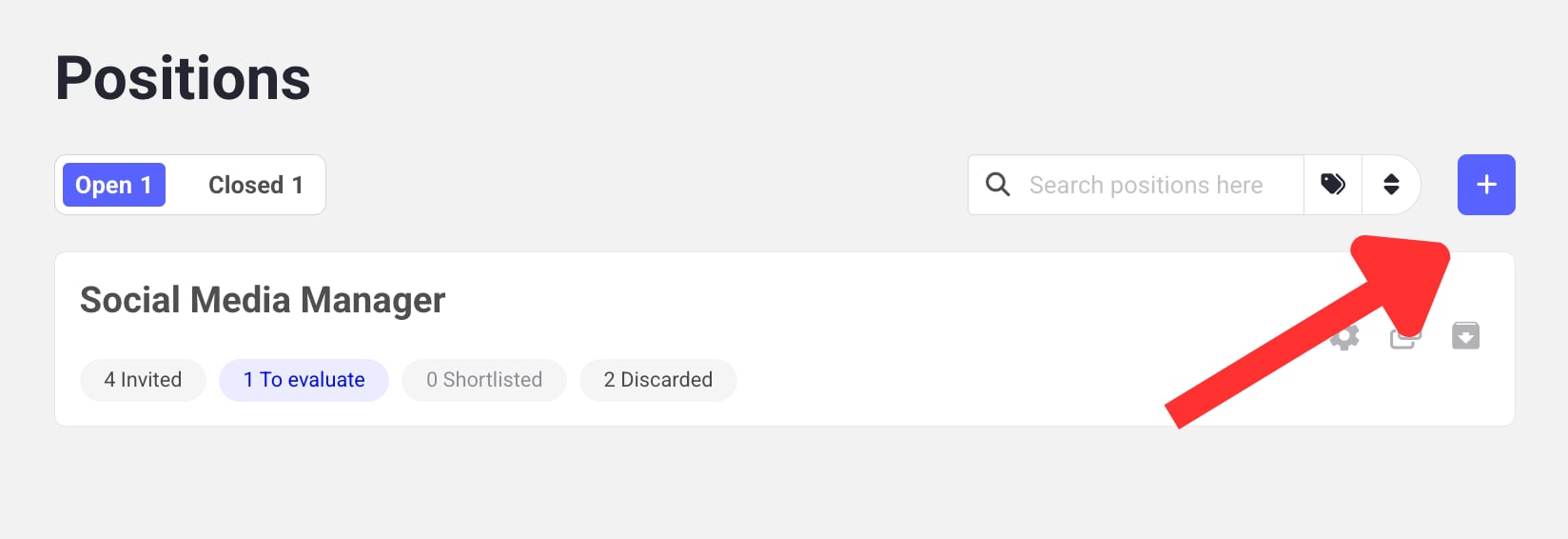
* **No positions yet?** You'll land on an empty state — click **Add Job** to create your first position.
* **Already have positions?** Go to the Jobs page and click **Add Job** to create another one.
Once the position is created, click **Untitled job** to set its title, then add the position's location.
🎉 All done! Your job position is ready.
Let's create your first video interview for this position.
## Steps
* **No positions yet?** You'll land on an empty state — click **Add Job** to create your first position.
* **Already have positions?** Go to the Jobs page and click **Add Job** to create another one.
Once the position is created, click **Untitled job** to set its title, then add the position's location.
🎉 All done! Your job position is ready.
Let's create your first video interview for this position.