> ## Documentation Index
> Fetch the complete documentation index at: https://hireflixsl.mintlify.site/llms.txt
> Use this file to discover all available pages before exploring further.
# Connecting Slack
## Overview
Do you want to be constantly updated? Sync your Hireflix account with Slack and you'll receive a message in the channel of your choice every time a candidate finishes an interview, making it easier to collaborate with your team.
## Steps
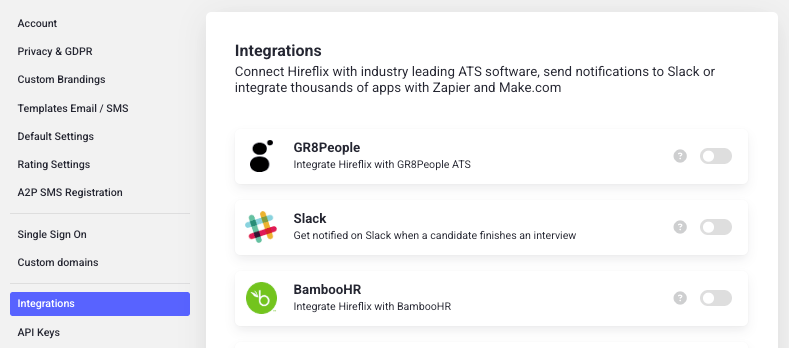
Go to **Account > Integrations**.
Search for **Slack** in the integrations list and click the toggle to enable it.
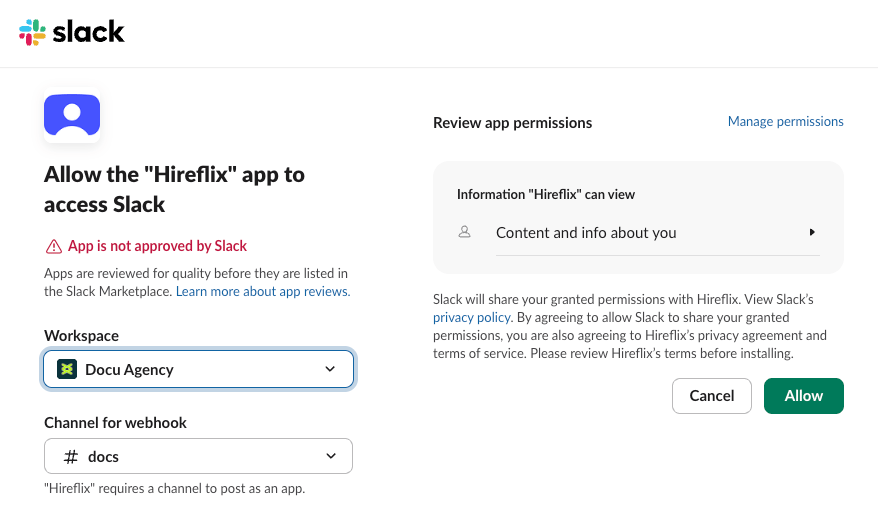
 This opens a new screen where you can configure your Slack workspace and select a channel to receive notifications. Make sure to click **Allow** to complete the integration.
 Learn how completion notifications work over email, and who receives them.