> ## Documentation Index
> Fetch the complete documentation index at: https://hireflixsl.mintlify.site/llms.txt
> Use this file to discover all available pages before exploring further.
# Tailoring the Interview
## Overview
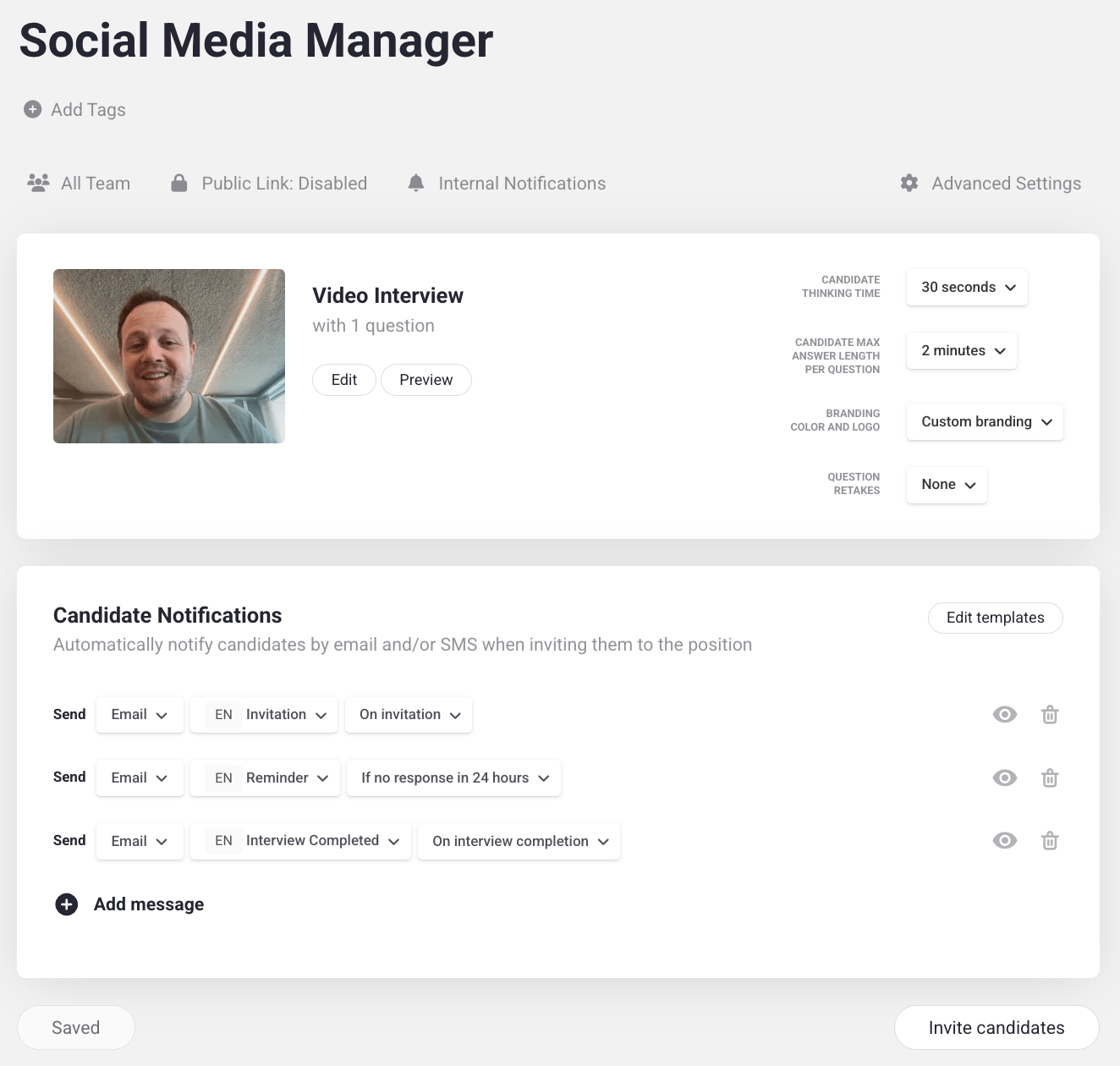
Tailoring is the third step in building a job position: fine-tuning how the interview behaves and looks for candidates. You can configure:
* **Thinking time** — how long candidates have to think before they're required to answer a question.
* **Answering time limit** — how long candidates get to answer each question, from no limit to as little as 15 seconds.
* [**Branded interview page**](/user/building-the-interview/branded-interview-page) — how the interview platform looks and feels, so the experience brings candidates closer to your company.
* **Retakes** — how many times candidates can re-record their answer to a question. By default, this is set to **None** — preventing multiple takes helps discourage AI-assisted or overly rehearsed answers.
## Where to find these settings
Go to your **Positions**, select the position you want to modify, and click the **gear icon**. Your tailoring settings appear on the right.
From this same settings area, you can also set up email, SMS, and WhatsApp reminders for candidates. Learn how in [Setting Up Invites and Reminders](/user/messages/setting-up-invites-reminders).
You can also control which teammates have access to this position from here. Learn how in [Job Position Sharing](/user/building-the-interview/job-sharing).
 Learn how to add your company's branding to the interview page.