> ## Documentation Index
> Fetch the complete documentation index at: https://hireflixsl.mintlify.site/llms.txt
> Use this file to discover all available pages before exploring further.
# How-to: Creating a Video Interview
## Overview
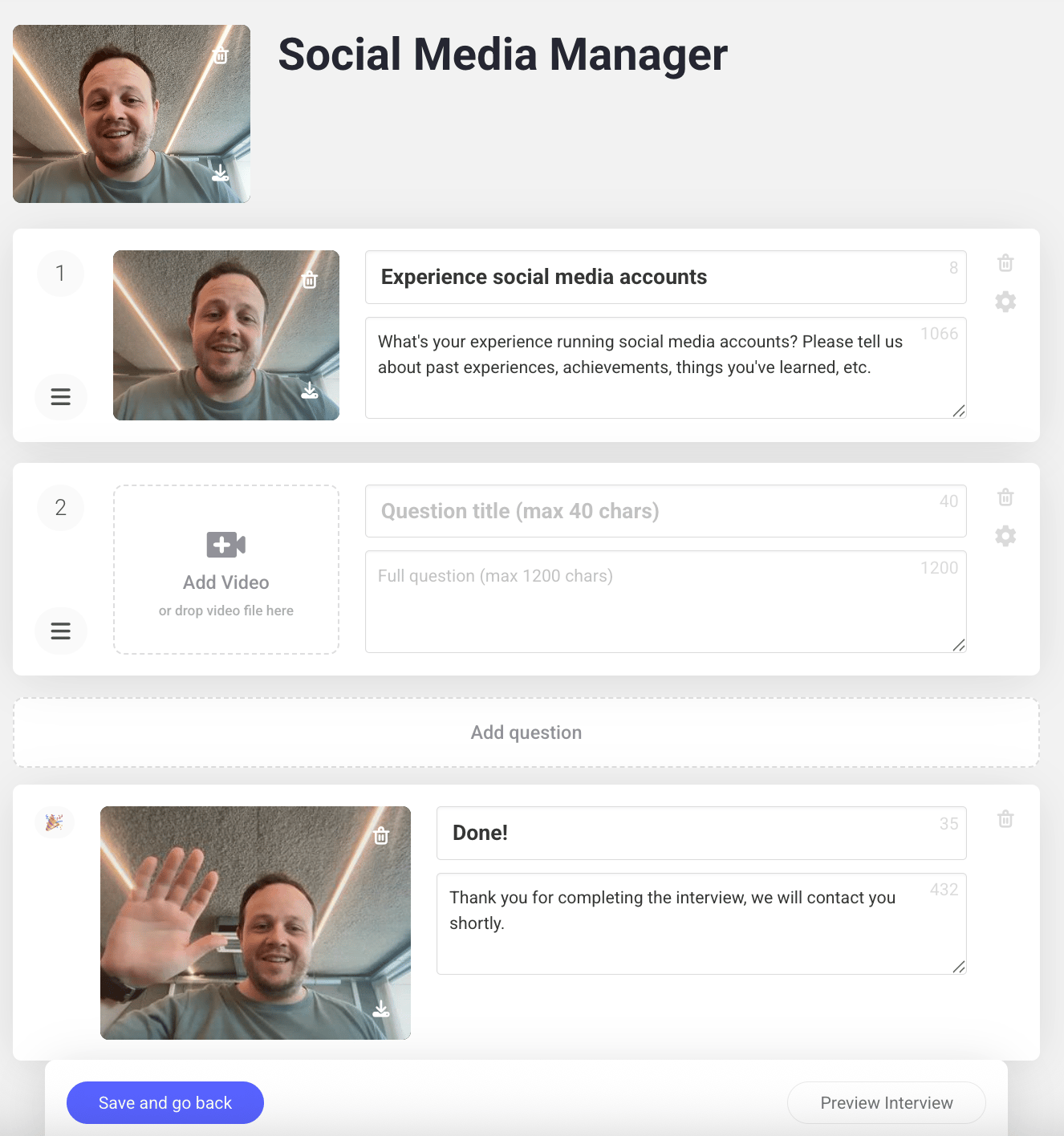
Once you've added a job, it's time to create the video interview. Every interview follows the same structure: an optional intro, one or more questions, and an optional outro.
 ## Steps
Introduce yourself and let candidates know what to expect, it helps them feel more comfortable before they start.
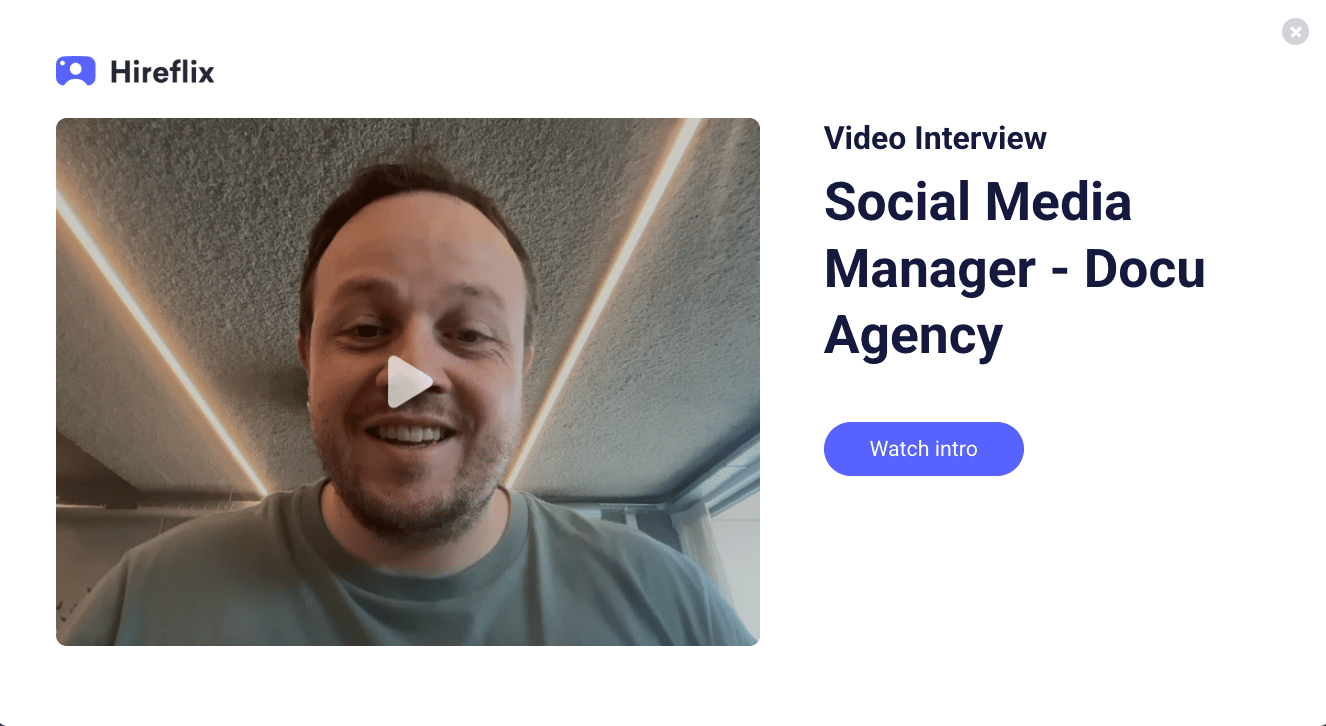
What the candidate sees depends on whether you add an intro video:
* **With an intro video**, candidates see a window with your video before they start. This is recommended as it builds employer brand and puts candidates at ease.
## Steps
Introduce yourself and let candidates know what to expect, it helps them feel more comfortable before they start.
What the candidate sees depends on whether you add an intro video:
* **With an intro video**, candidates see a window with your video before they start. This is recommended as it builds employer brand and puts candidates at ease.
 * **Without an intro video**, candidates just see the job title, the number of questions, and the **Start Interview** button.
Add at least **1 question** — there's no upper limit. Each question has:
* A **Question Title** (up to 40 characters)
* A **Question Description** (up to 1200 characters)
Click **Add video** on a question to record yourself asking it — this feels more personal and gives candidates extra context. Already have a recorded question? Drag and drop it straight into the question. If a candidate is still unsure how to answer, they can fall back on the question description for more detail.
Record an outro video to thank candidates for their time and let them know the interview is complete.
## Save and preview
Don't forget to click **Save and go back** once you're done. To double-check the full flow (intro, questions, and outro), click **Preview Interview** in the bottom right of your screen.
Learn how to tailor the interview experience further.
* **Without an intro video**, candidates just see the job title, the number of questions, and the **Start Interview** button.
Add at least **1 question** — there's no upper limit. Each question has:
* A **Question Title** (up to 40 characters)
* A **Question Description** (up to 1200 characters)
Click **Add video** on a question to record yourself asking it — this feels more personal and gives candidates extra context. Already have a recorded question? Drag and drop it straight into the question. If a candidate is still unsure how to answer, they can fall back on the question description for more detail.
Record an outro video to thank candidates for their time and let them know the interview is complete.
## Save and preview
Don't forget to click **Save and go back** once you're done. To double-check the full flow (intro, questions, and outro), click **Preview Interview** in the bottom right of your screen.
Learn how to tailor the interview experience further.