> ## Documentation Index
> Fetch the complete documentation index at: https://hireflixsl.mintlify.site/llms.txt
> Use this file to discover all available pages before exploring further.
# How-to: Requiring Two-Factor Authentication for Your Team
## Overview
The admin can make two-factor authentication (2FA) **mandatory for every team member** in your Hireflix workspace. Once it's on, everyone has to enter a verification code after their password each time they log in, and nobody can turn 2FA off for their own account.
**Only the admin (account owner) can turn this on.** Team members don't see this setting. Not sure who your admin is? See [Roles & Permissions](/user/account-team/team-management/roles-permissions).
**Don't need it for the whole team?** Any team member can [turn on 2FA for their own account](/user/account-team/account-preferences/two-factor-authentication) from their **Security** settings, even when the organization doesn't require it.
## What happens when you turn it on
* **Everyone is logged out immediately**, including you. Members who already turned on 2FA for their own account are the exception: they stay logged in.
* **Members without 2FA set it up at their next login.** After entering their password, they receive an 8-digit code from **[no-reply@hireflix.com](mailto:no-reply@hireflix.com)**. Entering it finishes 2FA setup for their account.
* **Nobody can turn 2FA off** in their Security settings while the requirement is on. Members can still switch from email codes to an authenticator app.
Let your team know before you turn this on, so they aren't surprised when they're logged out and asked for a code.
## Steps
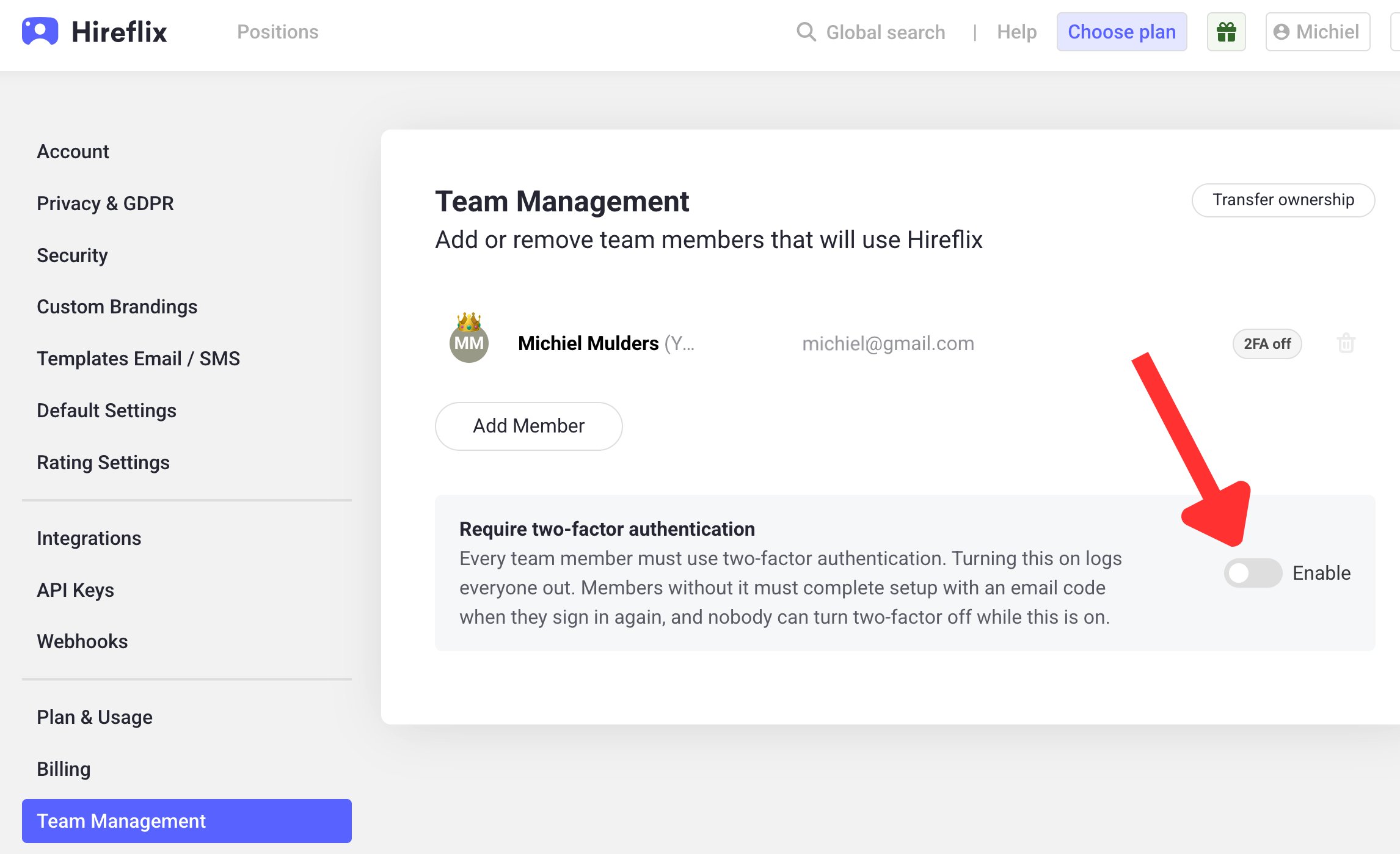
Click on your account name and go to [**Account > Team Management**](https://admin.hireflix.com/en/my-account/team-management). Each member shows a **2FA off** badge if they haven't turned on 2FA yet.
In the **Require two-factor authentication** section, switch the toggle to **Enable**.
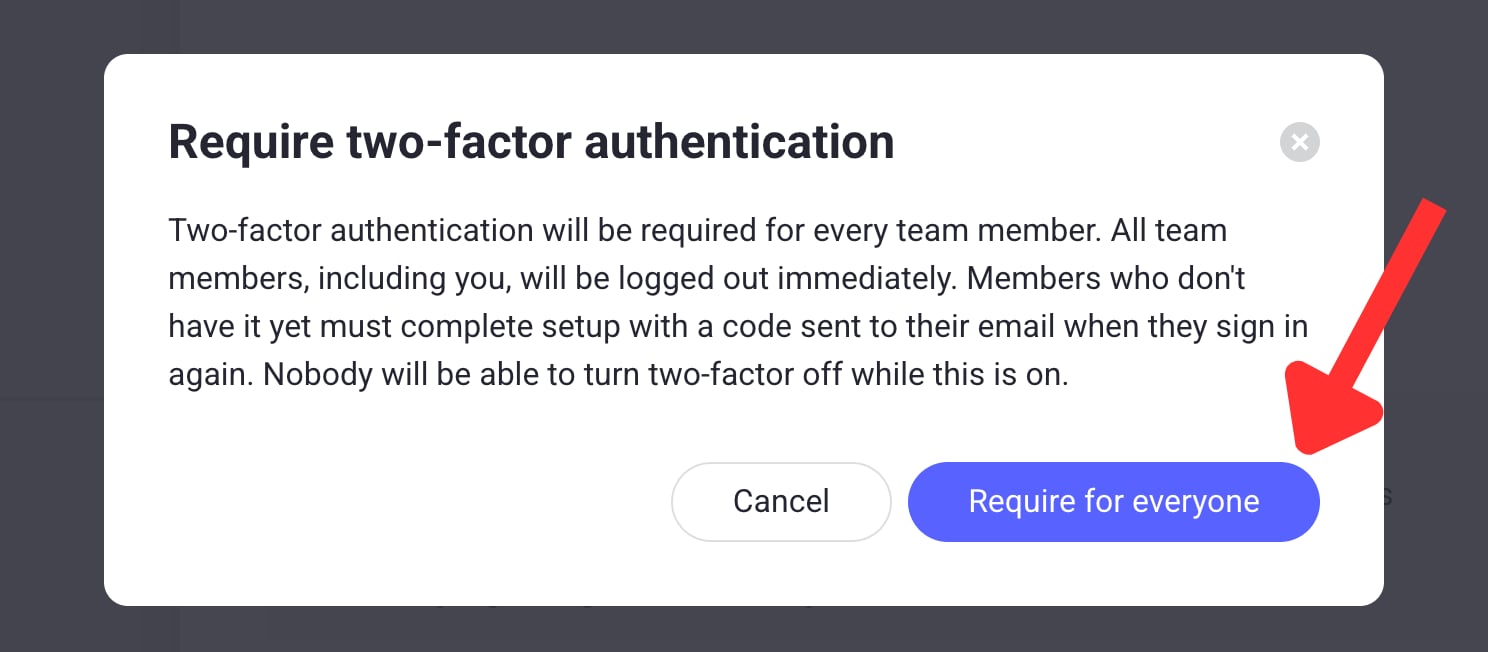
 A pop-up explains what will happen. Click **Require for everyone** to confirm.
 You and all team members are logged out right away, except members who already had 2FA turned on.
## What team members see when they log in
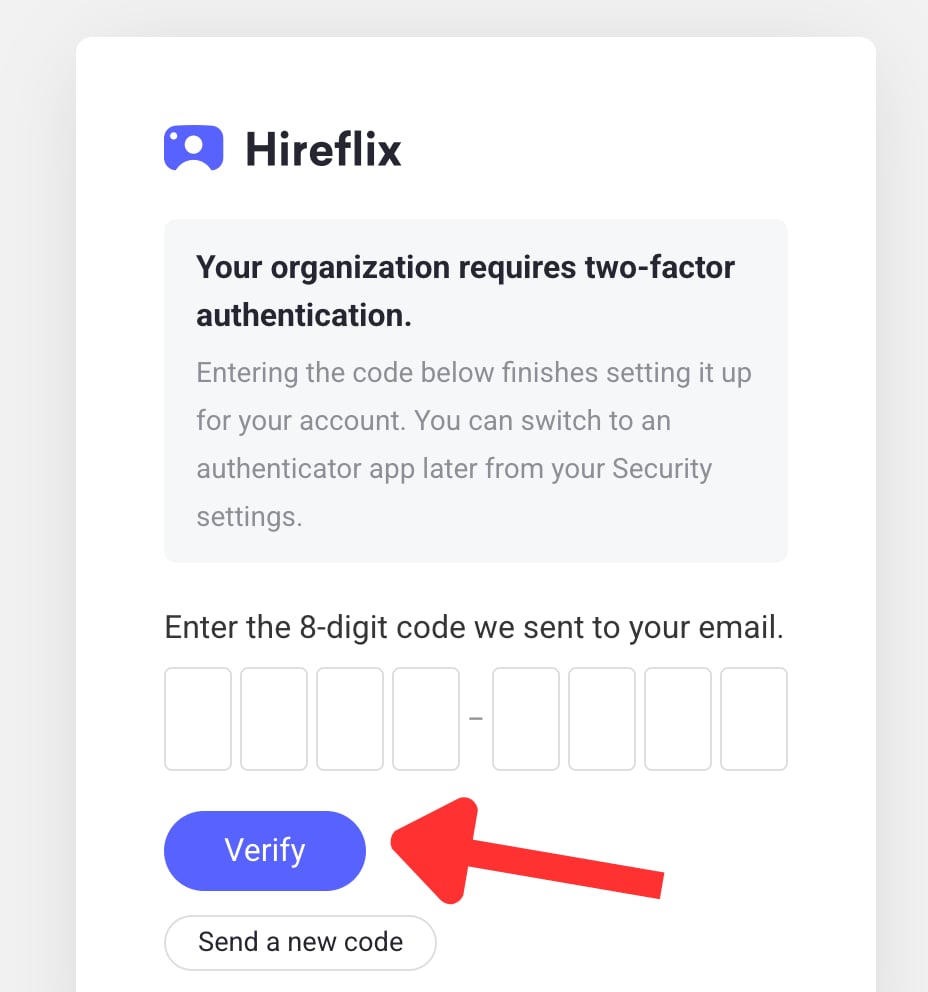
After the requirement is on, team members who didn't have 2FA yet see the message **"Your organization requires two-factor authentication"** when they log in.
Enter your email and password.
Look for an email from **[no-reply@hireflix.com](mailto:no-reply@hireflix.com)** with an 8-digit code. If you can't find it, check your spam folder or click **Send a new code**.
Enter the 8-digit code and click **Verify**. This finishes 2FA setup for your account.
You and all team members are logged out right away, except members who already had 2FA turned on.
## What team members see when they log in
After the requirement is on, team members who didn't have 2FA yet see the message **"Your organization requires two-factor authentication"** when they log in.
Enter your email and password.
Look for an email from **[no-reply@hireflix.com](mailto:no-reply@hireflix.com)** with an 8-digit code. If you can't find it, check your spam folder or click **Send a new code**.
Enter the 8-digit code and click **Verify**. This finishes 2FA setup for your account.
 From then on, every login asks for a code. Members who prefer an authenticator app over email codes can switch from their [Security settings](/user/account-team/account-preferences/two-factor-authentication).
This documentation is built and hosted on [Mintlify](https://mintlify.com), a developer documentation platform.
From then on, every login asks for a code. Members who prefer an authenticator app over email codes can switch from their [Security settings](/user/account-team/account-preferences/two-factor-authentication).
This documentation is built and hosted on [Mintlify](https://mintlify.com), a developer documentation platform.