> ## Documentation Index
> Fetch the complete documentation index at: https://hireflixsl.mintlify.site/llms.txt
> Use this file to discover all available pages before exploring further.
# How-to: Changing the Account Owner
## Overview
In Hireflix, there can only be **one account owner (admin)** at a time — the person who originally created the account, with the ability to add or remove other team members. All other users share the same permissions for day-to-day operations, like creating interviews, reviewing candidates, and sending invitations.
You can transfer ownership to another team member anytime from **Team Management**.
Transferring ownership works the same way when [changing your account's email](/user/account-team/account-preferences/changing-email) — that guide walks through the full flow in more detail, including how to safely swap in a new login email without losing any data.
## Steps
Go to **Account > Team Management**.
Locate the user you want to make the new admin and click **Transfer ownership**. Confirm the action.
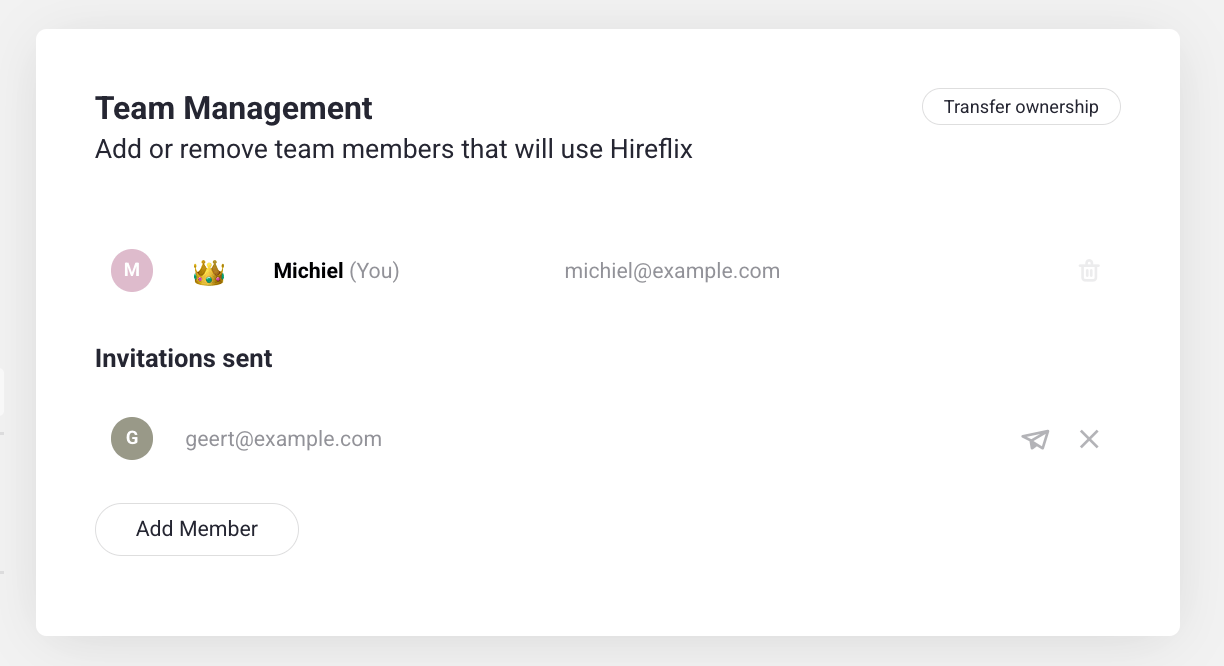 Once confirmed, the selected user becomes the new account owner, and the previous admin gets regular user permissions.
Only the current admin can perform this action.
Once confirmed, the selected user becomes the new account owner, and the previous admin gets regular user permissions.
Only the current admin can perform this action.