> ## Documentation Index
> Fetch the complete documentation index at: https://hireflixsl.mintlify.site/llms.txt
> Use this file to discover all available pages before exploring further.
# Rating Settings
## Overview
Rating Settings let you manage how candidates are rated in Hireflix. This is separate from [Default Settings](/user/account-team/account-preferences/default-settings), which controls the defaults applied to new positions — Rating Settings only controls rating behavior.
## Steps
Click on your account name.
Look for the **Rating Settings** section in the menu.
Turn on **Allow rating per question** to let your team rate candidates on each individual question, instead of rating the interview as a whole.
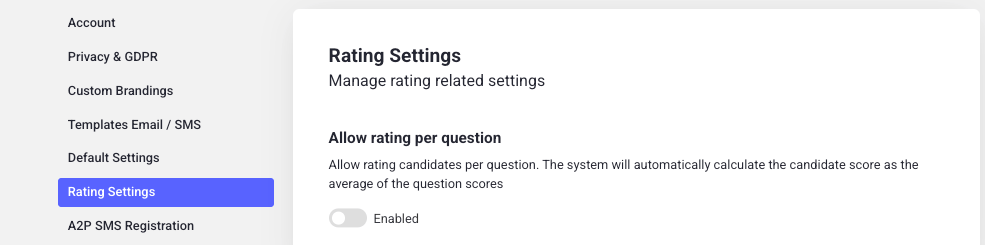 Don't forget to hit **Save** to apply the changes.
## How it works
With **Allow rating per question** enabled, the candidate's overall score is no longer set directly. Instead, Hireflix automatically calculates it as the **average of the individual question scores** your team assigns while reviewing the interview.
You can enable or disable this setting at any time.
Learn how to rate and review candidates.
Don't forget to hit **Save** to apply the changes.
## How it works
With **Allow rating per question** enabled, the candidate's overall score is no longer set directly. Instead, Hireflix automatically calculates it as the **average of the individual question scores** your team assigns while reviewing the interview.
You can enable or disable this setting at any time.
Learn how to rate and review candidates.