> ## Documentation Index
> Fetch the complete documentation index at: https://hireflixsl.mintlify.site/llms.txt
> Use this file to discover all available pages before exploring further.
# How-to: Updating Your Company Name
## Overview
Your company name is used across Hireflix, including in the automatic messages your candidates receive.
## Steps
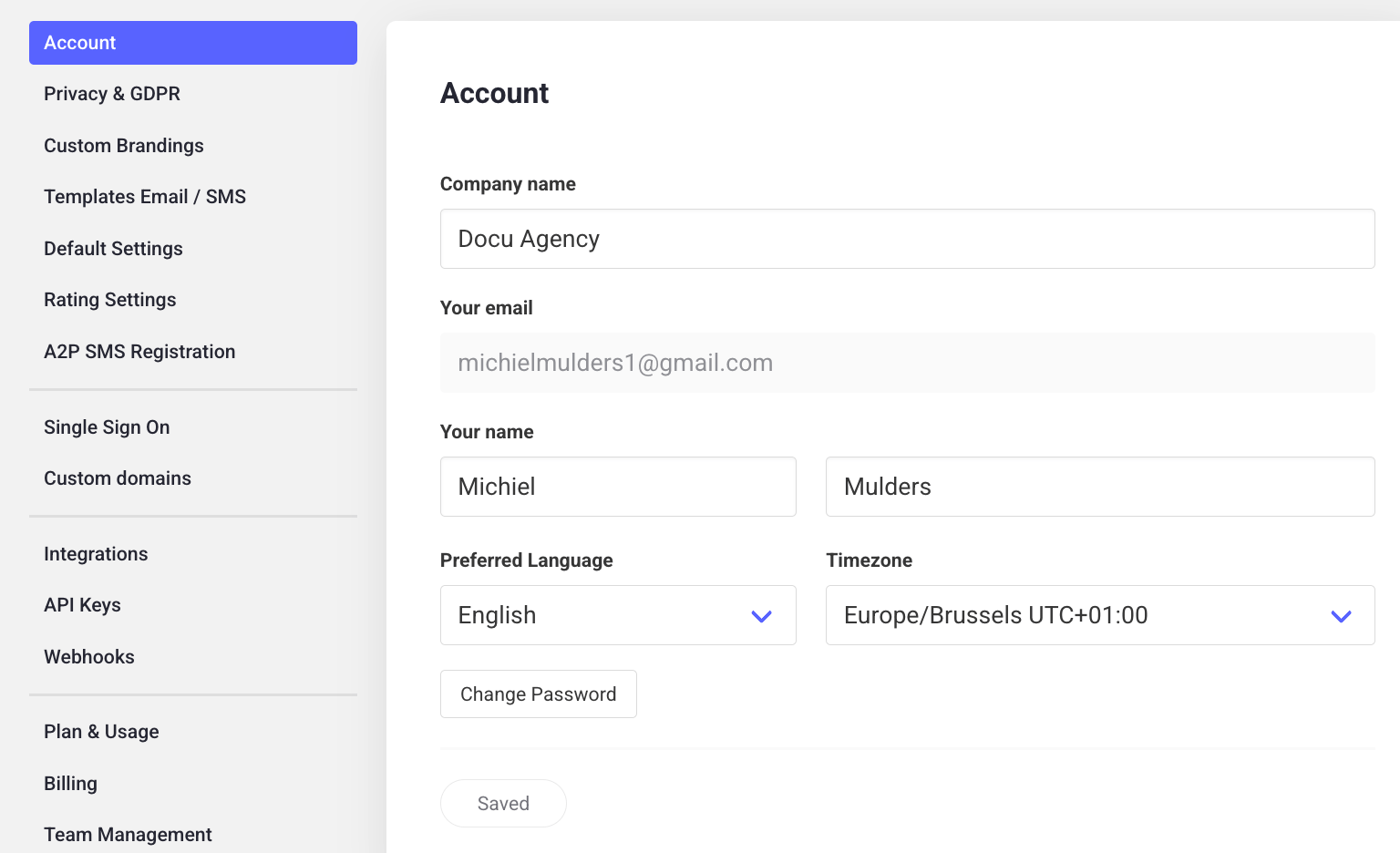
Click on your account name.
Under the **Account** section, you'll find your company name, which you can edit.
Edit the name and don't forget to hit **Save**.
 ## Why your company name matters
Whatever you enter here is what the `{company_name}` variable pulls in whenever an automatic message is sent to a candidate — it's how candidates recognize that the invitation is coming from you, so it's worth getting right.
Learn more about [inserting variables](/user/messages/creating-customizing-templates) like `{company_name}` into your message templates.
## Why your company name matters
Whatever you enter here is what the `{company_name}` variable pulls in whenever an automatic message is sent to a candidate — it's how candidates recognize that the invitation is coming from you, so it's worth getting right.
Learn more about [inserting variables](/user/messages/creating-customizing-templates) like `{company_name}` into your message templates.