> ## Documentation Index
> Fetch the complete documentation index at: https://hireflixsl.mintlify.site/llms.txt
> Use this file to discover all available pages before exploring further.
# Automation Integration: Zapier
> How can I use Zapier to call the Hireflix API?
You can easily make custom API calls to the Hireflix GraphQL endpoint directly from Zapier using Webhooks by Zapier → Custom Request. This is especially useful if you want to invite candidates, fetch data, or trigger actions without writing code.
## Step 1: Add a “Webhooks by Zapier” step
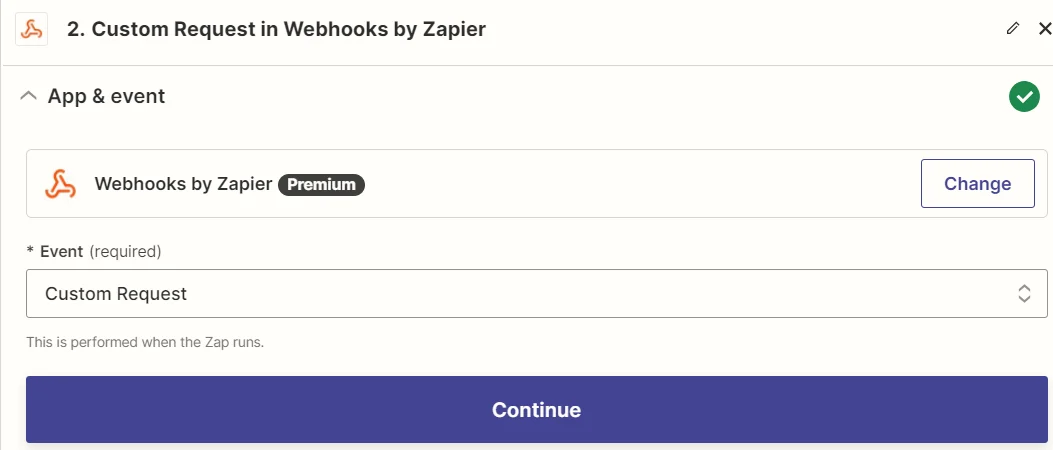
In your Zap, choose:
-> App: Webhooks by Zapier\
-> Event: Custom Request
 ## Step 2: Configure the Request
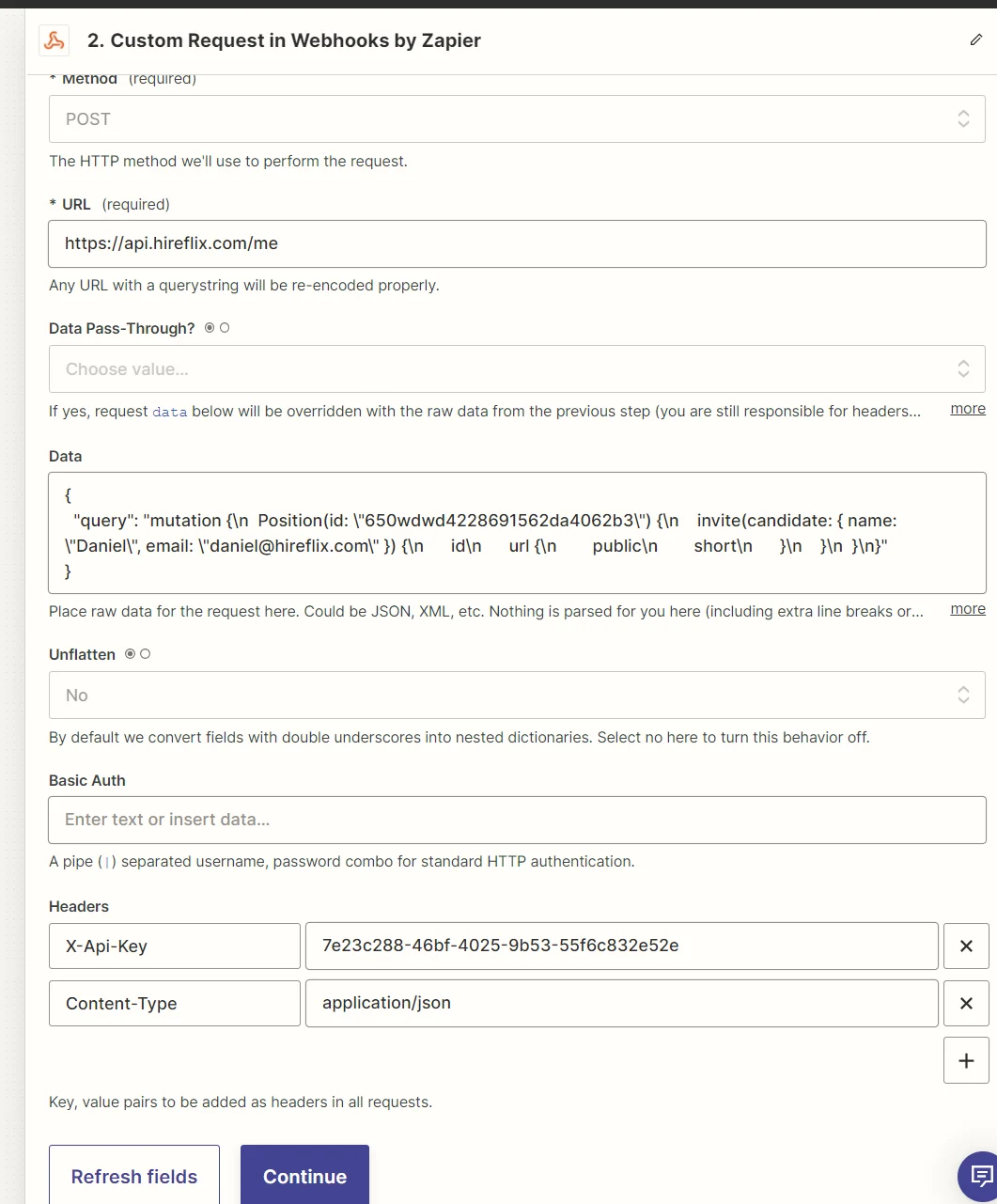
* **Method:** `POST`
* **URL:** `https://api.hireflix.com/me`
* **Content-Type:** `application/json`
* **Headers:** `X-Api-Key: `
Then add your GraphQL mutation or query. You can paste the GraphQL query into the "Data" field. For example, here's how you can invite a candidate to an interview:
```json theme={null}
{
"query": "mutation { Position(id: \"650wdwd4228691562da4062b3\") { invite(candidate: { name: \"Greg\", email: \"greg@hireflix.com\" }) { id url { public short } } } }"
}
```
Unsure how to structure your query as a one-line web payload? Read this [FAQ tutorial](/tech/faqs/how-convert-query-one-line-format).
## Step 2: Configure the Request
* **Method:** `POST`
* **URL:** `https://api.hireflix.com/me`
* **Content-Type:** `application/json`
* **Headers:** `X-Api-Key: `
Then add your GraphQL mutation or query. You can paste the GraphQL query into the "Data" field. For example, here's how you can invite a candidate to an interview:
```json theme={null}
{
"query": "mutation { Position(id: \"650wdwd4228691562da4062b3\") { invite(candidate: { name: \"Greg\", email: \"greg@hireflix.com\" }) { id url { public short } } } }"
}
```
Unsure how to structure your query as a one-line web payload? Read this [FAQ tutorial](/tech/faqs/how-convert-query-one-line-format).
 ## Step 3: Test your setup
Click Continue → Test Step. If successful, you'll see a response like this:
```json theme={null}
{
"data": {
"Position": {
"invite": {
"id": "68d4164f19367e041b2030c0",
"url": {
"public": "https://app.hireflix.com/HQ2oCyTN",
"short": "https://hflx.io/c/HQ2oCyTN"
}
}
}
}
}
```
## Step 4: Fetch Transcripts using Zapier
Below you can find the query you need:
```json theme={null}
{
"query": "query {\n interview(id: \"HERE YOUR INTERVIEW ID\") {\n questions {\n answer {\n transcription {\n languageCode\n text\n }\n }\n }\n }\n}"
}
```
And here's the code you need to process the information:
```js theme={null}
const parsed = JSON.parse(inputData.payload);
const questions = parsed.data.interview.questions;
const result = {};
questions.forEach((q, i) => {
result[`transcription_${i + 1}`] = q.answer?.transcription?.text || "";
});
return result;
```
## 📹 Watch our video tutorials
## Step 3: Test your setup
Click Continue → Test Step. If successful, you'll see a response like this:
```json theme={null}
{
"data": {
"Position": {
"invite": {
"id": "68d4164f19367e041b2030c0",
"url": {
"public": "https://app.hireflix.com/HQ2oCyTN",
"short": "https://hflx.io/c/HQ2oCyTN"
}
}
}
}
}
```
## Step 4: Fetch Transcripts using Zapier
Below you can find the query you need:
```json theme={null}
{
"query": "query {\n interview(id: \"HERE YOUR INTERVIEW ID\") {\n questions {\n answer {\n transcription {\n languageCode\n text\n }\n }\n }\n }\n}"
}
```
And here's the code you need to process the information:
```js theme={null}
const parsed = JSON.parse(inputData.payload);
const questions = parsed.data.interview.questions;
const result = {};
questions.forEach((q, i) => {
result[`transcription_${i + 1}`] = q.answer?.transcription?.text || "";
});
return result;
```
## 📹 Watch our video tutorials