> ## Documentation Index
> Fetch the complete documentation index at: https://hireflixsl.mintlify.site/llms.txt
> Use this file to discover all available pages before exploring further.
# Using Hireflix with Claude
## What is this?
Hireflix publishes a **skill file** at [hireflixsl.mintlify.app/skill.md](https://hireflixsl.mintlify.app/skill.md). It contains everything an **AI (we use Claude in this example)** needs to talk to the Hireflix API directly — the GraphQL schema and example queries — so that once you provide your API key, you can ask Claude questions about your account in plain English instead of writing GraphQL yourself.
You'll need a Hireflix **API key** to use the skill. If you don't have one yet, follow the [Quickstart](/tech/quickstart) to create an account and generate a key.
You must allow network access to `api.hireflix.com` **before** you start the chat session that will use this skill.
## Setup
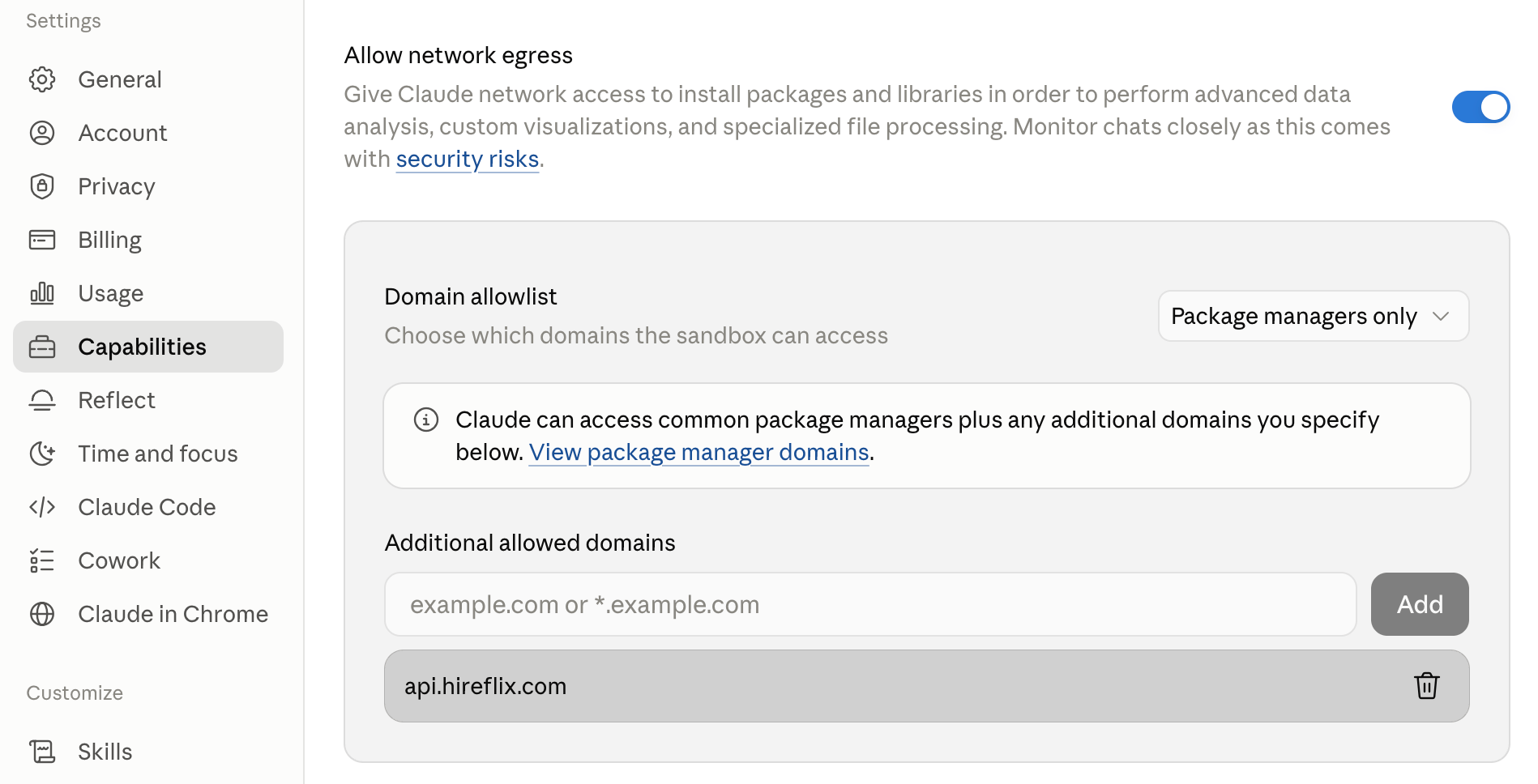
In Claude, go to **Settings → Capabilities**, scroll all the way down to the **Allow network egress** section, and enable the domain allowlist. Add `api.hireflix.com` to the list. Do this before you start a new chat.
 Open [hireflixsl.mintlify.app/skill.md](https://hireflixsl.mintlify.app/skill.md) and save the page as `skill.md`. You can hit `CTRL + S` or on Mac `CMD + S` to store the page as `skill.md` on your machine.
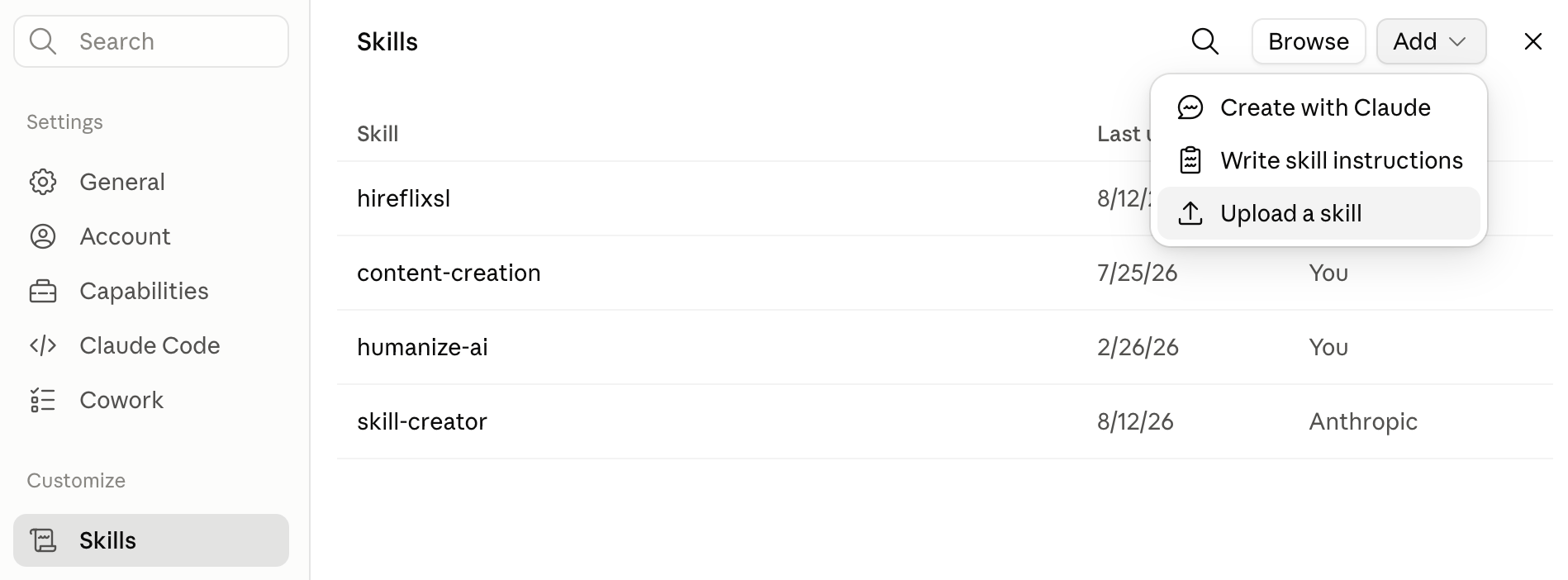
Still under **Settings → Skills**, upload the `skill.md` file you just saved by clicking the "Add" button and selecting "Upload a skill".
Open [hireflixsl.mintlify.app/skill.md](https://hireflixsl.mintlify.app/skill.md) and save the page as `skill.md`. You can hit `CTRL + S` or on Mac `CMD + S` to store the page as `skill.md` on your machine.
Still under **Settings → Skills**, upload the `skill.md` file you just saved by clicking the "Add" button and selecting "Upload a skill".
 Start a **new** chat (so the network egress rule from step 1 applies), and give Claude your Hireflix API key so it can authenticate against `api.hireflix.com`. See the [Quickstart](/tech/quickstart) if you still need to create one.
When sharing an API key with Claude AI, make sure to revoke it after your session has ended as a safety precaution.
## Try it out
Once your API key is set for the session, try asking Claude things like:
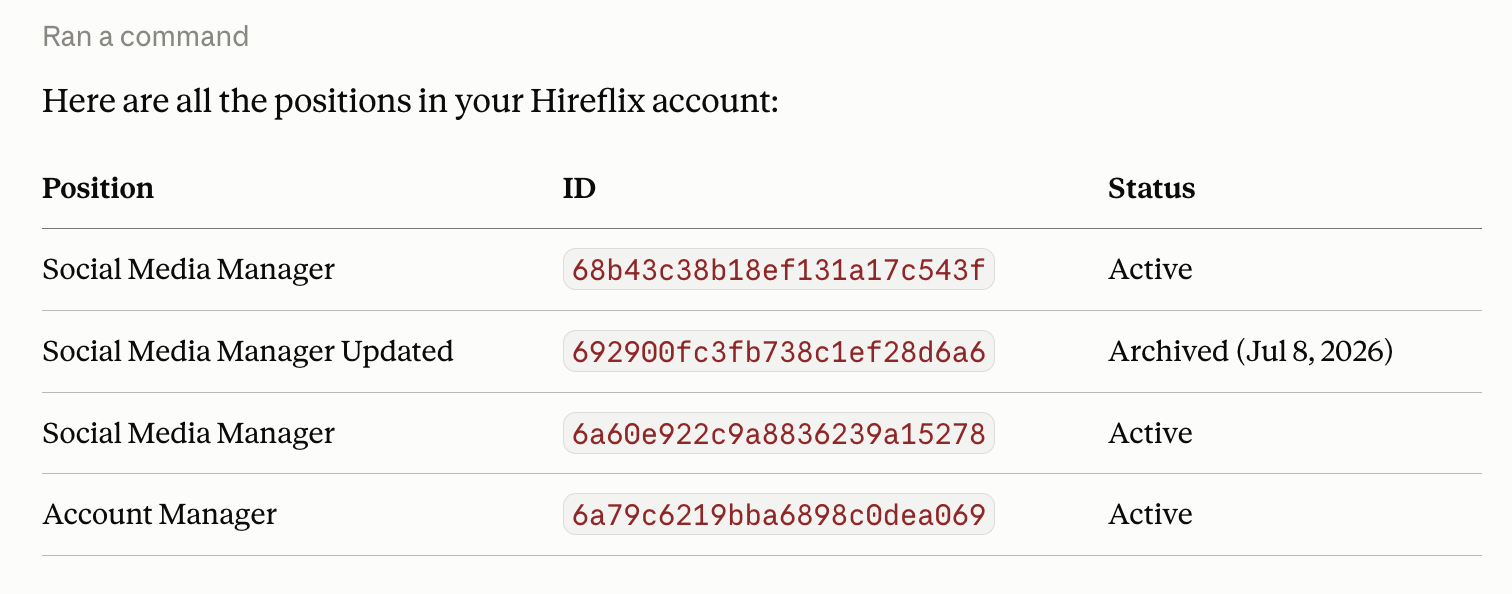
* "Can you help me list all positions for Hireflix in my account?"
* "Can you pull interview stats (per stage) for each of the positions (total, pending, to evaluate, shortlisted, and discarded)?"
* "Can you give me an overview of the questions and answers for the following completed interview for position ``?"
Claude will use the schema and examples from the skill file to write and run the right GraphQL queries against your account behind the scenes.
Start a **new** chat (so the network egress rule from step 1 applies), and give Claude your Hireflix API key so it can authenticate against `api.hireflix.com`. See the [Quickstart](/tech/quickstart) if you still need to create one.
When sharing an API key with Claude AI, make sure to revoke it after your session has ended as a safety precaution.
## Try it out
Once your API key is set for the session, try asking Claude things like:
* "Can you help me list all positions for Hireflix in my account?"
* "Can you pull interview stats (per stage) for each of the positions (total, pending, to evaluate, shortlisted, and discarded)?"
* "Can you give me an overview of the questions and answers for the following completed interview for position ``?"
Claude will use the schema and examples from the skill file to write and run the right GraphQL queries against your account behind the scenes.
 ## What's next?
Understand the queries and mutations Claude is running on your behalf.
Explore the full interview flow: from inviting candidates to reviewing completed interviews.
## What's next?
Understand the queries and mutations Claude is running on your behalf.
Explore the full interview flow: from inviting candidates to reviewing completed interviews.