> ## Documentation Index
> Fetch the complete documentation index at: https://hireflixsl.mintlify.site/llms.txt
> Use this file to discover all available pages before exploring further.
# Quickstart
## Get started in three steps
Hireflix provides a GraphQL API that allows you to integrate one-way video interview functionality into your own systems. Using the Hireflix API, you can programmatically invite candidates to interviews, track interview progress, and retrieve video responses.
**Watch the quickstart video or follow the steps below:**
You can use the Apollo GraphQL Sandbox ([studio.apollographql.com/signup](https://studio.apollographql.com/signup)) to send queries to the Hireflix API at [api.hireflix.com/me](https://api.hireflix.com/me)
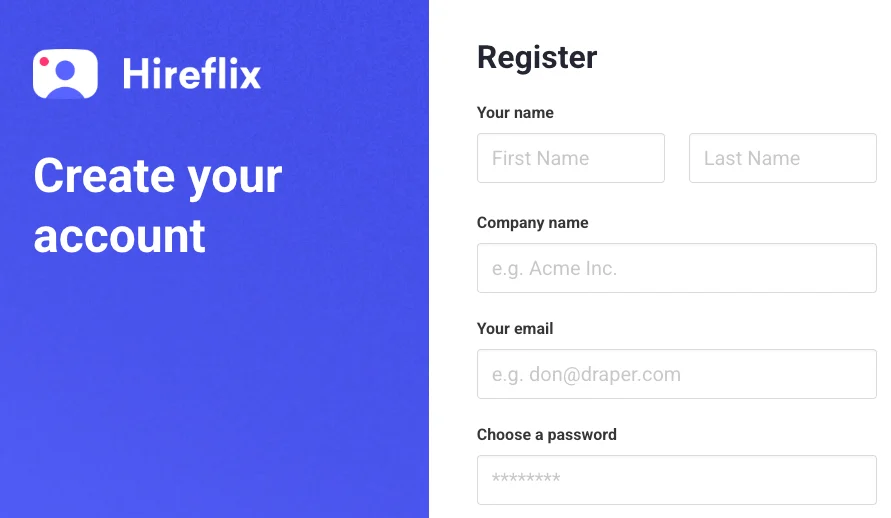
The easiest way to authenticate is with an API Key. Every Hireflix account can generate API keys, which carry your account permissions and should be kept secure. First, you need to sign up via the [Hireflix website](https://admin.hireflix.com/register).
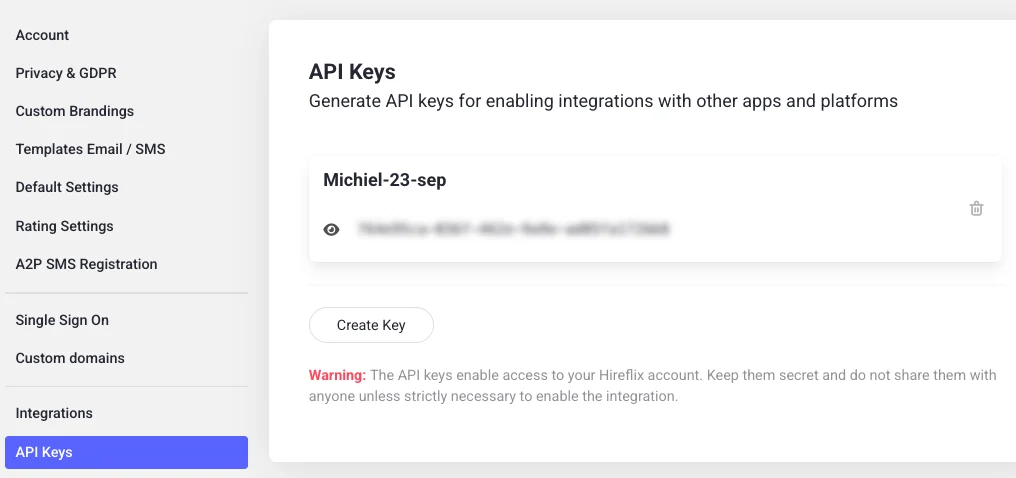
Log in to your Hireflix account, open your \*\*profile \*\*by clicking on your name at the top right of your screen, and navigate to the **API Keys** section. From there, create your first API key and give it a label so you can easily recognize it later.
All requests to the Hireflix API ([https://api.hireflix.com/me](https://api.hireflix.com/me)) require authentication. Add your API key to the request headers as shown below:
```bash theme={null}
X-API-KEY:
```
**Create an Apollo Studio account**
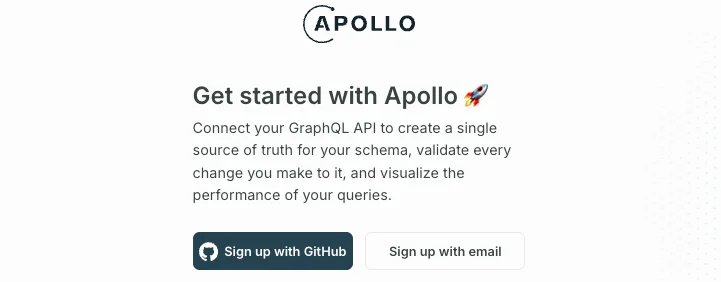
If you are new to GraphQL APIs, let's learn how to send requests using Apollo Studio. Go to [https://studio.apollographql.com/signup](https://studio.apollographql.com/signup) and sign up for a free Apollo Studio account. Apollo Studio is a web tool that lets you send test requests to the Hireflix API without writing any code.
**Connect to the Hireflix API**
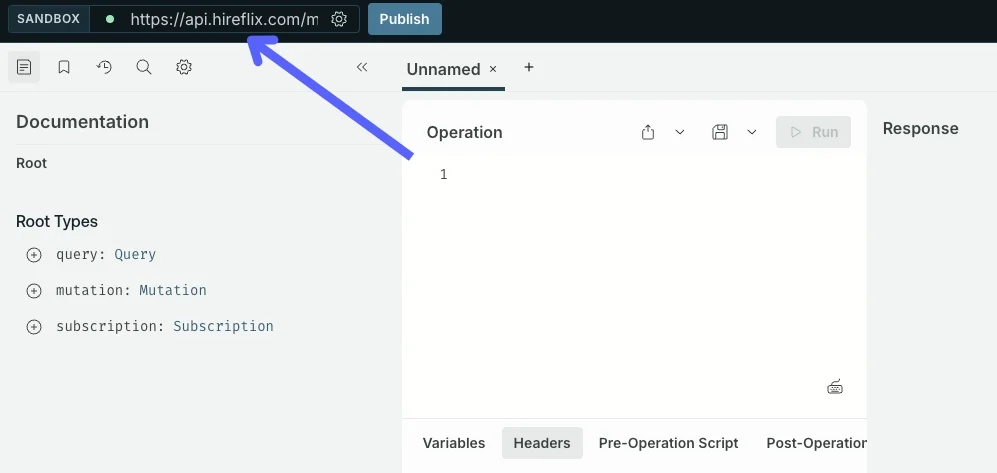
In Apollo Studio, paste the Hireflix API URL ([https://api.hireflix.com/me](https://api.hireflix.com/me)) into the sandbox input box at the top. This will load the Hireflix GraphQL schema into Apollo Studio, allowing you to start exploring queries and mutations.
**Create your first query**
Now, create a new query to fetch some basic account information. This is a simple way to confirm that your connection to the Hireflix API is working.
```graphql theme={null}
query getBasicInfo {
info {
id
name
company {
id
name
}
}
}
```
**Add your API key and run the query**
In Apollo Studio, open the **Headers** tab below your request and paste the API key you created earlier. It should look like this:
Then click the **Play** button next to your query name (`getBasicInfo`). You should see your Hireflix account details appear in the response panel. 🎉 Success!
### What should I learn next?
Explore the GraphQL basics, or learn about interview and position management. Later, webhooks can help you trigger actions when events occur.
Get a quick introduction to GraphQL and learn the difference between queries and mutations.
Explore the full interview flow: from inviting candidates to reviewing completed interviews.
Learn how to create, update, and organize positions (jobs).
Discover how to use webhooks to trigger actions when events occur, like when a candidate finishes an interview.
 **Connect to the Hireflix API**
In Apollo Studio, paste the Hireflix API URL ([https://api.hireflix.com/me](https://api.hireflix.com/me)) into the sandbox input box at the top. This will load the Hireflix GraphQL schema into Apollo Studio, allowing you to start exploring queries and mutations.
**Connect to the Hireflix API**
In Apollo Studio, paste the Hireflix API URL ([https://api.hireflix.com/me](https://api.hireflix.com/me)) into the sandbox input box at the top. This will load the Hireflix GraphQL schema into Apollo Studio, allowing you to start exploring queries and mutations.
 **Create your first query**
Now, create a new query to fetch some basic account information. This is a simple way to confirm that your connection to the Hireflix API is working.
```graphql theme={null}
query getBasicInfo {
info {
id
name
company {
id
name
}
}
}
```
**Add your API key and run the query**
In Apollo Studio, open the **Headers** tab below your request and paste the API key you created earlier. It should look like this:
**Create your first query**
Now, create a new query to fetch some basic account information. This is a simple way to confirm that your connection to the Hireflix API is working.
```graphql theme={null}
query getBasicInfo {
info {
id
name
company {
id
name
}
}
}
```
**Add your API key and run the query**
In Apollo Studio, open the **Headers** tab below your request and paste the API key you created earlier. It should look like this:
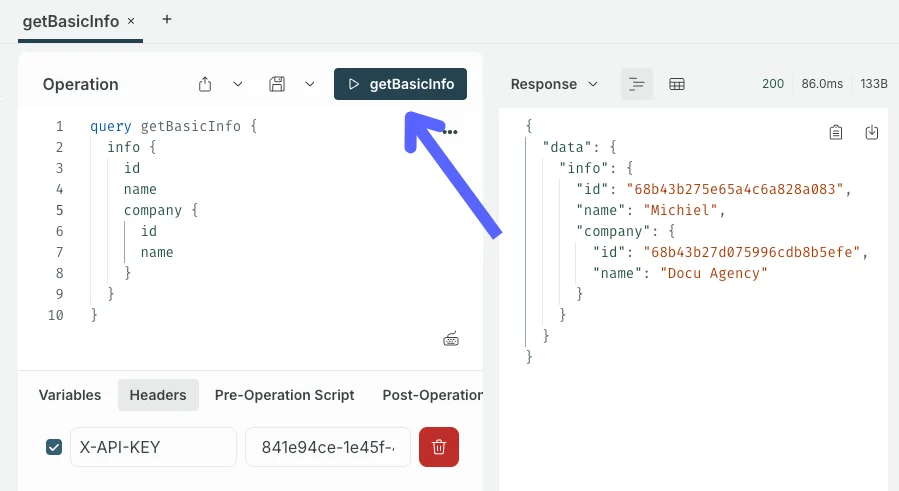 Then click the **Play** button next to your query name (`getBasicInfo`). You should see your Hireflix account details appear in the response panel. 🎉 Success!